Founder's Demo
- English
- 中文
- 日本語
Introduction
The vision of Heptabase is to create a world where anyone can effectively establish a deep understanding of anything. Our short-term goal is to create the world’s best thinking tool, and our long-term goal is to build a contextualized knowledge internet.
Currently, Heptabase has four main use cases as a thinking tool: learning, researching, planning, and writing. The essence of learning and research is to build a deep understanding of known and unknown things, while the essence of planning and writing is to convert these deep understandings into executable and communicable forms.
I am the founder of Heptabase and also its first user. Since May 2021, I have been using Heptabase for more than two years and have seen it go through more than 350 iterations. As Heptabase’s functionality and user experience continue to improve, I have truly felt how this tool has reshaped my way of thinking every day.
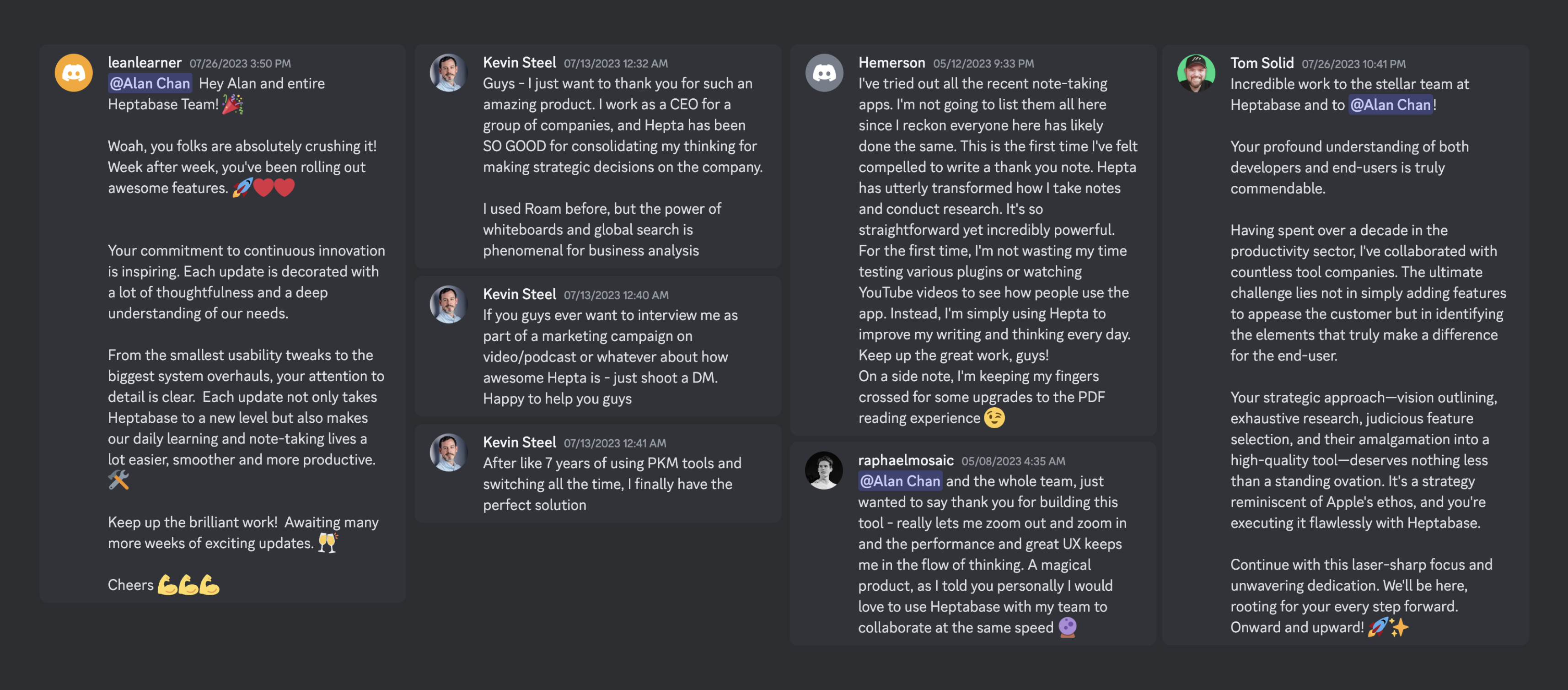
In the Heptabase user community, I receive feedback from different users around the world every day. Some users express their love for Heptabase and tell me how it has completely changed their way of learning and researching. However, there are also a few users who express their struggles with Heptabase and tell me that they are not sure if the visualized note-taking method is really suitable for them.
I take every user’s feedback on Heptabase seriously, which is why I’m writing this article. For users who are unsure how to use Heptabase effectively, I often use a metaphor: using Heptabase is like learning English and mathematics. Initially, when faced with English letters or mathematical symbols, it’s easy to feel lost. However, with a good mentor to help you cross this hurdle and master these letters and symbols, you will discover an entirely new way of understanding the world using these letters and symbols. This is what I hope to achieve through this article.
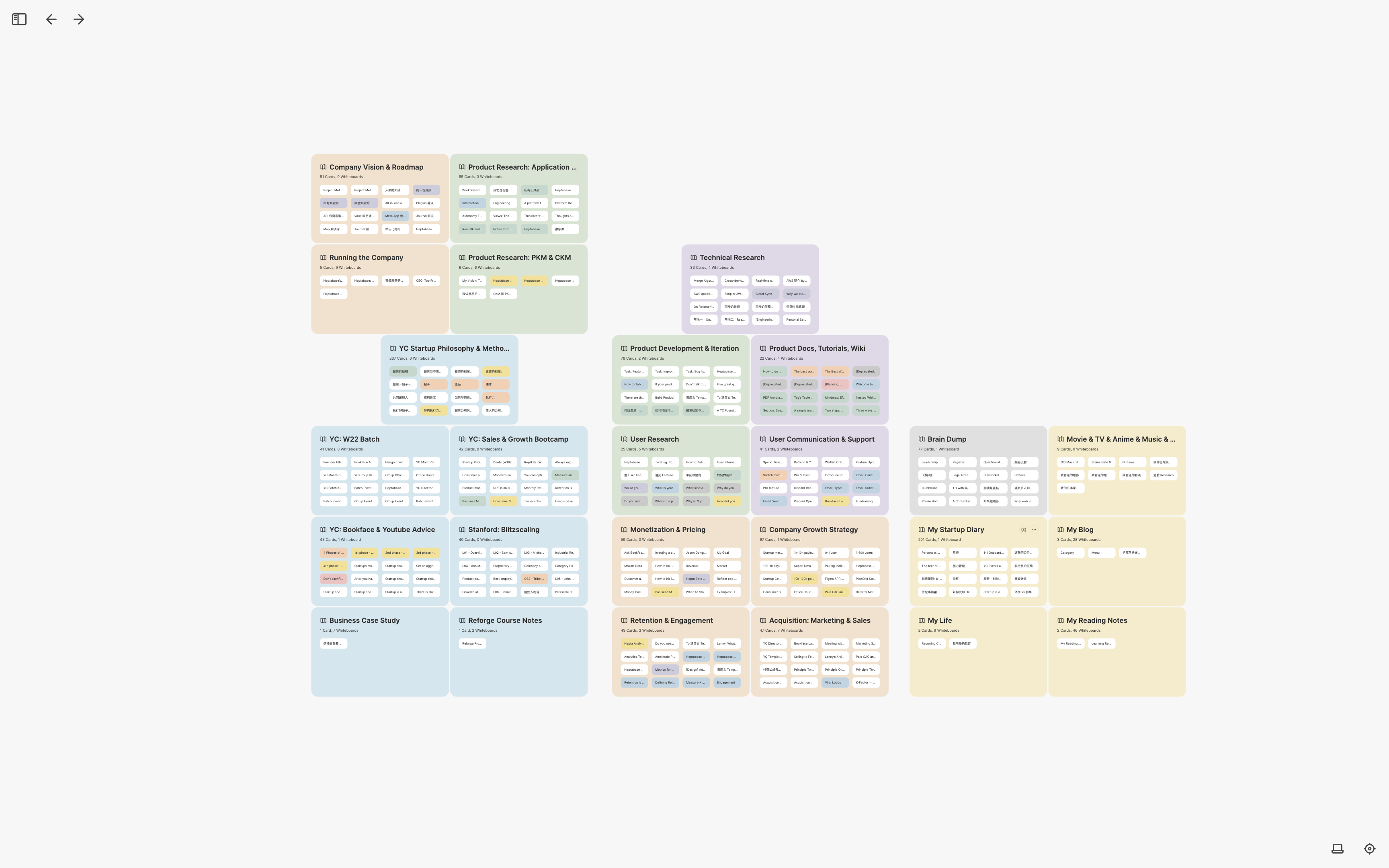
In this article, I will share how I have used Heptabase to help me learn, research, plan, and write over the past two years. I will also include screenshots of my whiteboards. However, due to the sensitive information related to company operations in many of the screenshots, I intentionally reduced the zoom ratio and made the content blurry. I believe that the experiences and ideas I describe in the article have greater inspirational value than the content of the notes themselves.
I have made a tutorial video based on the content of this article. If you prefer learning through videos, feel free to check it out:

For those who consider themselves not good at note-taking, I also hope to convey an important message through this article: note-taking itself is not the goal, but a process to achieve your goal. To leverage the power of Heptabase, it’s important to think clearly about what your most important goal is, and then develop your unique way of using Heptabase to achieve this goal.
Building a Minimum Viable Product: 2021 Q3
Product Development Plan
At the end of May 2021, when I started building the first version of Heptabase, the first thing I did with it was to plan the product development and user research process. The reason is simple: this was the most important thing for me at the time.
I am well aware that resources for startups are limited, and we should avoid wasting energy on unimportant things. Y Combinator is the world’s most well-known startup accelerator, so to figure out what is important, I decided to read articles related to this topic from its Startup Library. The articles I read include the mindset of building products, how to build a minimum viable product, and how to iterate on products, etc.
Before reading these articles, I created a whiteboard called Product Development & Iteration. Whenever I found important concepts or knowledge that I thought were important while reading, I would organize them into cards and spread them out on the whiteboard, making the entire product development methodology instantly clear.
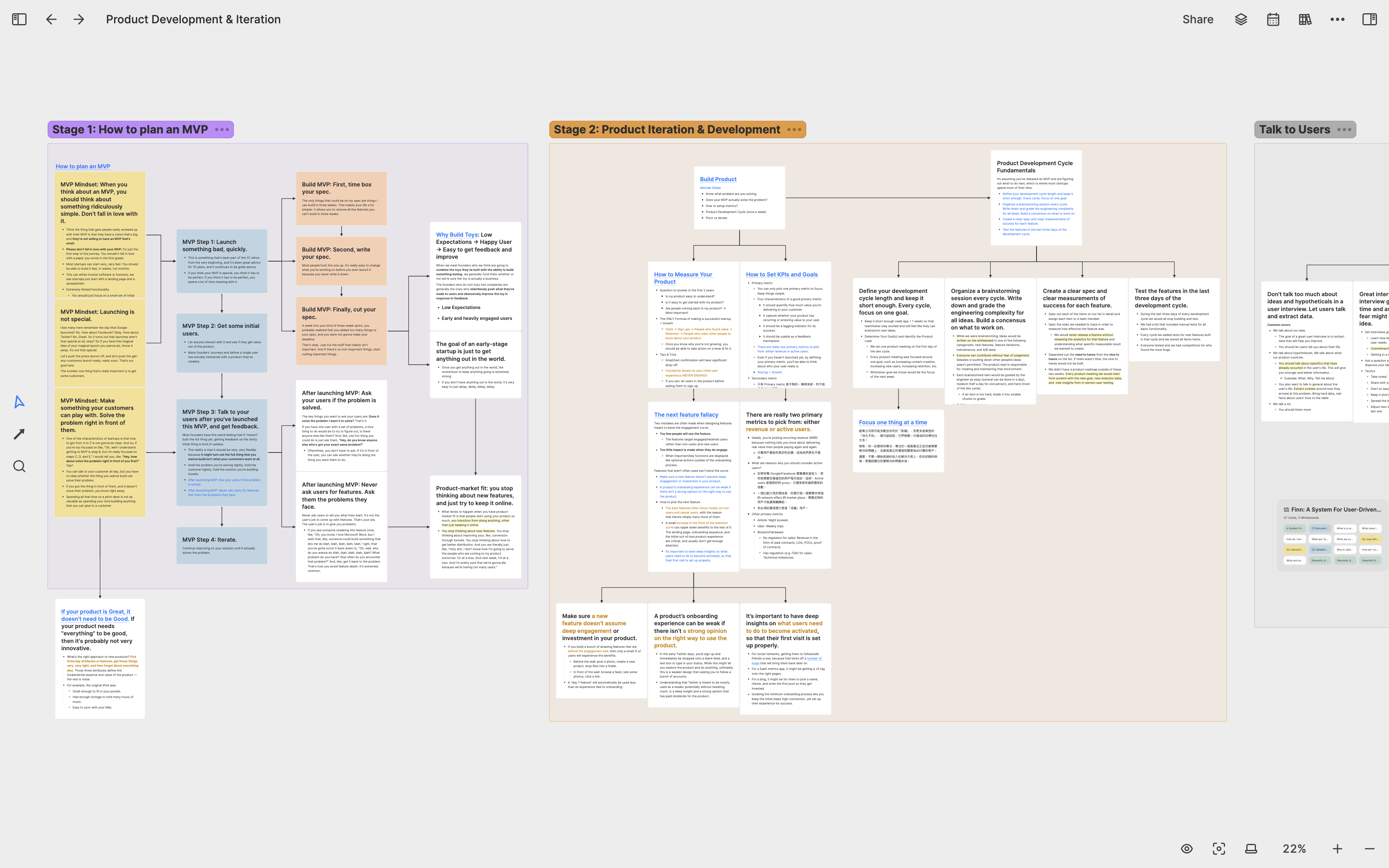
Over the next few months, whenever I encountered product-related problems, I would always open this whiteboard to confirm that I was doing things correctly. Whenever I came across great articles related to product development online, I would also turn the knowledge from these articles into cards and integrate them with my existing knowledge on this whiteboard.
User Interview and Research
After launching the minimum viable product, I began to conduct user interviews with everyone who wanted to try the product. To do the user research well, I created a whiteboard called User Research, where I stored knowledge related to user research, as well as wrote the questions we would ask during interviews and the purpose of each question into cards. When I interviewed users, I would look at the cards on this whiteboard to ensure that I did not miss important questions.
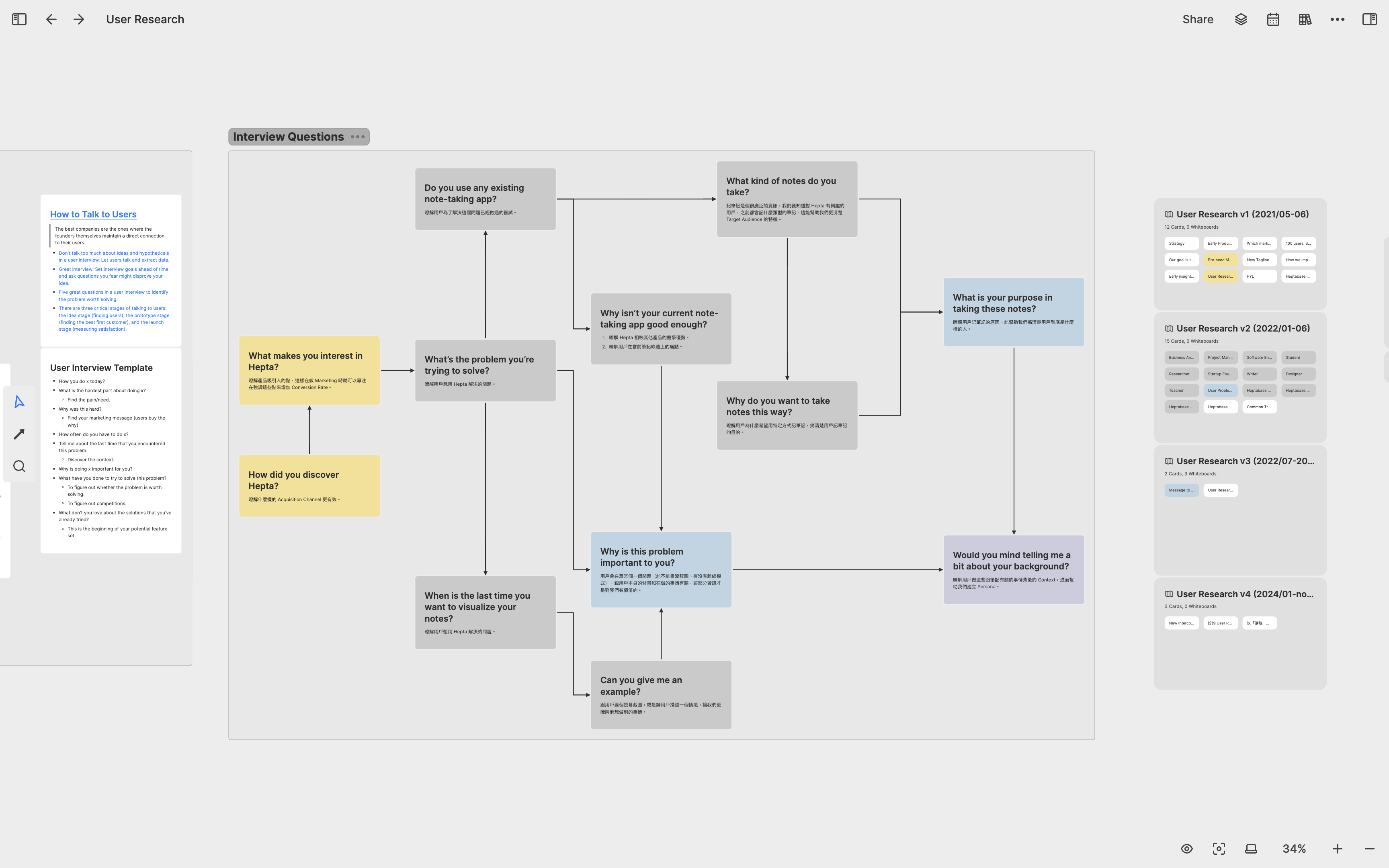
For each user I interviewed, I created a separate card to record the interview content. Over time, I accumulated hundreds of user interview cards. To identify important patterns and clues in these user interviews, I created three sub-whiteboards under the User Research whiteboard: User Note, Feature Request, and Jobs to be done.
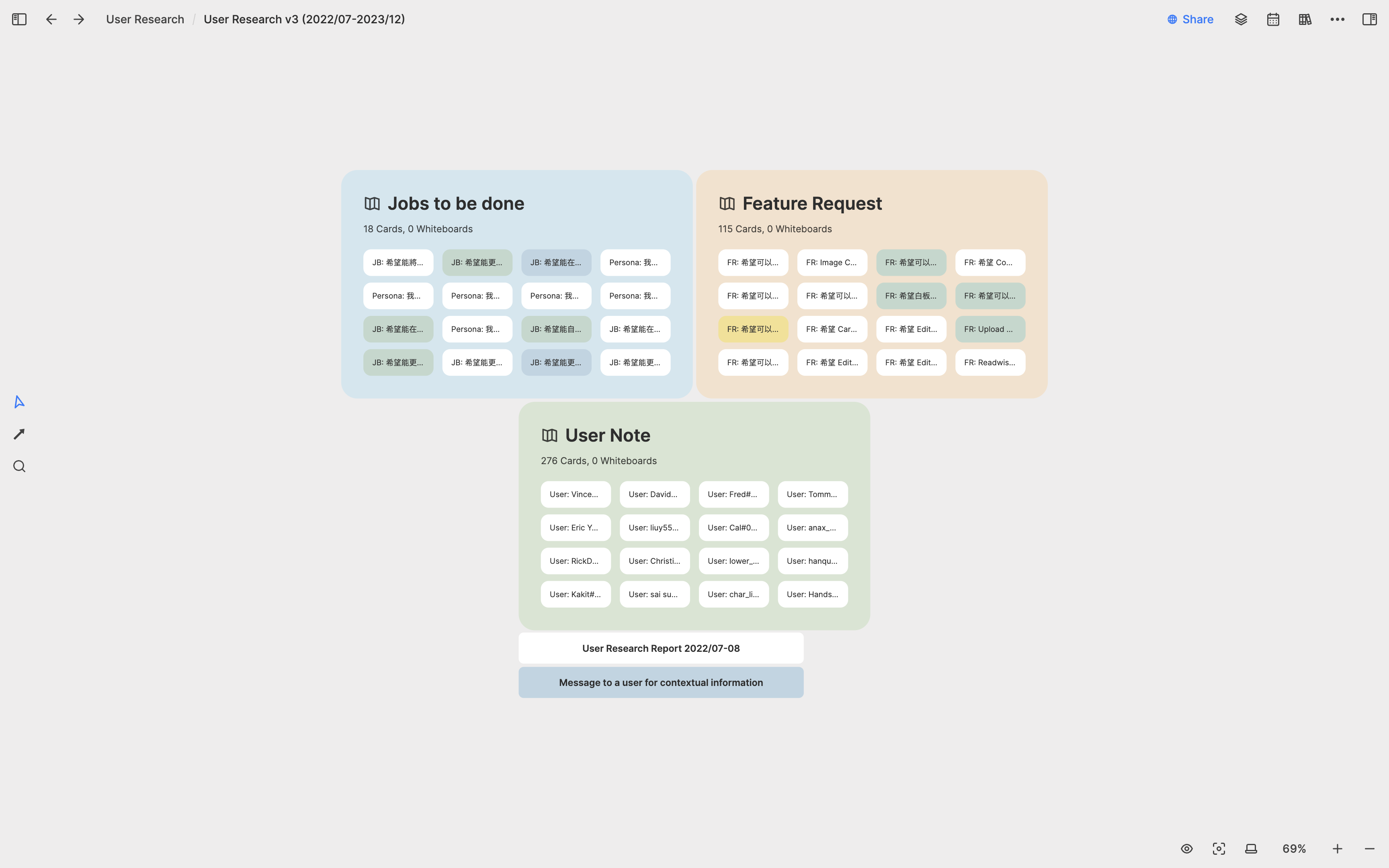
In the User Note whiteboard, I compiled nearly three hundred user interview notes collected over the past year and a half. I spread out these interview cards and compared them. During the interviews, users often made feature requests. I created individual cards for each feature request and placed them in the Feature Request whiteboard. Each feature request card was linked bi-directionally to multiple user interview cards, allowing me to quickly access relevant interview content when reviewing a feature request.
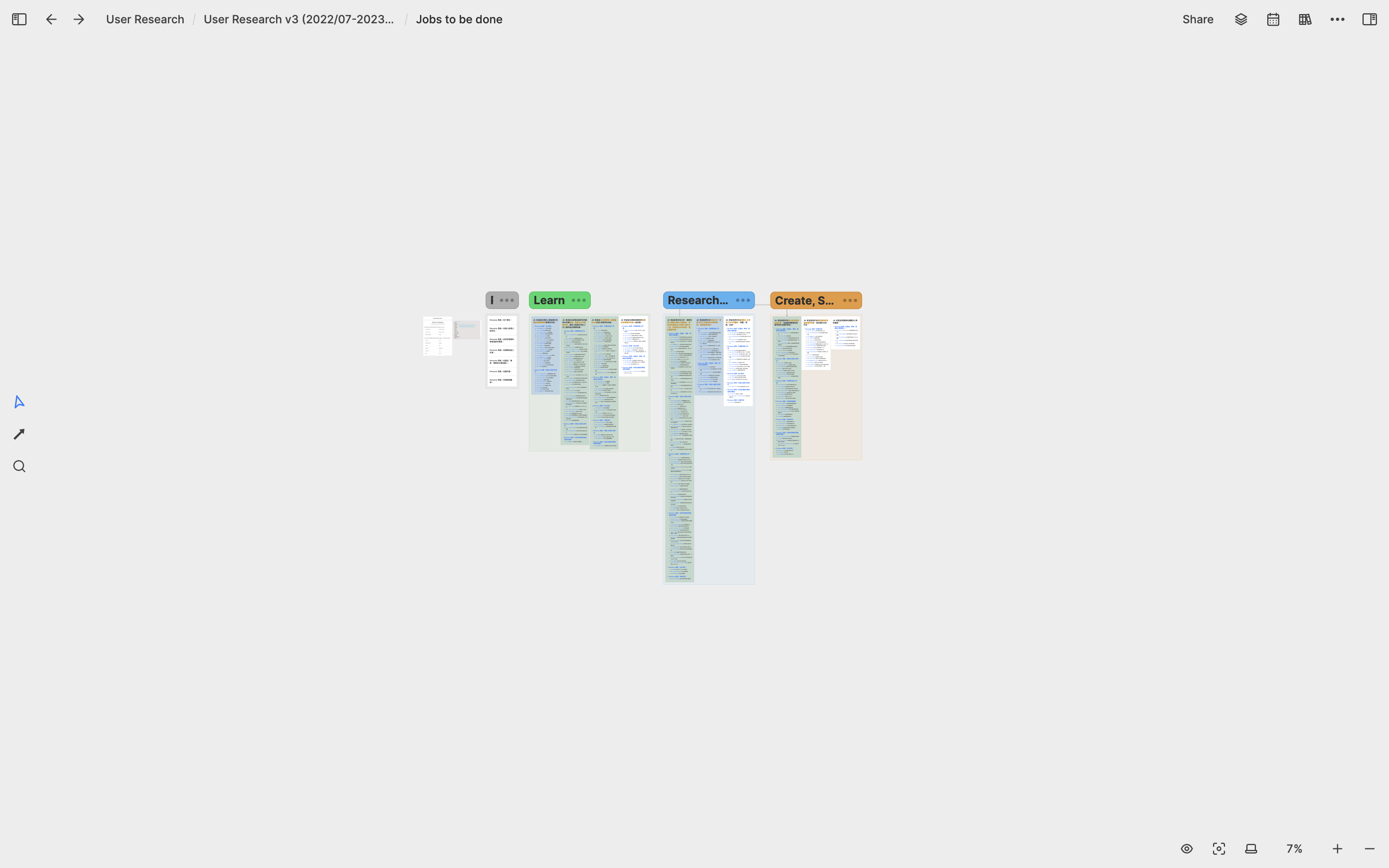
In addition to feature requests, the most important aspect of user interviews was understanding the problems users wanted Heptabase to solve, a.k.a, jobs to be done (JBTD). After conducting these interviews, I summarized the top ten JBTD and seven user personas for Heptabase. I created a card for each use case and user persona, and placed all of them on the Jobs to be Done whiteboard. I divided these top ten JBTD into three sections: Learning, Research and Planning, and Creating and Sharing. Under each JBTD, I created bi-directional links to the user persona cards and all relevant user interview cards. This allowed me to see all the interview records related to any JBTD, providing me with a deeper understanding of the problems users wanted to solve with Heptabase.
User Communication Documents
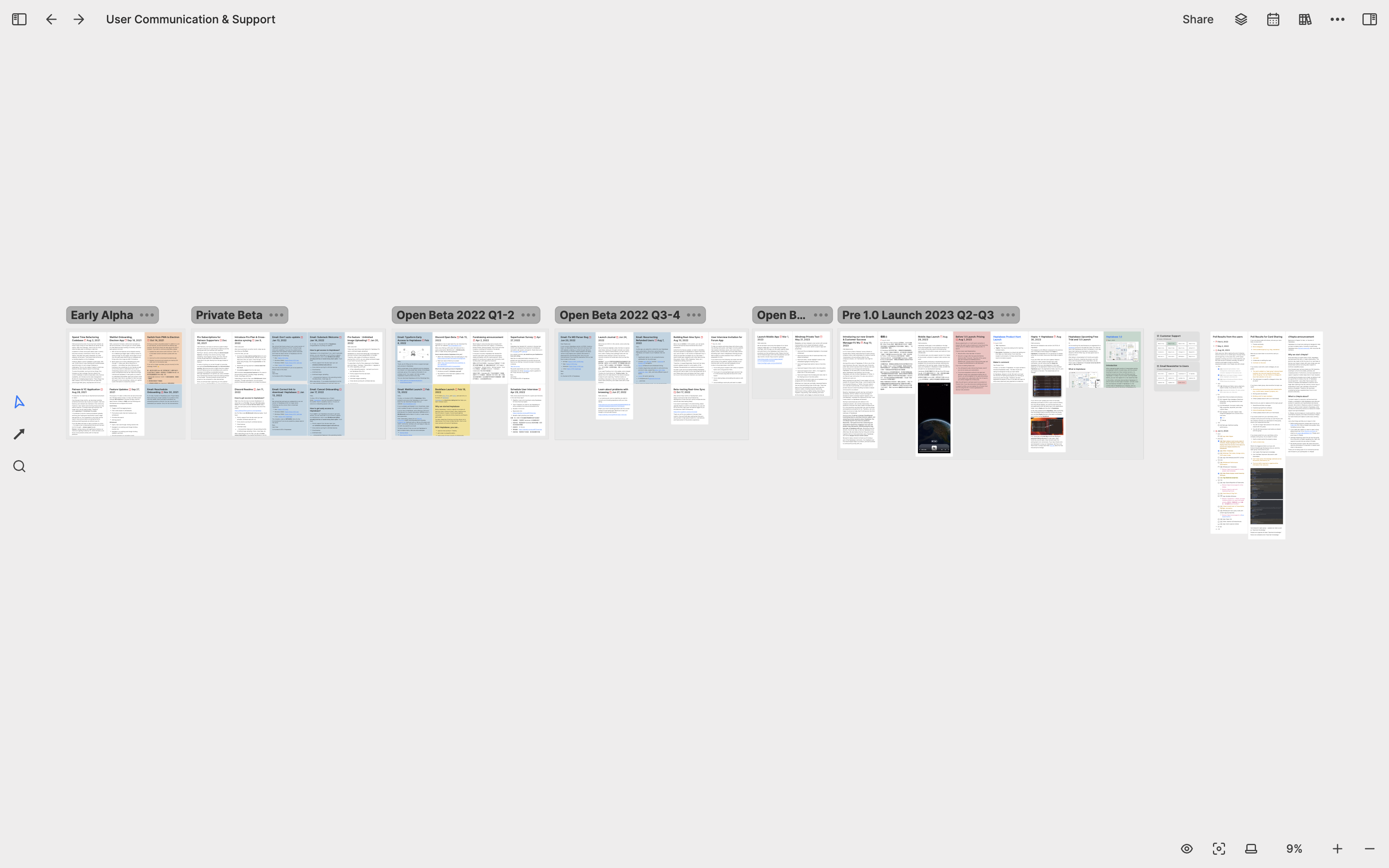
In addition to user research, I also spend a lot of time writing texts for users to read, such as important announcements in the community (almost every week), official tutorial documents, email copies, and more. The difficulty in writing these texts is that sometimes I forget what I wrote before. To maintain consistency in important information, I need to be able to see at a glance what I said before. So I created a whiteboard called User Communication & Support to organize the important announcements I made at different stages in the user community.
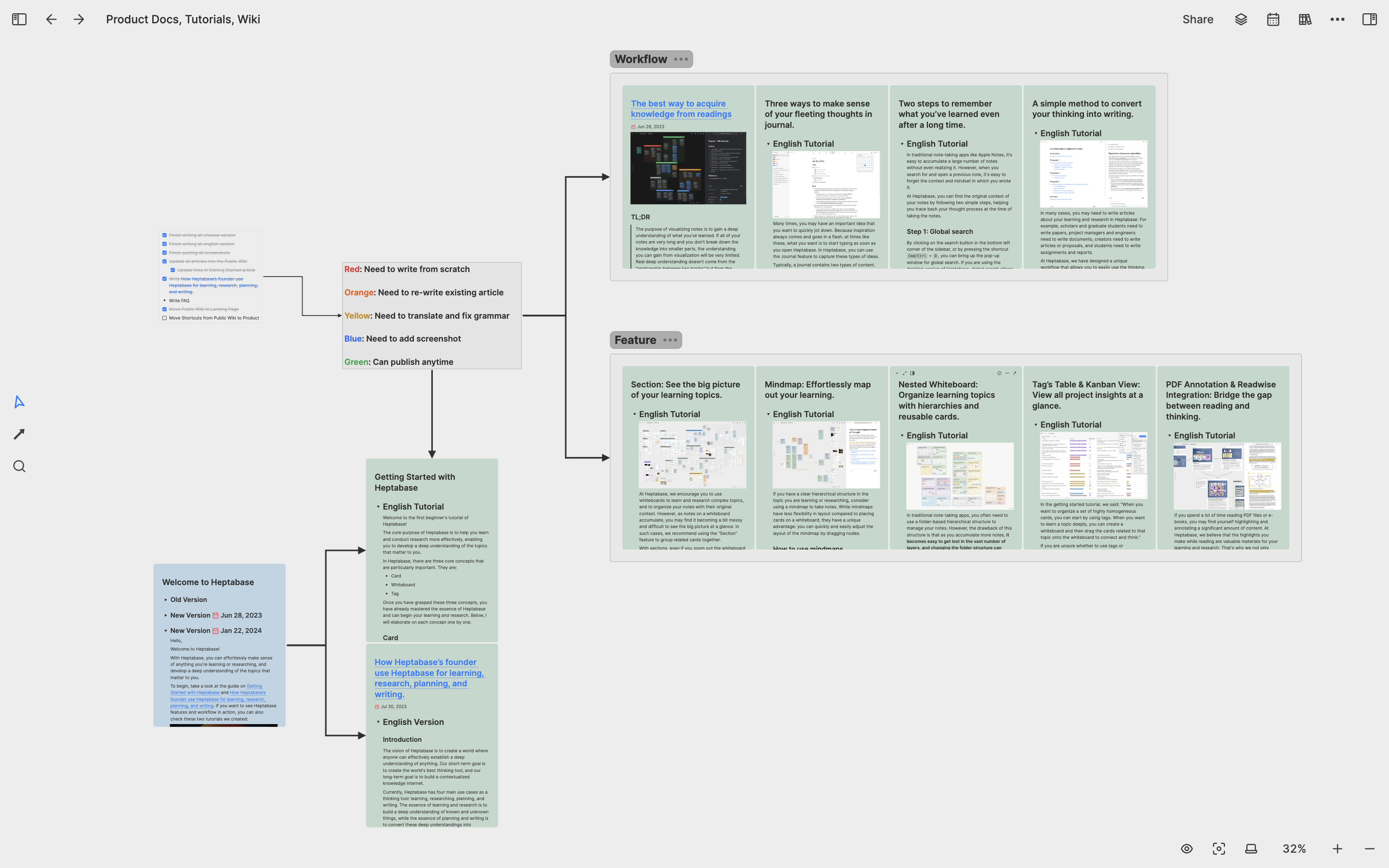
As for tutorial documents, the challenge I face is that I need to produce a lot of content in a very short time. Some content may have just been outlined, some content is being drafted, some content has been drafted but has not been illustrated or checked for grammar, and some content has been completed but not yet published. For these documents, I created a whiteboard called Product Docs, Tutorials, Wiki, where I put all the articles I need to write. I use spatial relations to distinguish different types of articles and colors to indicate the writing status of the articles.
Personal Writing
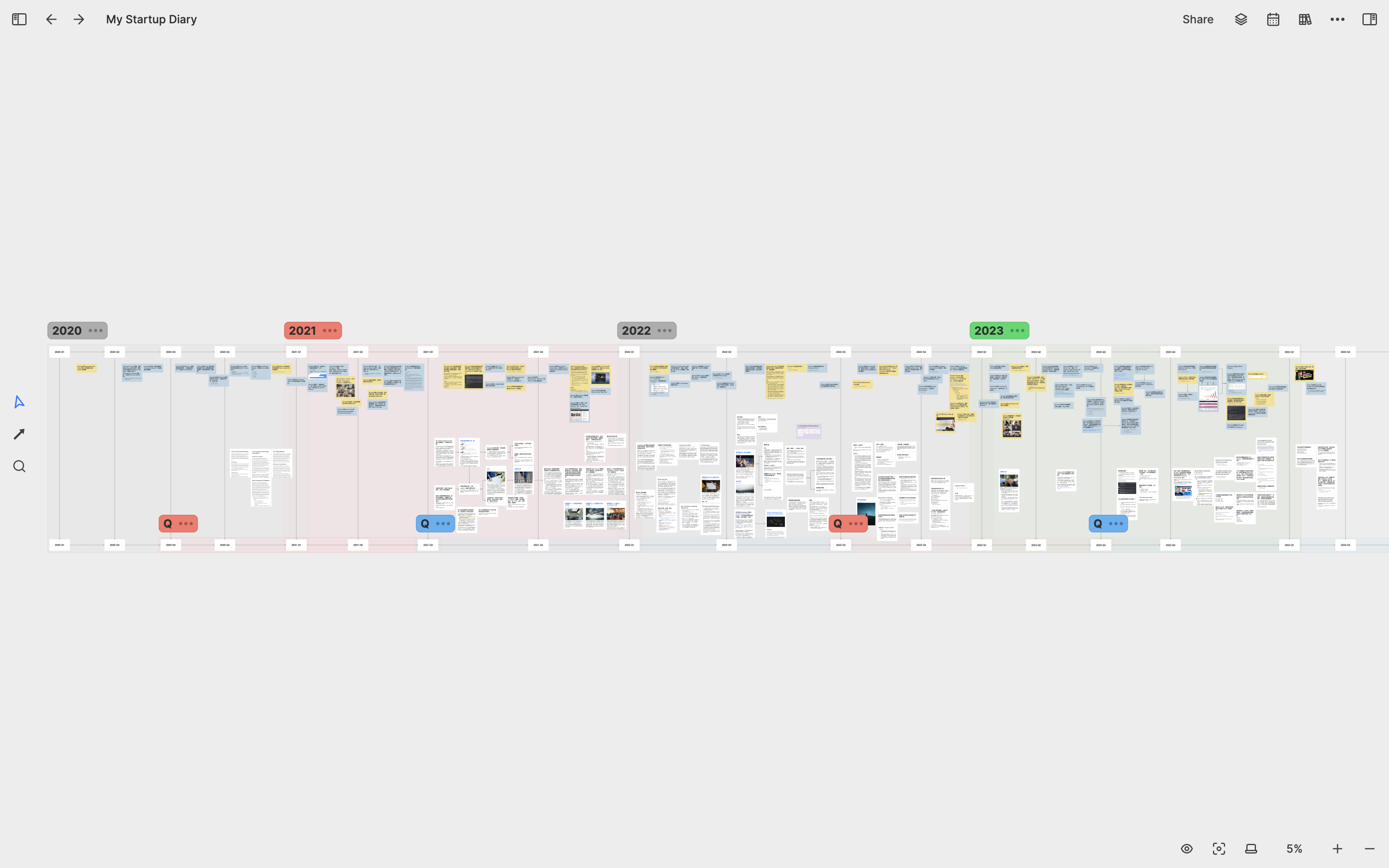
In addition to writing texts for users, I also enjoy documenting what I have learned in my work. For example, I created a whiteboard called My Startup Diary specifically to record ideas or events that I find worth documenting, and I organize them from left to right by year. Many cards are just a couple of sentences long, but as I accumulate more cards, I merge them into an article. To make this process easier, I asked our engineer to develop the right sidebar feature, which allows me to place reference cards on the right side when writing an article on the left.
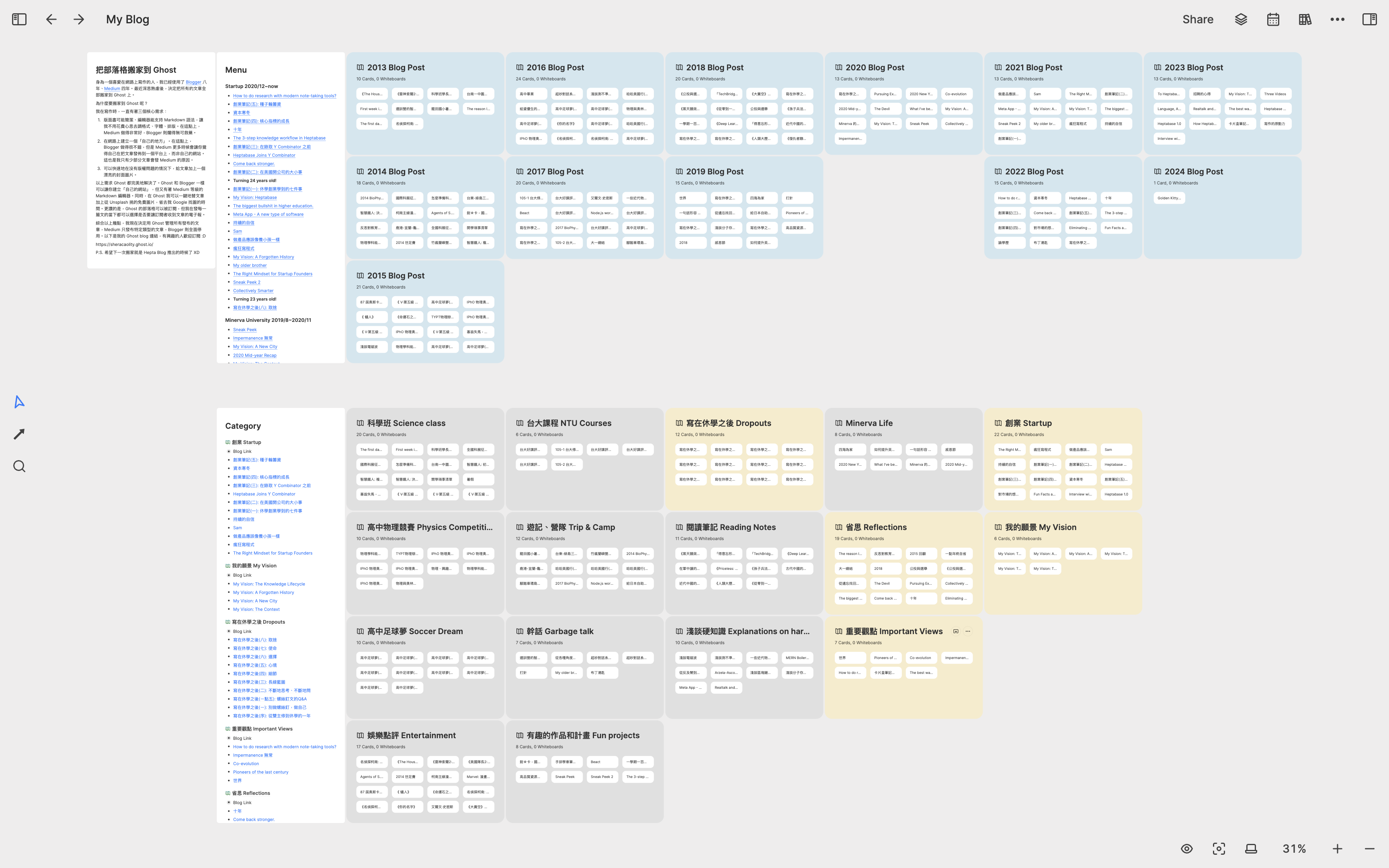
Because Heptabase has become my tool for writing blog articles, I decided to back up all the blog articles I wrote in the past ten years to Heptabase. I created a whiteboard called My Blog and a sub-whiteboard for each year, and then put the blog articles into these sub-whiteboards. At the same time, I also created a sub-whiteboard for each topic in my blog. Since the cards in Heptabase can be reused in multiple whiteboards, I can place a blog article’s card in both its corresponding year sub-whiteboard and topic sub-whiteboard, which is very convenient.
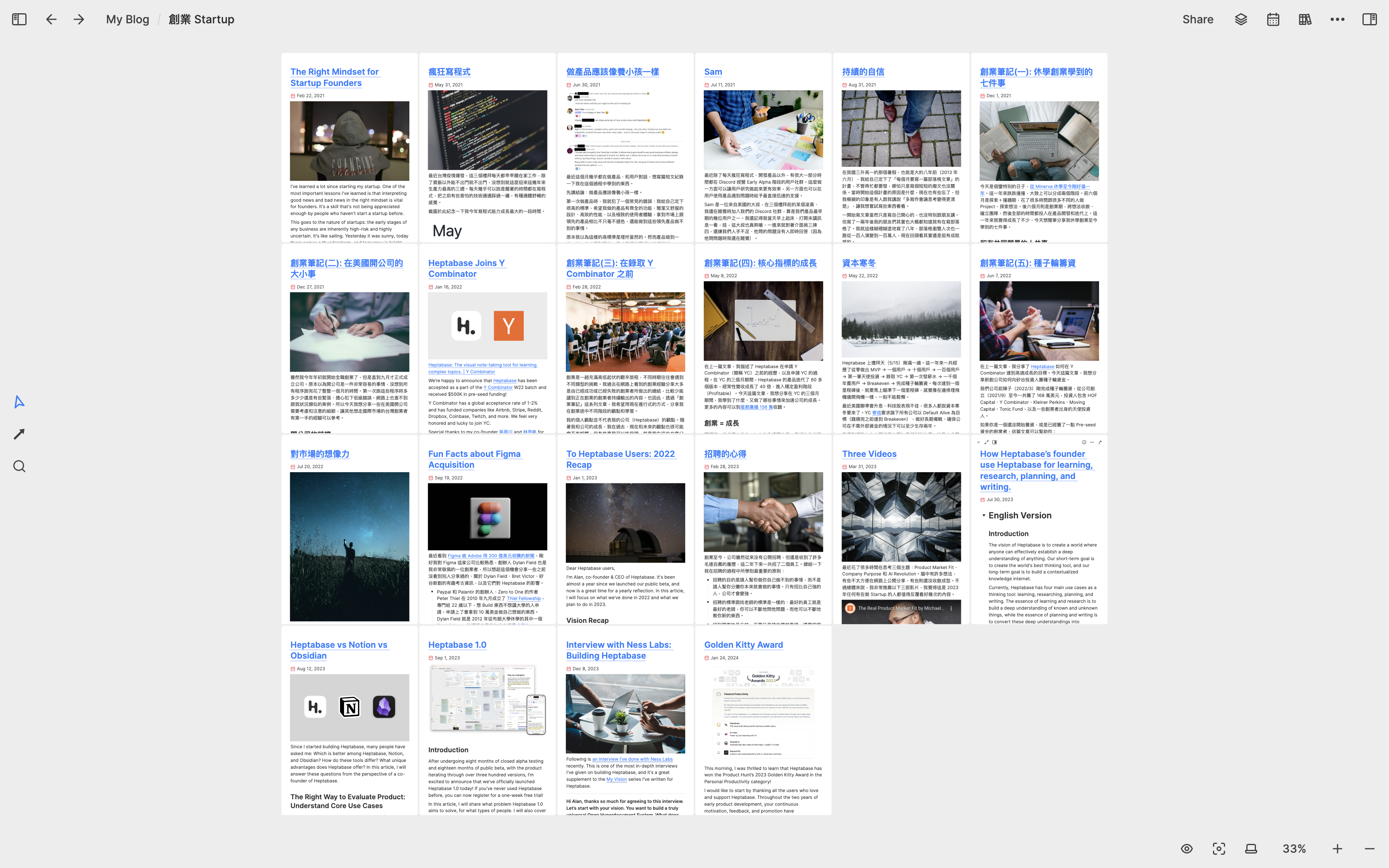
The following image is a sub-whiteboard related to the “Startup” topic. You can see that all the articles are placed in the same space at a glance, which looks very comfortable to me.
Company Incorporation: 2021 Q4
Data analysis
After iterating on our minimum viable product for almost three months, our user community grew larger and our user count increased significantly. I realized that just conducting user interviews was not enough, we needed to incorporate data analysis tools to gain a clearer understanding of user retention rates, engagement levels, how users discovered our product, and their most frequently used features.
As someone with no prior experience in data analysis, I searched the internet and extensively read articles on product data analysis. I found that Amplitude's Mastering Retention and Data Taxonomy Playbook were very well-written. However, the information was overwhelming, and I knew I couldn't fully comprehend it in just one reading. Therefore, I created a whiteboard for each book and wrote down all the important concepts as cards.
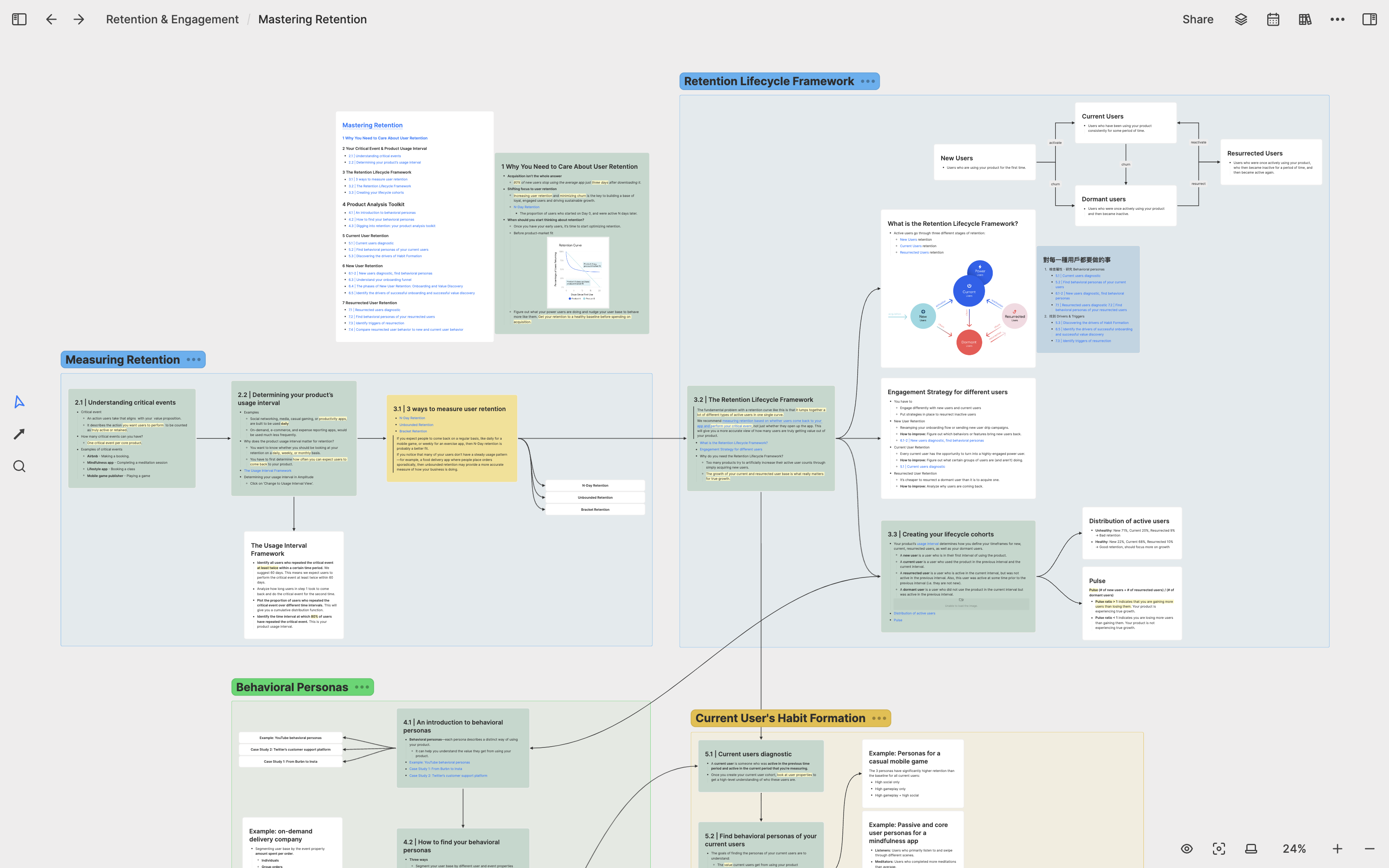
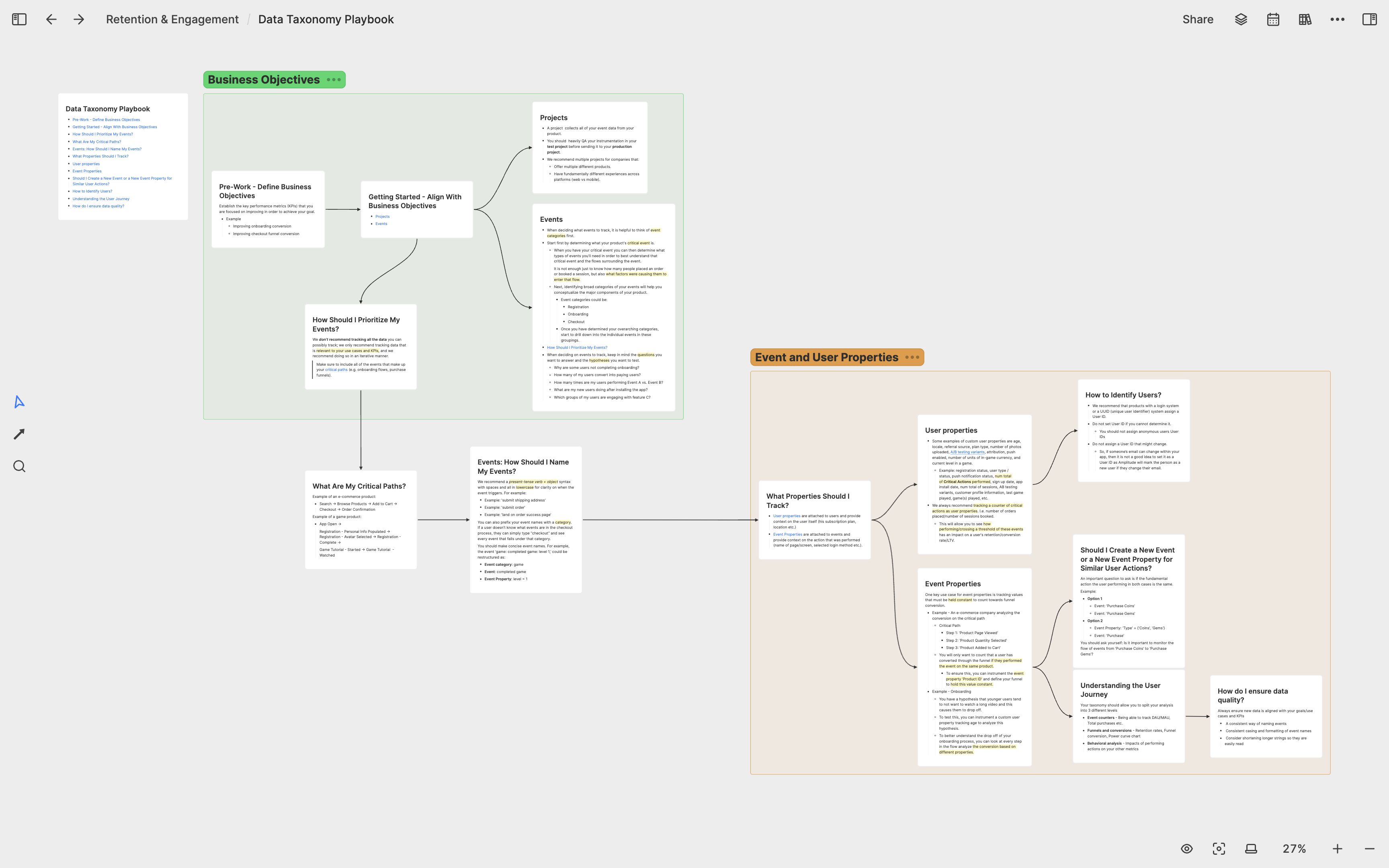
The process of creating cards for these two books not only deepened my understanding and memory of data analysis, but also allowed me to frequently revisit them when encountering data-related problems in the next two years. What shocked me was that when notes were saved in visual form on the whiteboard, I could recall forgotten knowledge at more than ten times the speed when reviewing, which was a feeling I had never experienced before in my learning process. It was probably at this time that I realized that visual note-taking were the best way of learning. If all the knowledge I learned in my life could be preserved in a visualized form, I could easily find and recall everything I learned in the past at any time.
Startup notes
After realizing the power of visual note-taking, I decided to move all of my previous startup learning notes into Heptabase. A few years ago, I watched a course on YouTube called”How to Start a Startup, which was a series of startup-related topics shared by Y Combinator at Stanford. I took notes on every lecture, and these notes were all very lengthy. Due to their length, I never went back to review them.
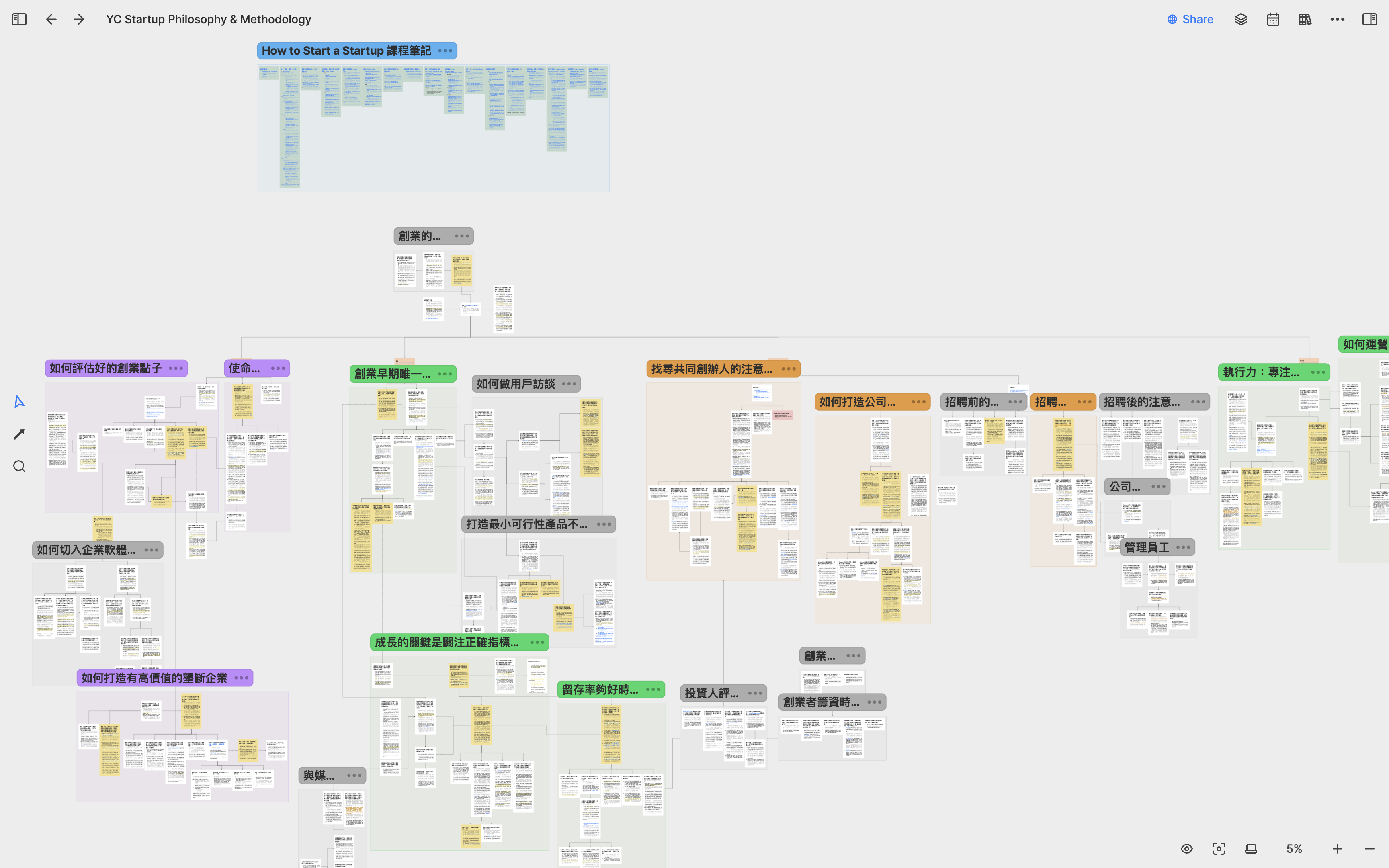
In Heptabase, I broke down all of these notes into individual concept cards and connected them to form a knowledge map. Creating this map not only helped me better understand startups but also revealed many concept connections that I had not noticed before, showing how different speakers used different ways and examples to explain the same startup concepts.
Company incorporation
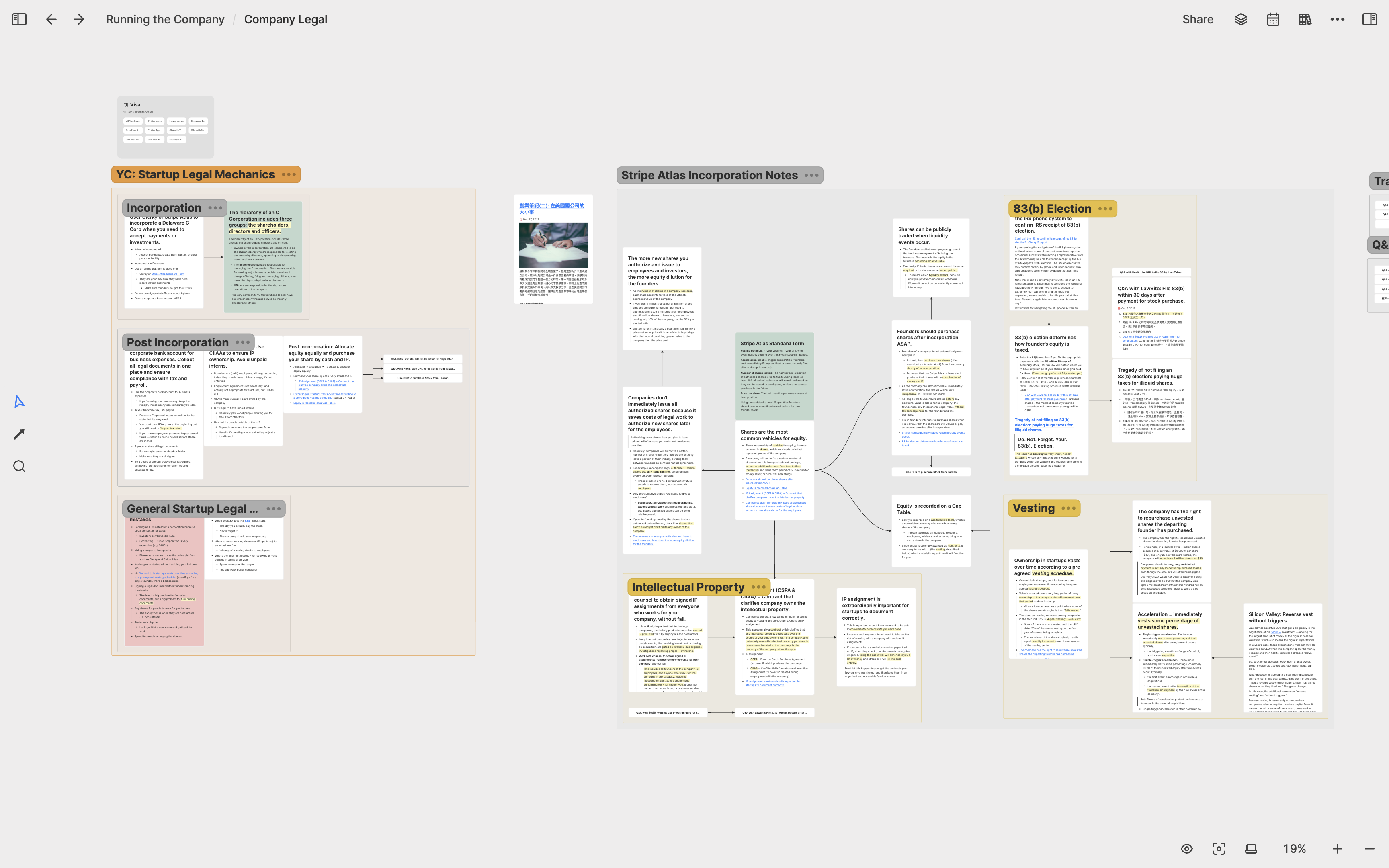
After iterating on our minimum viable product for almost four months, we received investment offers from several angel investors and decided to accept them. To accept the investment, I had to spend time incorporating the company, which was a completely new experience for me. As usual, I searched the internet for relevant legal information and created a whiteboard called Company Legal to organize legal knowledge and concepts that every startup should know, including equity principles, 83(b) election, and vesting schedules. I wrote down all the details of each concept because I knew I would forget them in a year.
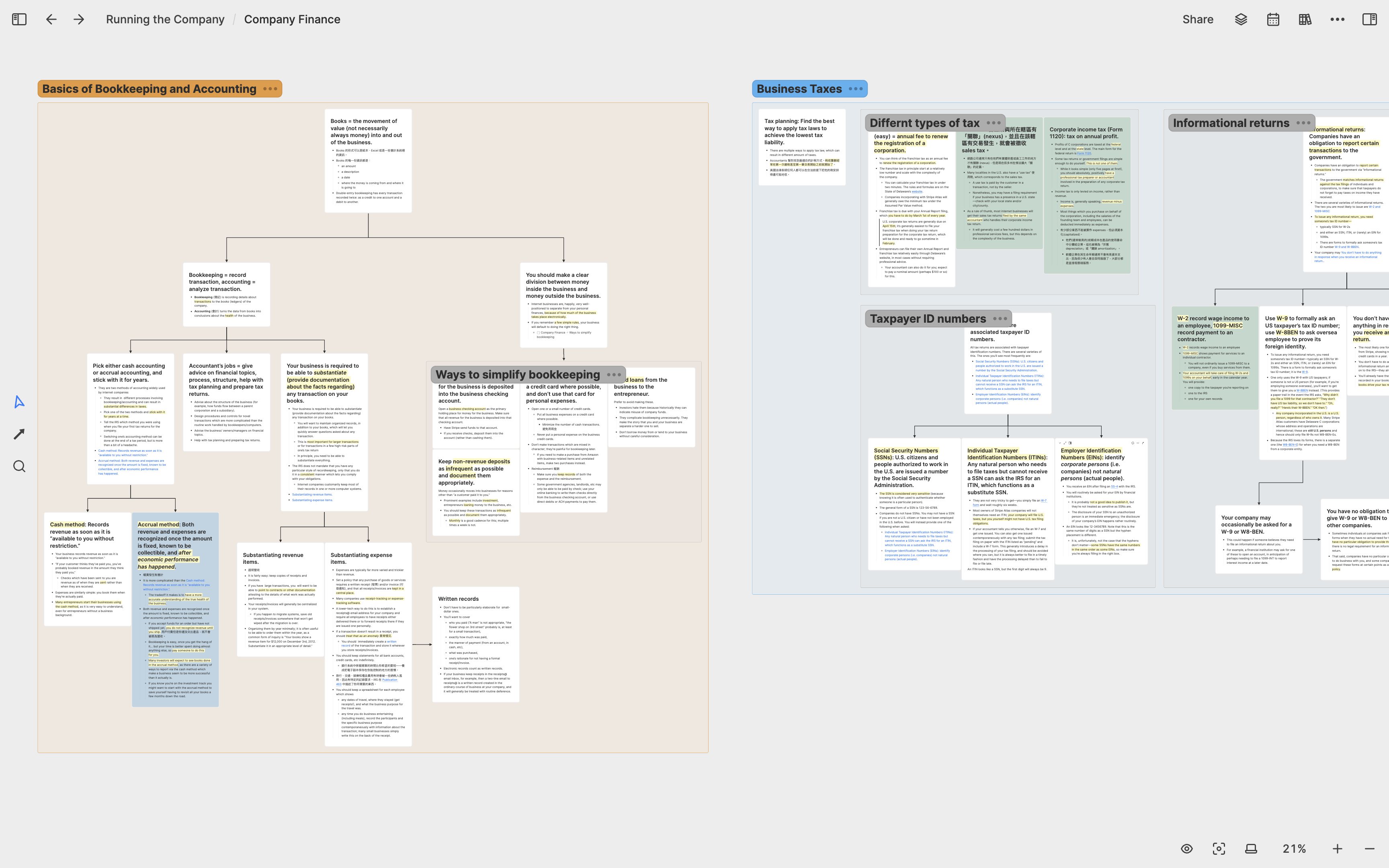
In addition to legal concepts, I also needed to learn some basic accounting knowledge to better communicate with our accountant regarding tax-related matters and understand the company’s financial status at each stage. Therefore, I created a whiteboard called Company Finance & Accounting to organize my accounting knowledge and the company’s financial status.
Applying to Y Combinator
Y Combinator is the best startup accelerator in my opinion, and I’ve learned many startup mindsets from YC’s free public resources. Therefore, when I started building our minimum viable product, I planned to apply for YC’s winter batch that year. Applying to YC requires answering many important questions for founders in both the application and interview stages.
To prepare for the application and interview, I created a whiteboard called Pre-seed & YC Application and categorized all the important questions listed by YC. I created a card for each question and wrote down my answer. I used green to mark the questions I was confident with, blue for those I was still thinking about, and red for those I had no idea about. Additionally, I also organized some experiences shared by other YC founders on the internet within this whiteboard for reference.
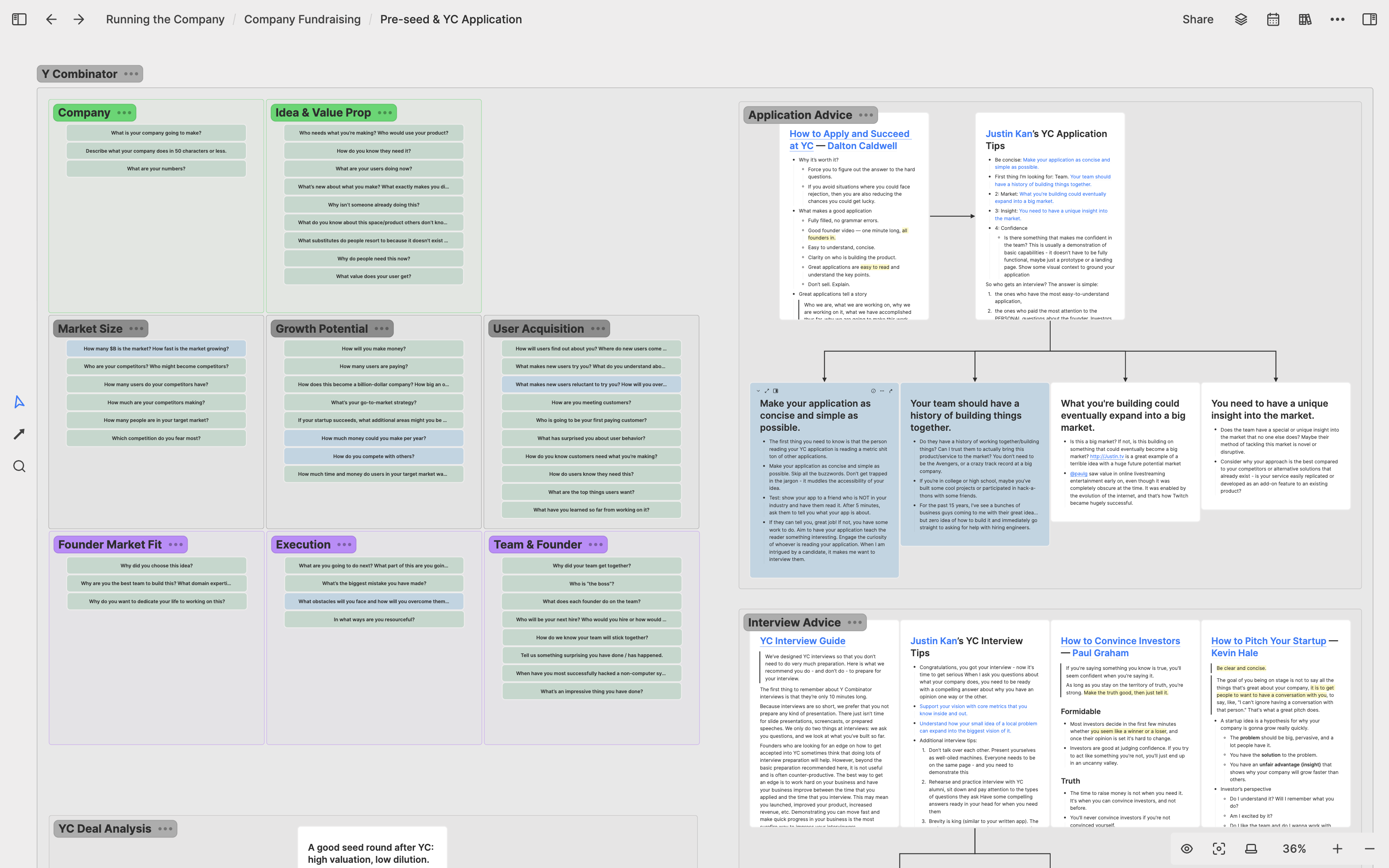
In the end, we were lucky enough to be accepted into YC, and the questions I was thinking about at the time were indeed proven to be crucial for the startup process. Thinking about them thoroughly in the beginning helped me avoid many detours.
Joining Y Combinator: 2022 Q1
Sales and Growth Bootcamp
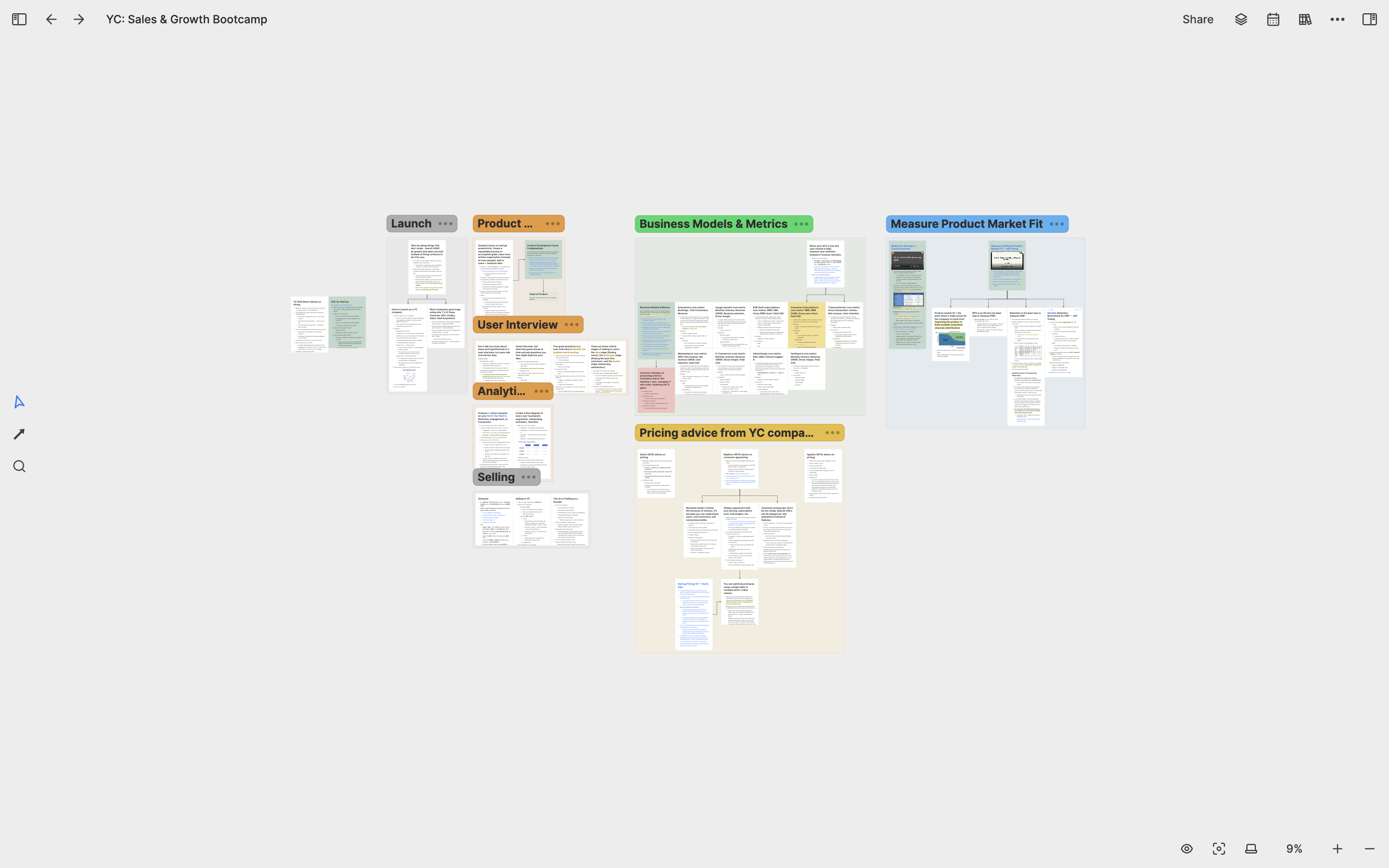
In January 2022, we officially entered YC’s winter batch. YC’s training period lasts for three months, during which all companies have one goal: rapid growth. To achieve this goal, YC provides many internal learning resources for us to read according to our own needs. YC also set up a sales and growth bootcamp with many experienced founders sharing their experiences. To fully absorb this knowledge, I created a whiteboard called YC: Sales & Growth Bootcamp to organize the important startup knowledge I learned at YC.
Fundraising
After three months of rapid growth, we quickly approached YC’s Demo Day. At YC, most companies have the same goal, which is to complete seed fundraising with Silicon Valley investors before and after Demo Day. This is why rapid growth is so important: the faster you grow, the more leverages you have when fundraising.
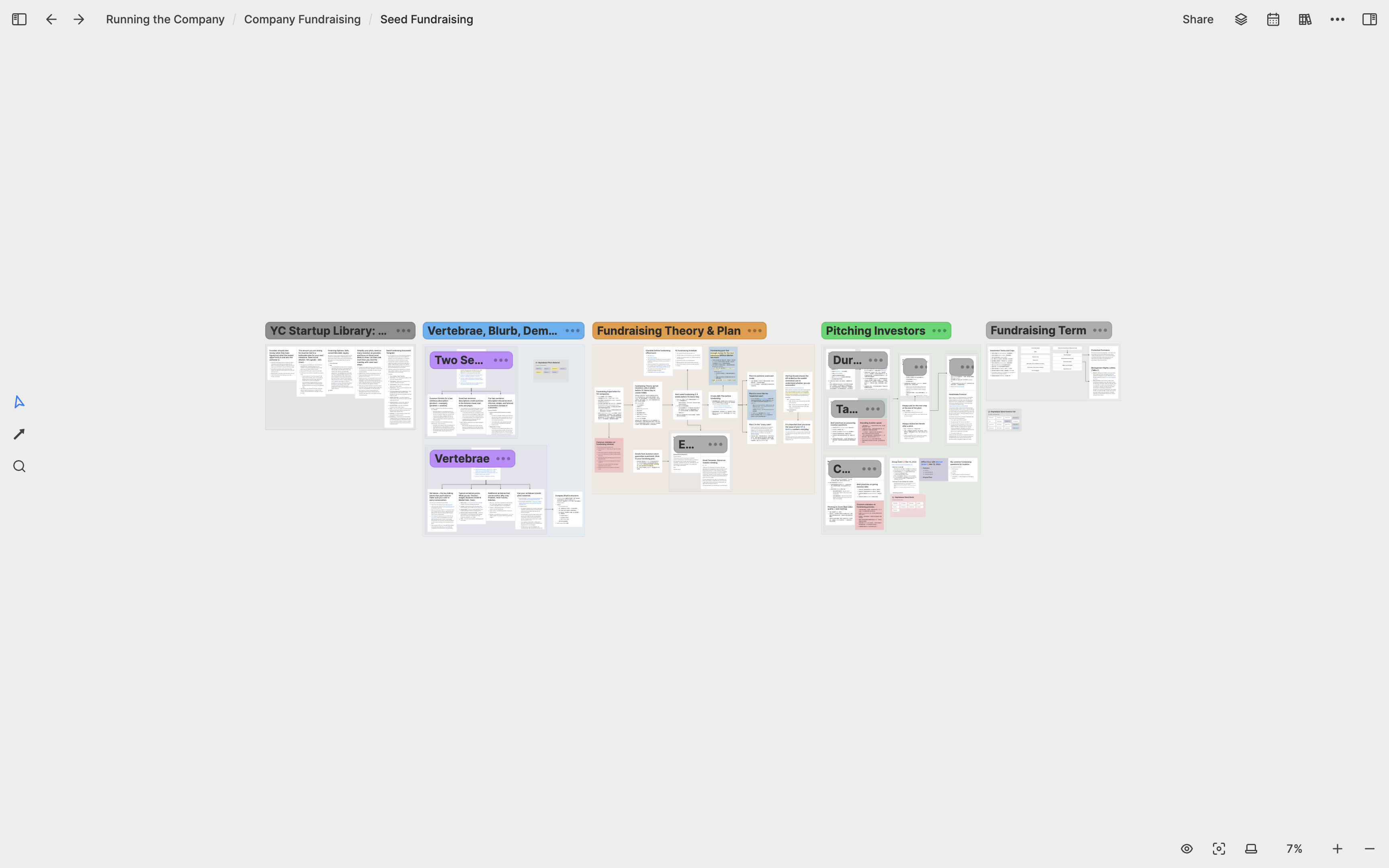
To help founders fundraise, YC provides many related learning resources, such as how to construct a good pitch, how to showcase the company’s highlights, how to differentiate good and bad investors, and how to interpret different investment terms. I created a whiteboard called Seed Fundraising to organize all the fundraising knowledge I learned and to create my Pitch Deck.
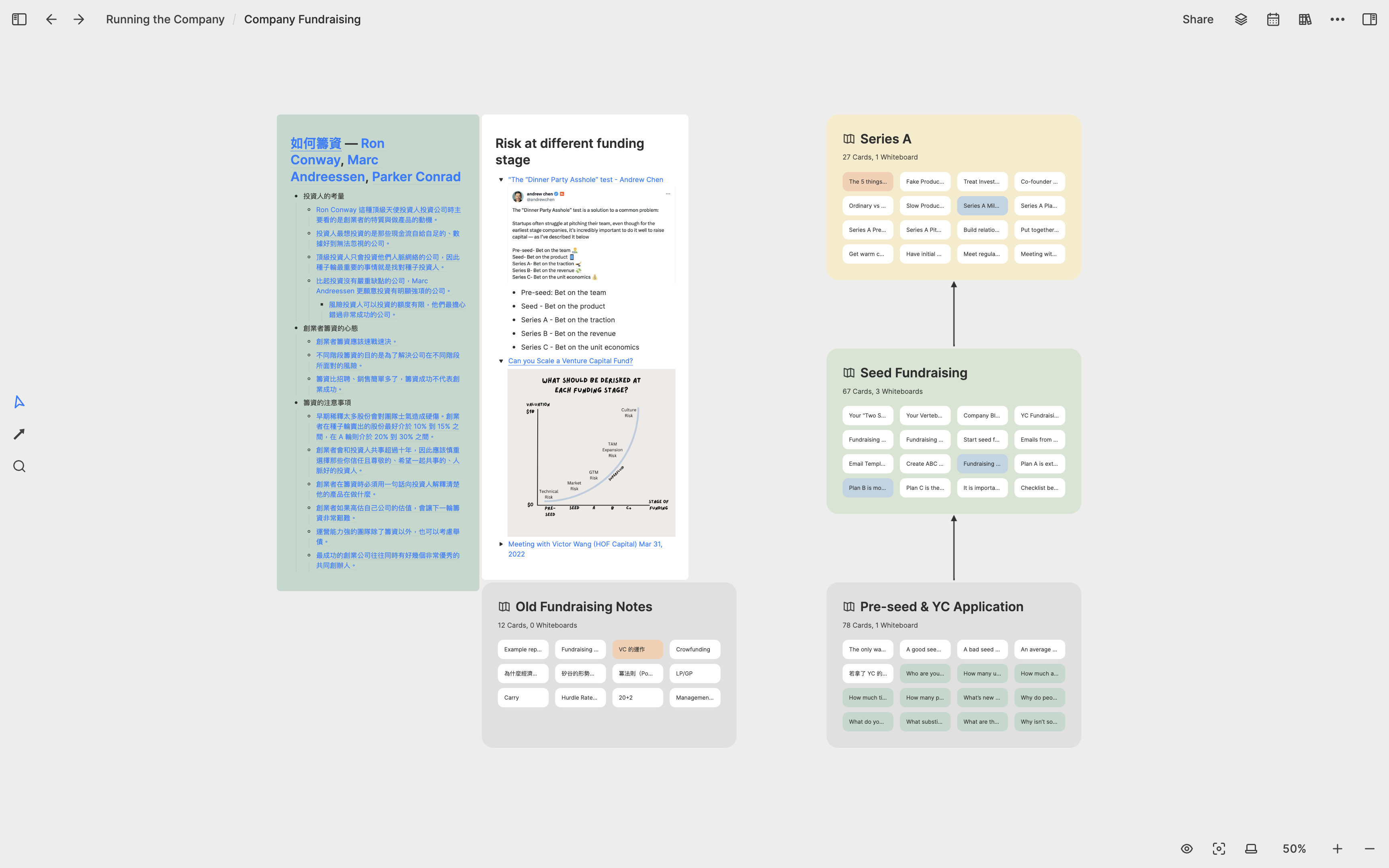
When preparing my Pitch Deck, I found that the Seed Fundraising whiteboard and the Pre-seed & YC Application whiteboard I created when applying to YC were both related to fundraising. Therefore, I decided to create a whiteboard called Fundraising and put these two sub-whiteboards inside.
Company Vision & Roadmap
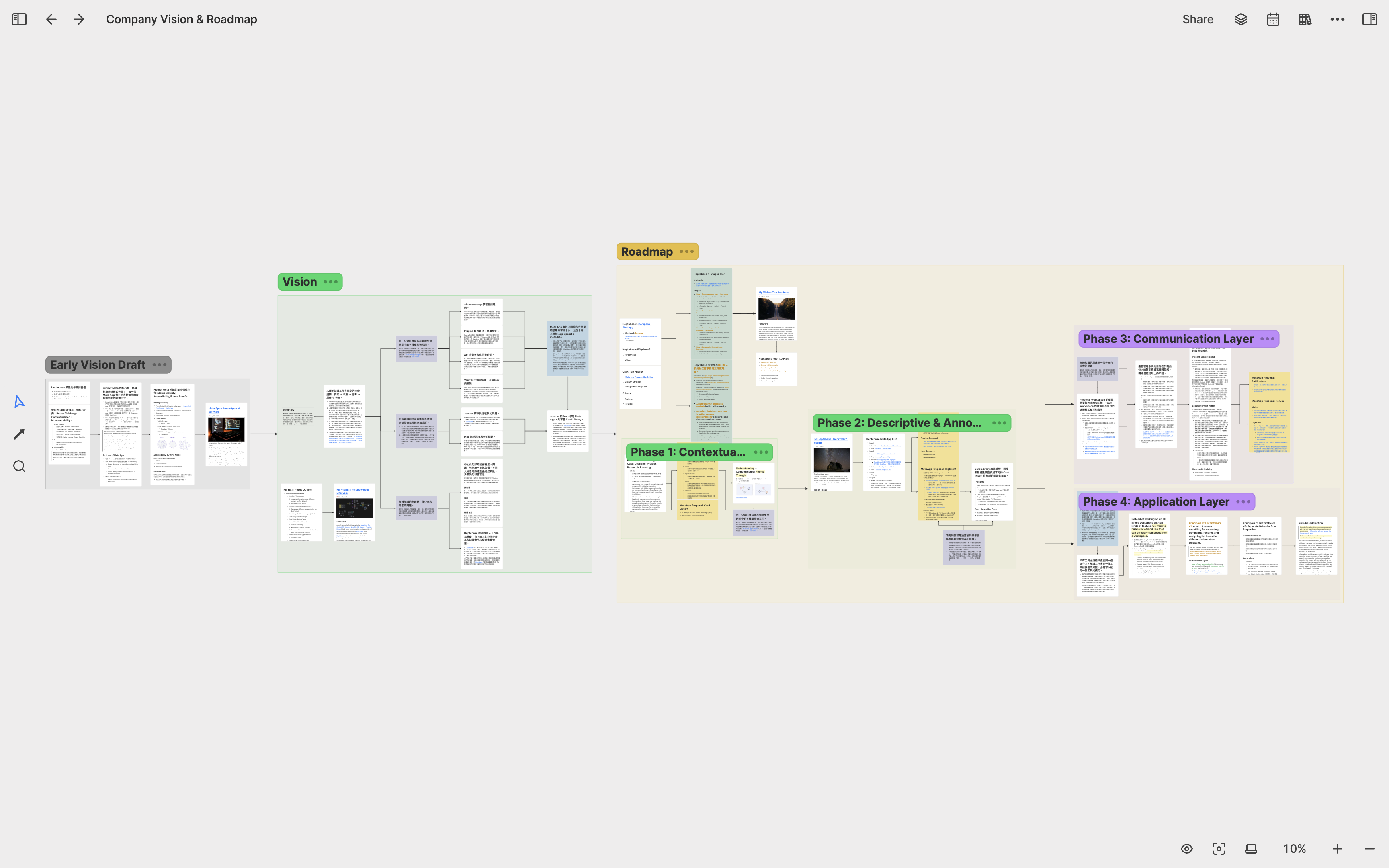
During YC, I focused on things that needed to be done in the next three months. After YC ended, I decided to spend more time thinking about things that needed to be done in the long term, such as the next few years. Therefore, I created a whiteboard called Company Long-Term Thinking to layout Heptabase’s future five to ten-year plan and vision. Whenever I have new ideas for the company’s future, I go back to this whiteboard to add or modify the card content and layout.
Product Research: 2022 Q2-Q3
Personal Knowledge Management Research
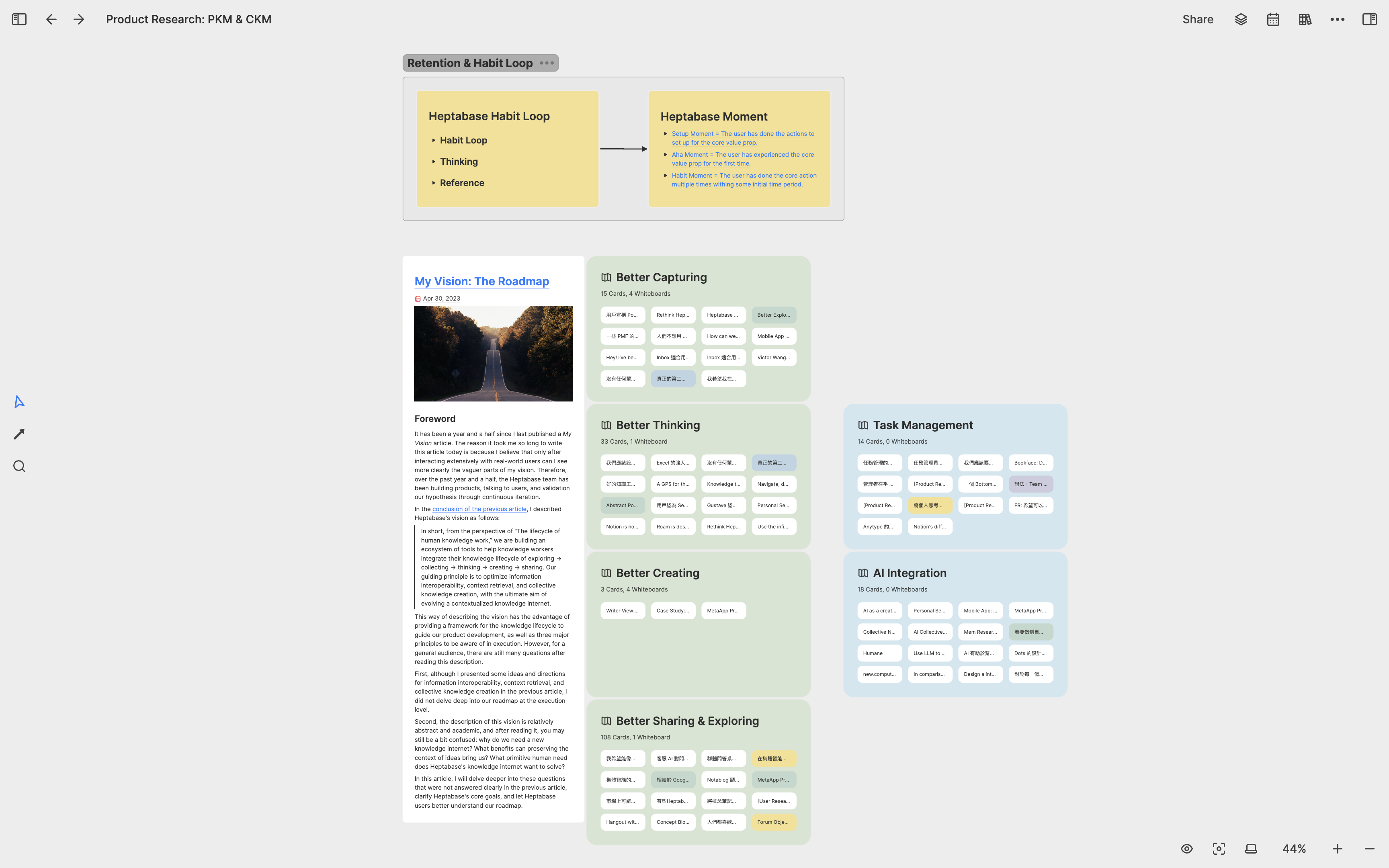
After YC, I spent a lot of time researching the future of knowledge management tools. I created a whiteboard called Product Research: PKM & CKM where I put all my research notes. Since there were too many notes, I decided to organize them by topic into different sub-whiteboards. Some of the important sub-whiteboards included Better Capturing, which focused on the problems users face when converting fleeting notes into useful thought structures, and Better Exploring, which studied the problems users face when converting external information into fleeting notes.
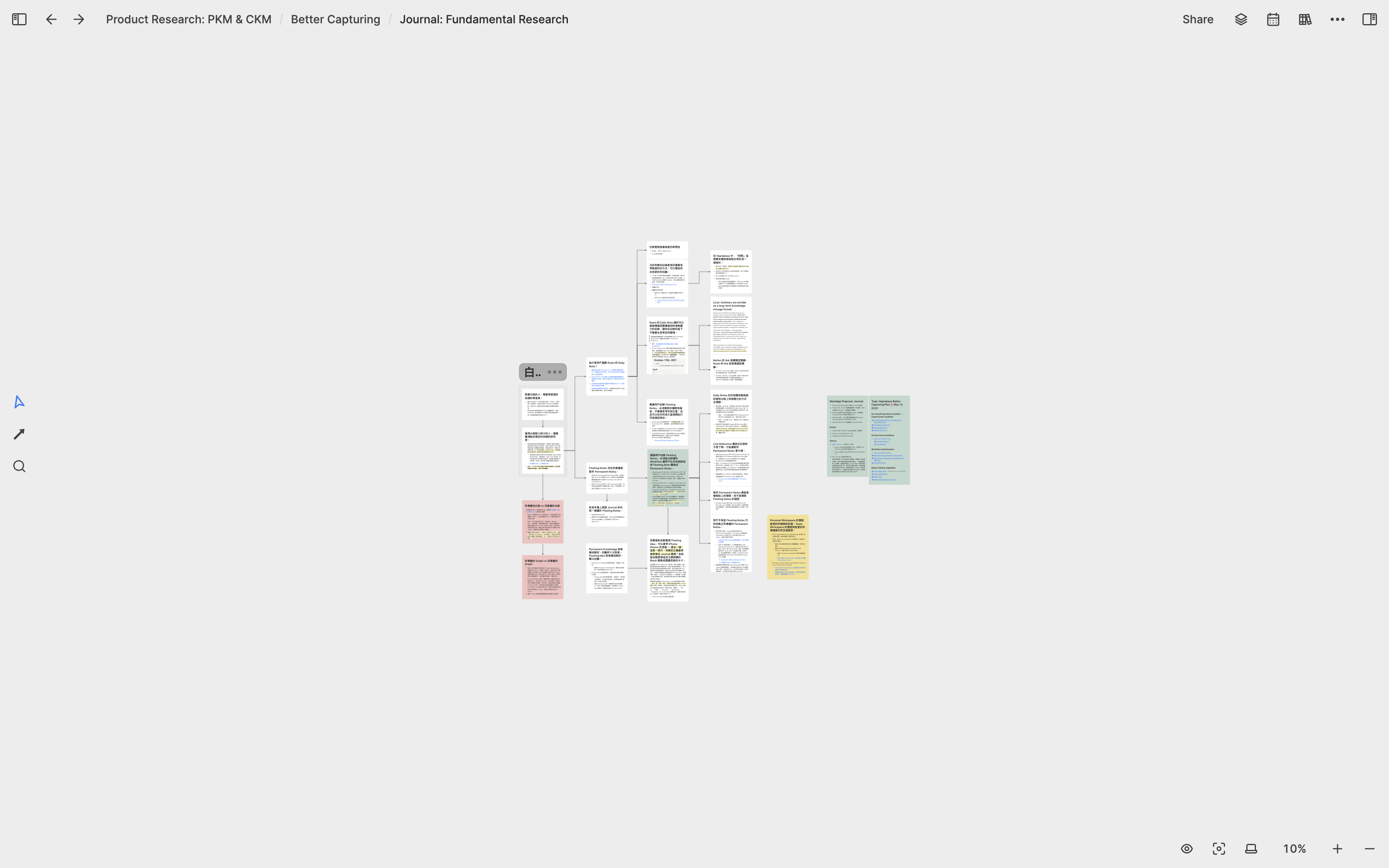
Whenever I had a better understanding of a particular problem, I created a new sub-whiteboard to transform these understandings into Heptabase feature designs. For example, under the Better Capturing whiteboard, there is a sub-whiteboard called Journal: Fundamental Research, which deals with how to integrate the features of a journal and a whiteboard, allowing users to convert scattered journal ideas into useful knowledge cards on the whiteboard.
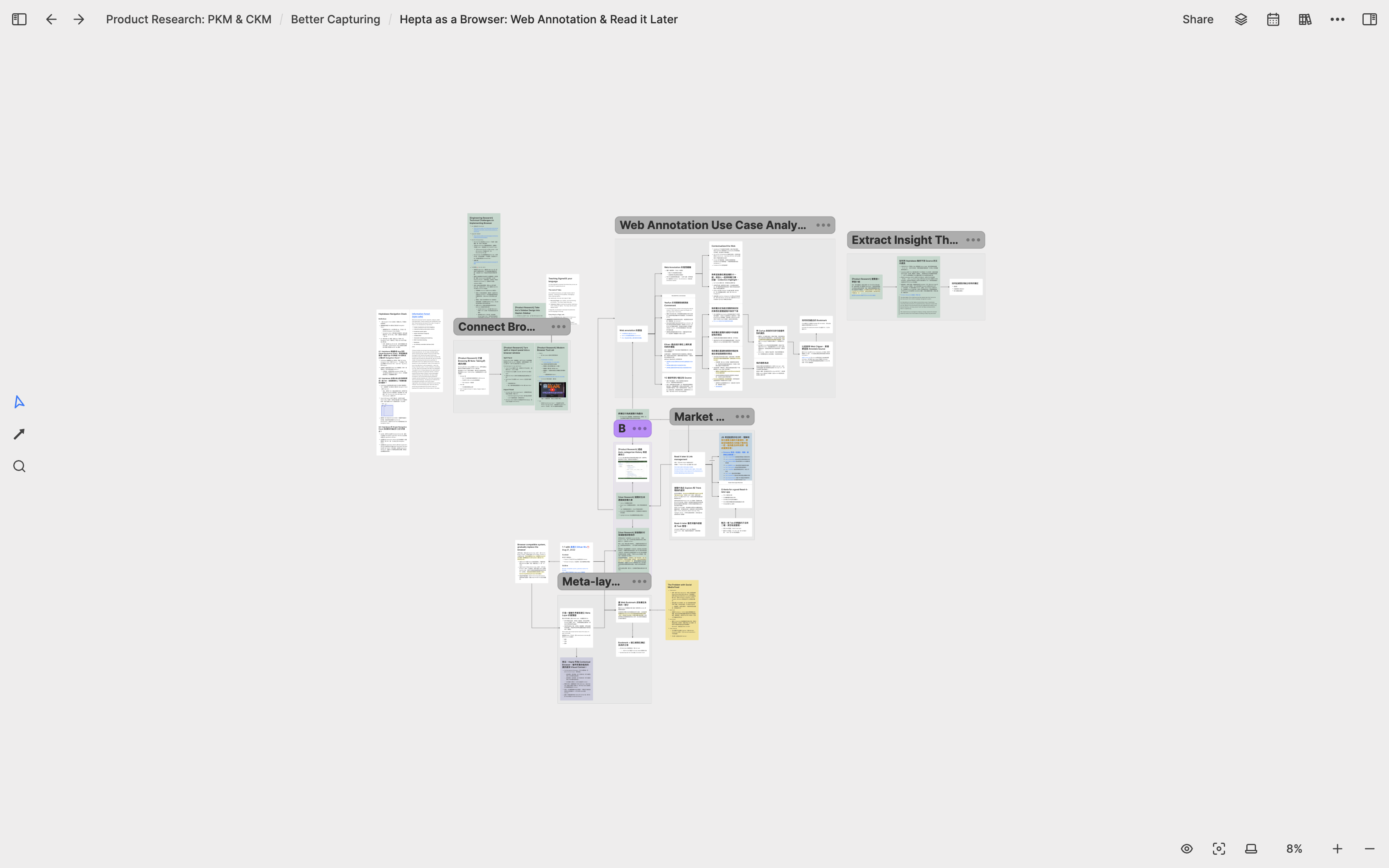
Under the Better Exploring whiteboard, there is another sub-whiteboard called Hepta as a Browser: Web Annotation & Read it later which focuses on the possibility of integrating Heptabase with browser functionality, allowing users to browse web pages directly in Heptabase and convert important information on the web into notes.
Collective Knowledge Management Research
In addition to personal knowledge management, another topic I extensively researched during this period was collective knowledge management, particularly in team and community settings. The purpose of this research was to help me think about what mechanisms we should design to help users communicate and integrate each other’s knowledge to accomplish important work and research when a group of users put their knowledge in Heptabase. For this topic, I have created a sub-whiteboard called Better Sharing & Exploring to research related subtopics, such as the existing publishing tools, exploration tools, and discussion tools, along with the issues they present and potential solutions.
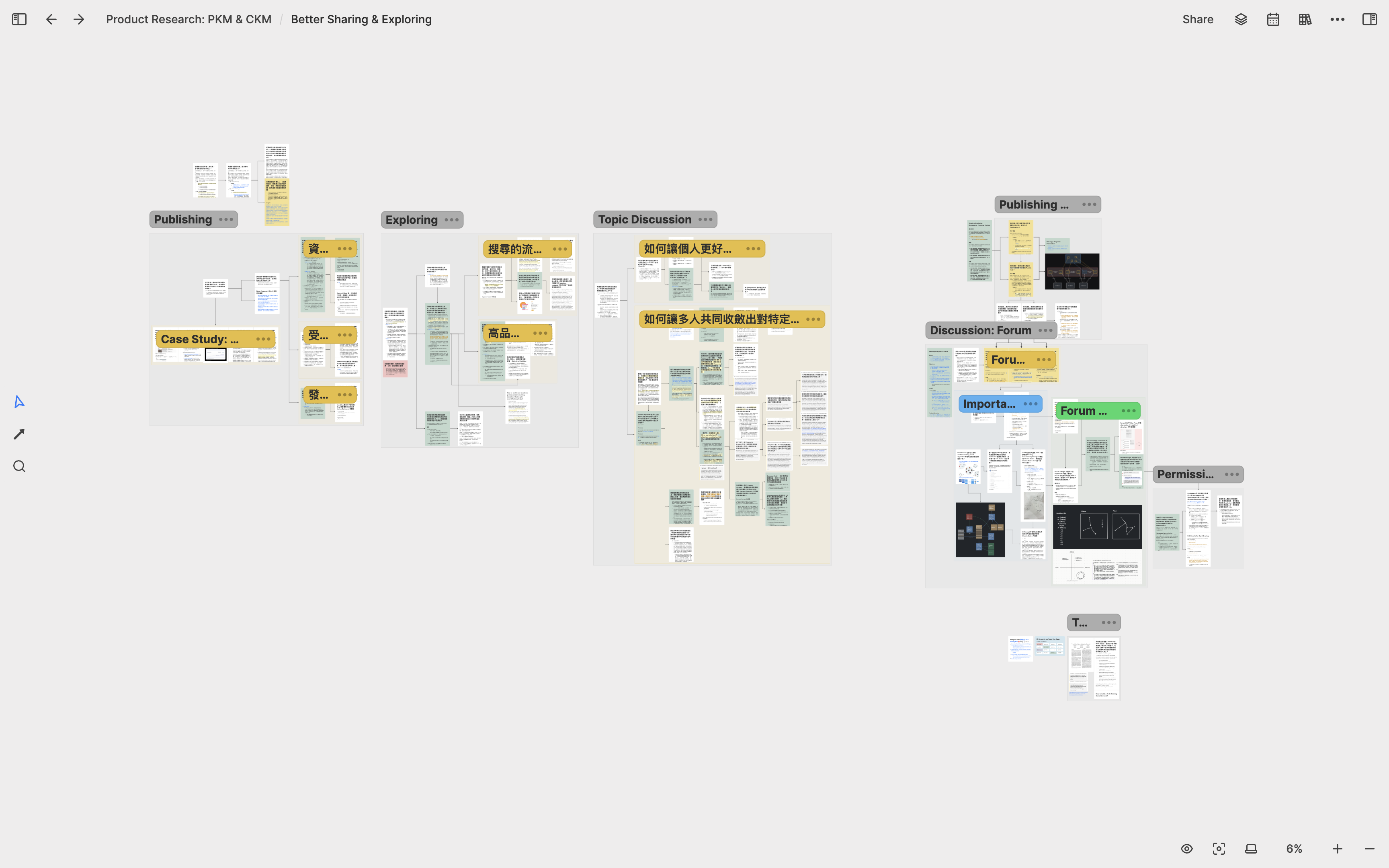
For example, I have a sub-whiteboard called Research on Team Use Case dedicated to studying how different teams communicate their work knowledge. For this, I interviewed many teams and broke down and analyzed the common patterns and clues that emerged from these interviews on this whiteboard.
When I found some important patterns and clues, I think about the possible directions for Heptabase’s future development and design a card communication protocol based on Heptabase using these clues as a starting point.
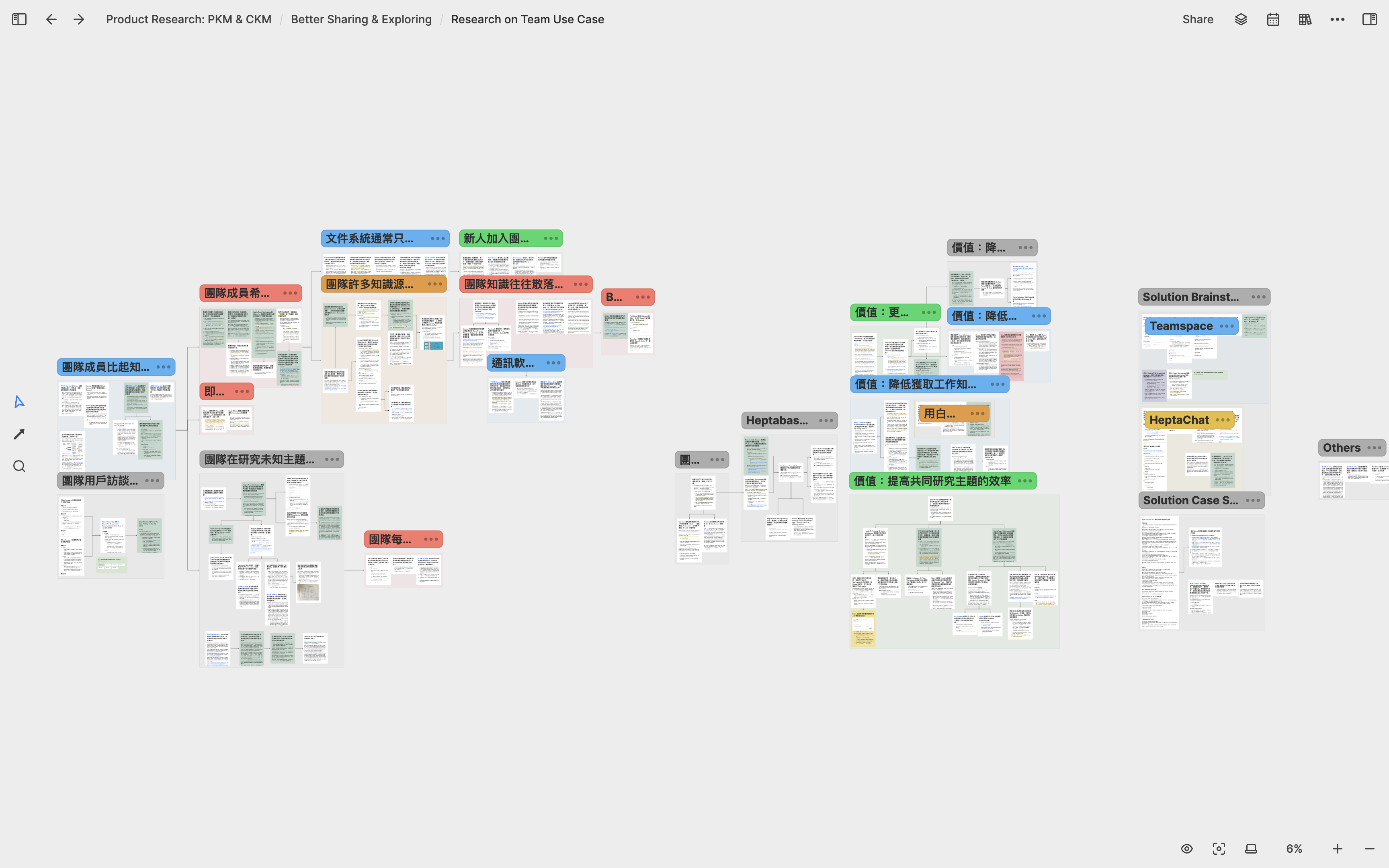
Whether I’m researching personal or collective knowledge management, the biggest benefit that these whiteboards bring me is that I can spend several months continuously developing research on a particular topic. Whenever I have new interview data or product ideas, I can always go back to these whiteboards to integrate them into my existing research results, which I think is crucial.
Many people tend to focus too much on organizing all their notes into a “perfect structure” when using note-taking app, but I have always felt that this is not only difficult to achieve but also not very meaningful. Each research has its unique structure, and the freedom of whiteboards allows me to let each research grow and accumulate according to the structure that suits it. Note-taking has never been my goal, but rather a process to help me do research well. Traditional note-taking app can also accumulate a lot of notes, but it is difficult to transform these notes into important research works.
Company Strategy: 2022 Q4
Product Growth Theory
In the last quarter of 2022, in addition to continuing my product research, I also began to invest some time in learning more about product growth theory to help me formulate the company’s growth strategy for the next two years more clearly. The growth of a product is driven by three things: retention, customer acquisition, and monetization. I created a whiteboard for each of these three things to do in-depth research.
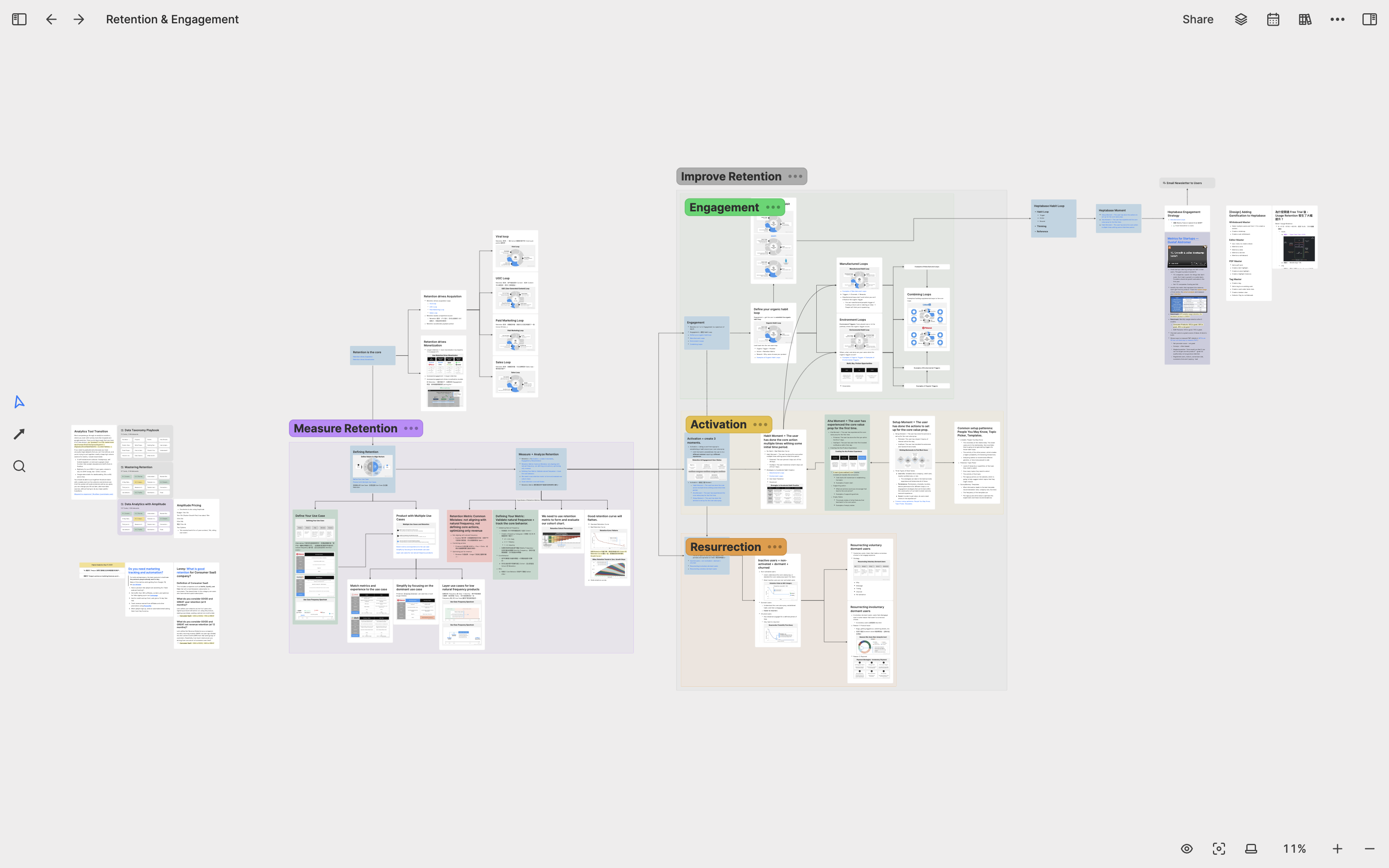
In the Retention & Engagement whiteboard, I studied ways to measure retention rates, three methods to improve retention rates, and integrated this knowledge with my notes related to product data analysis. Additionally, I also included our investors’ advice in this whiteboard to compare with this knowledge.
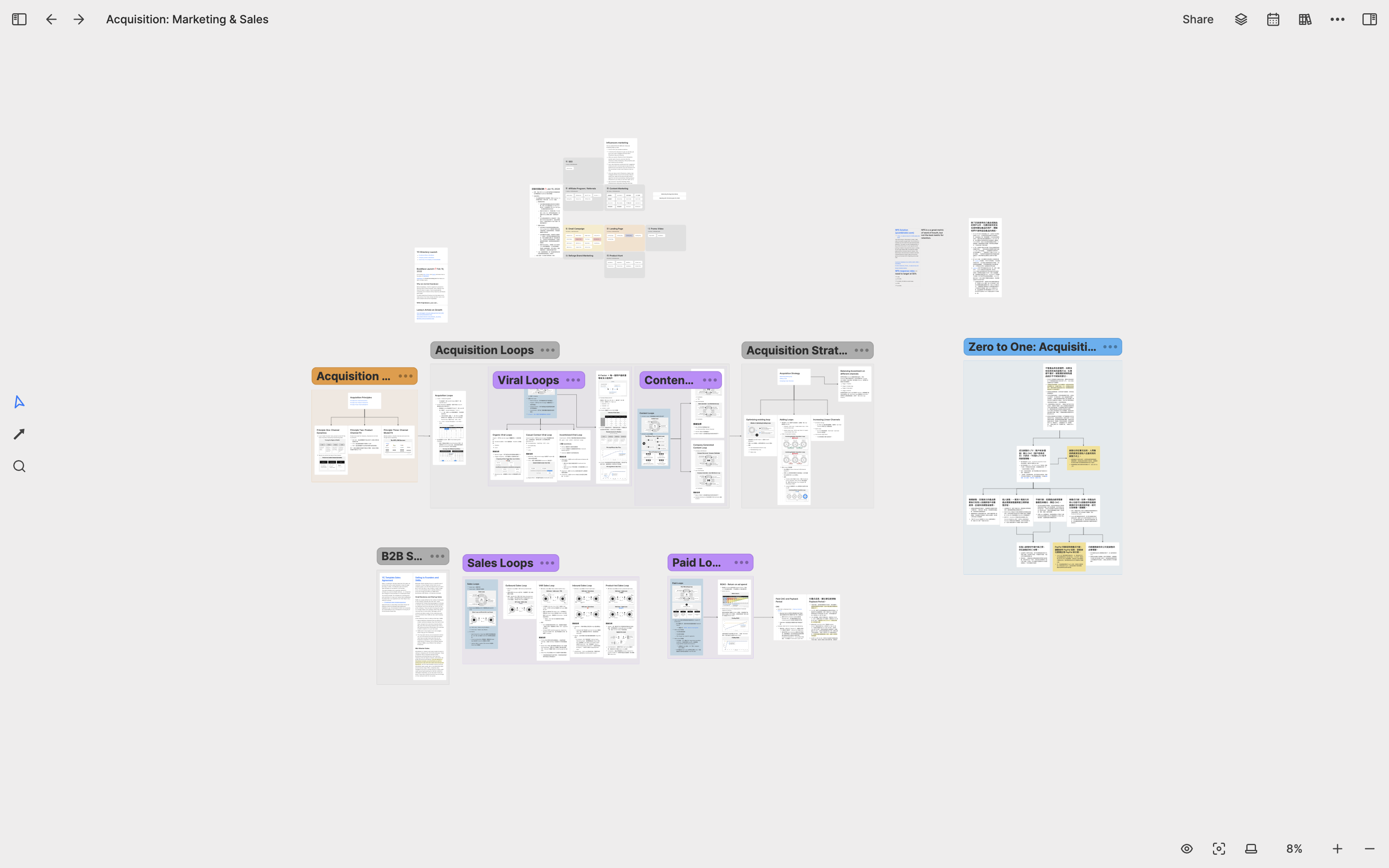
In the Acquisition: Marketing & Sales whiteboard, I studied different types of customer acquisition methods such as viral loops, content marketing, paid acquisition, and sales. I also created some sub-whiteboards to organize the materials we used on customer-facing channels.
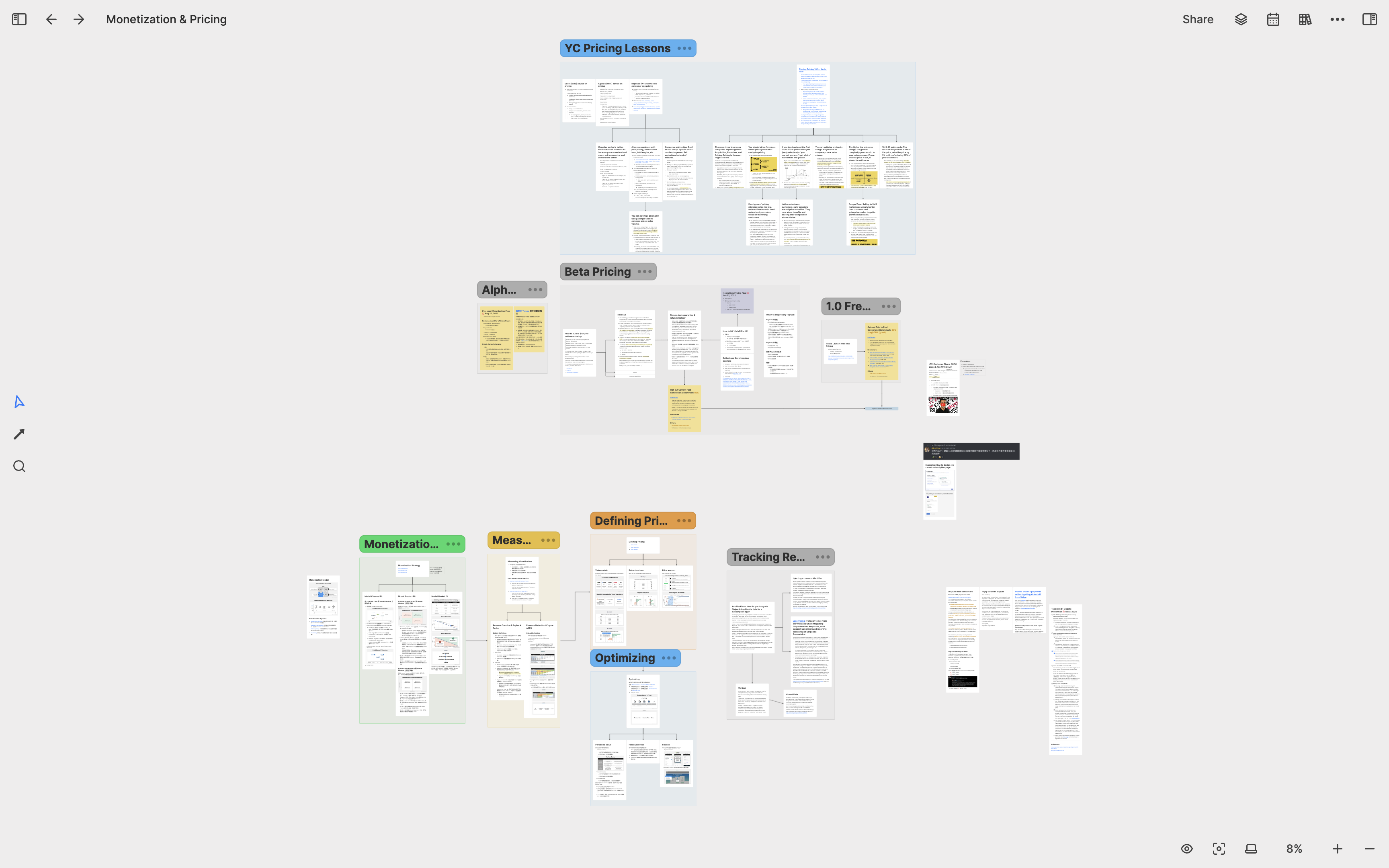
In the Monetization & Pricing whiteboard, I collected and organized all the pricing knowledge I learned, including pricing strategies, measuring pricing effectiveness, optimizing pricing, etc. I also organized all my thoughts on pricing during the Closed Alpha and Open Beta stages of the product in this whiteboard. Whenever the company enters the next stage, I can think about how to adjust the pricing strategy based on the knowledge in this whiteboard.
Growth and Business Strategy
When the research on Retention, Acquisition, and Monetization whiteboards came to an end, I created two whiteboards called Company Growth Strategy and Company Business Strategy.
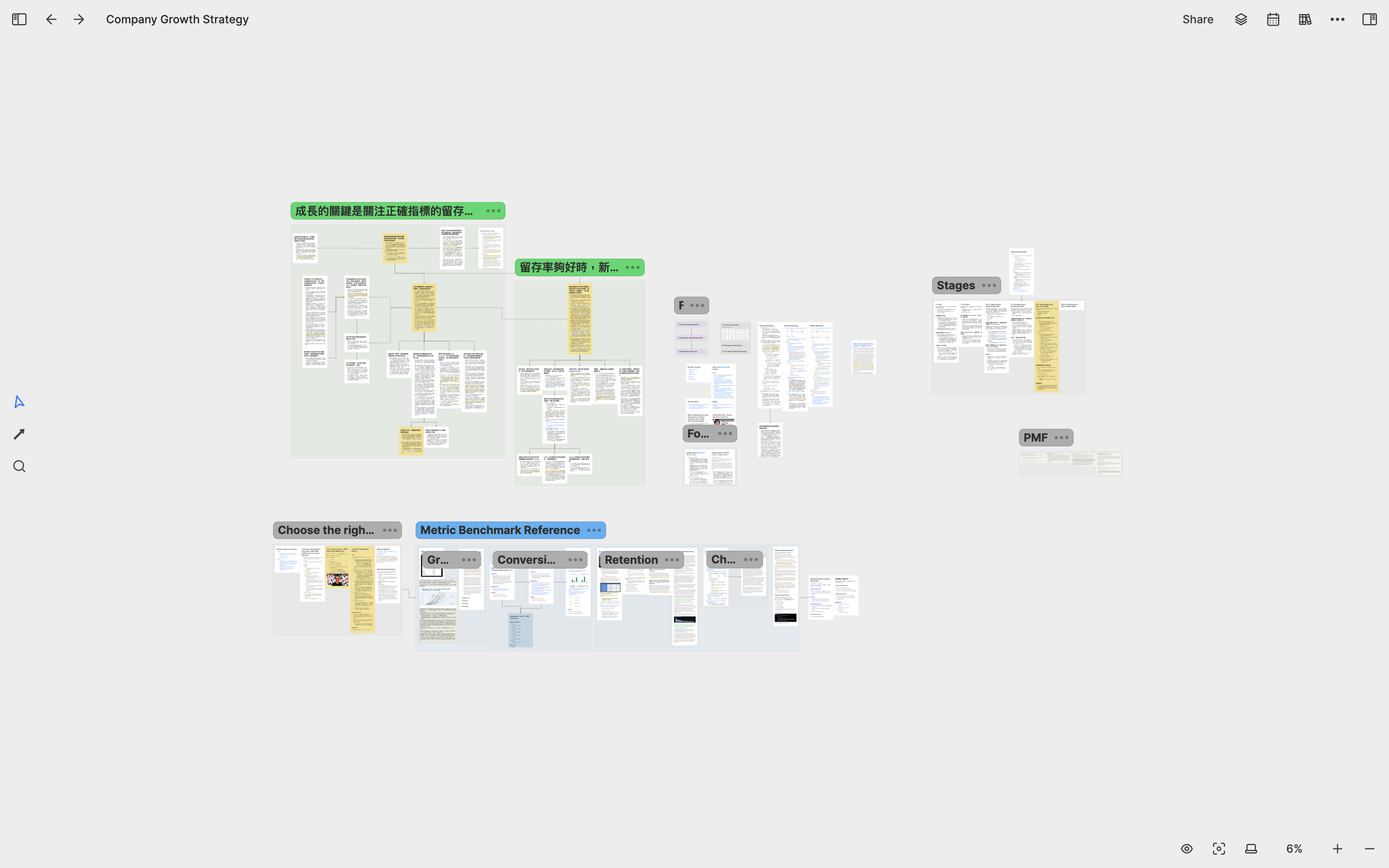
After creating the Company Growth Strategy whiteboard, the first thing I did was to put all the important concepts shared by YC and investors, as well as all the growth strategies we have used in the past year and a half, into this whiteboard. I divided user growth into different stages: 1–10 paying users, 10–100 paying users, 100–1000 paying users, 1000–10000 paying users, 10000–100000 paying users, and so on. I created a card for each stage, writing down the growth strategies we have adopted or plan to adopt in this stage, and the goals we need to achieve in key metrics. I also collected several benchmarks for these metrics in the market, allowing me to compare our current performance with these benchmarks and identify our strengths and weaknesses.
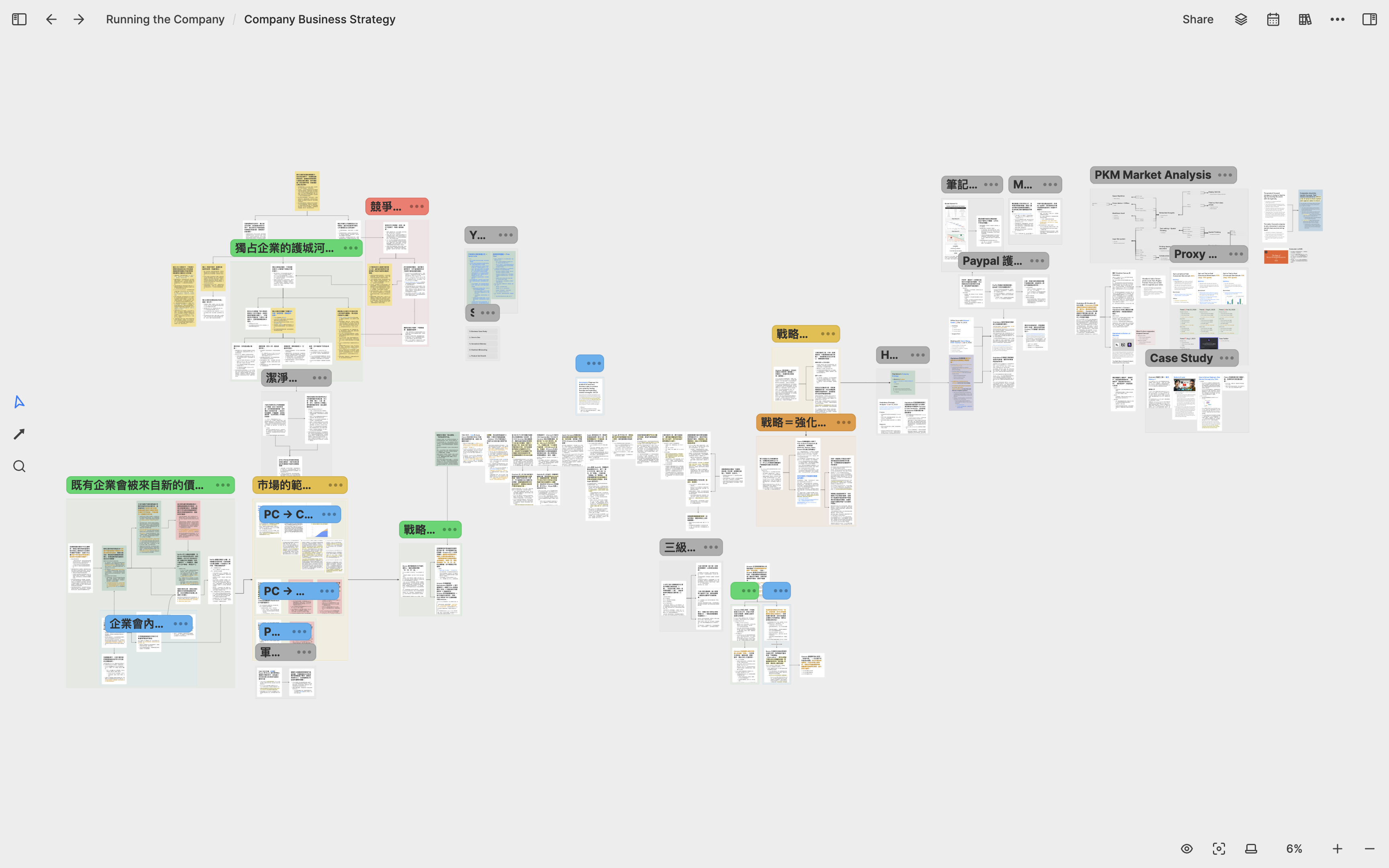
In the Company Business Strategy whiteboard, I have added many notes related to “Strategy” that I had written before. I also have a whiteboard named My Reading Notes, where each sub-whiteboard represents a book I have read before. For instance, Peter Thiel’s Zero to One, Clayton Christensen’s Innovator’s Dilemma, and Sun Tzu’s The Art of War each have their own whiteboard. I select all the cards related to strategy from these whiteboards and reuse them on the Company Business Strategy whiteboard to help me clearly see the commonalities and differences between the philosophies of great thinkers. Whenever we enter a new stage or encounter new competitions, I refer back to this whiteboard to think about how to approach them.
Company Operations
In addition to product research, fundraising, growth strategy, and business strategy, there are many other tasks I need to do to run the company, such as hiring, building company culture, leading the team, and assigning tasks. As the number of whiteboards related to the company grew, I decided to create a whiteboard called Running the Company to contain most of the whiteboards related to company operations and strategy.
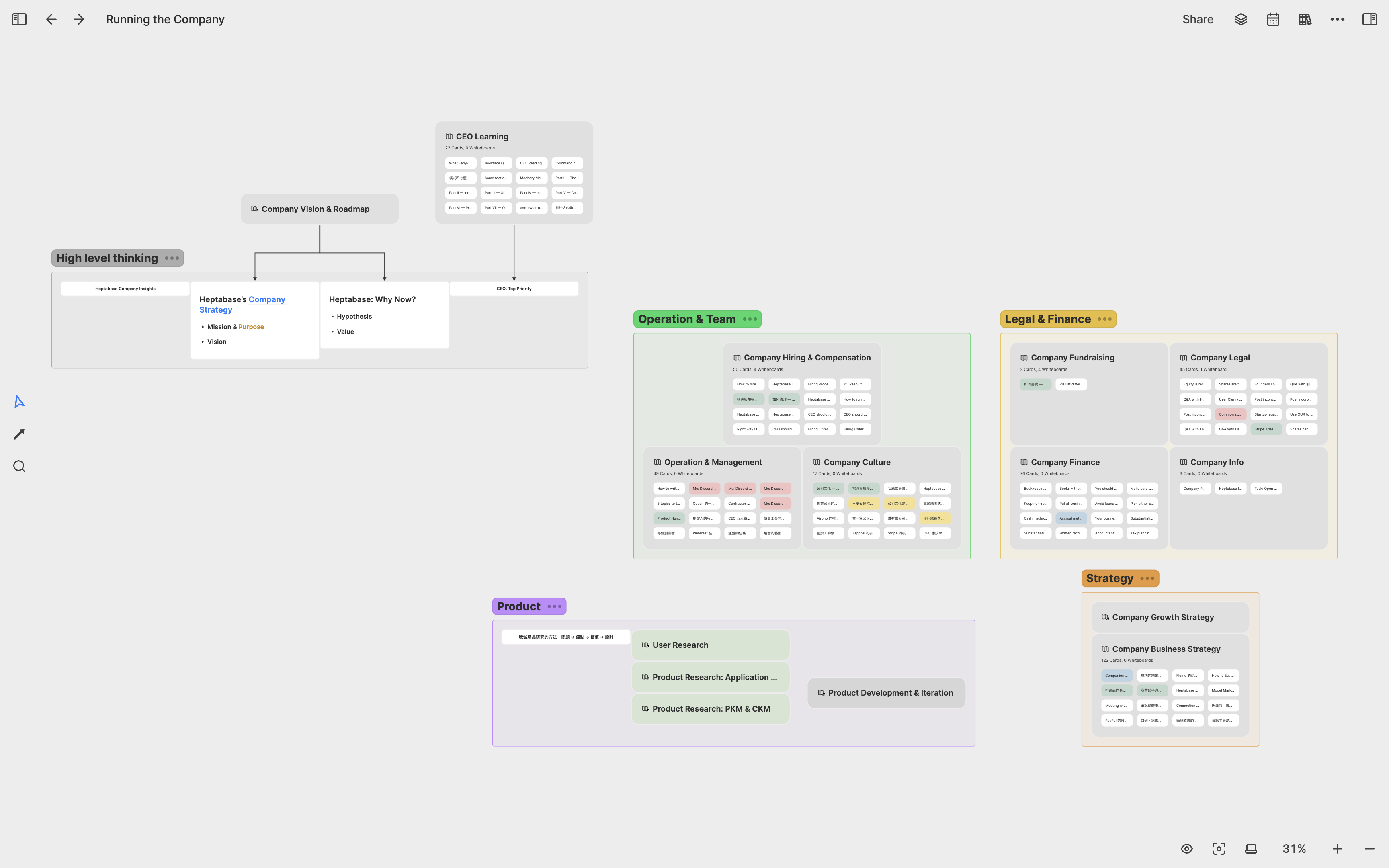
Through this example, you will notice that when writing notes in Heptabase, you don’t need to think about the hierarchical relationship between whiteboards at the beginning. You just need to develop your whiteboards according to your learning and research methods, and when the time comes, you will naturally organize related whiteboards into a better structure. In Heptabase, organizing the whiteboard structure is a continuous process, and it is not necessary to have a perfect structure from the beginning.
Product Research: 2023 Q1-Q2
Human-Computer Interaction Research
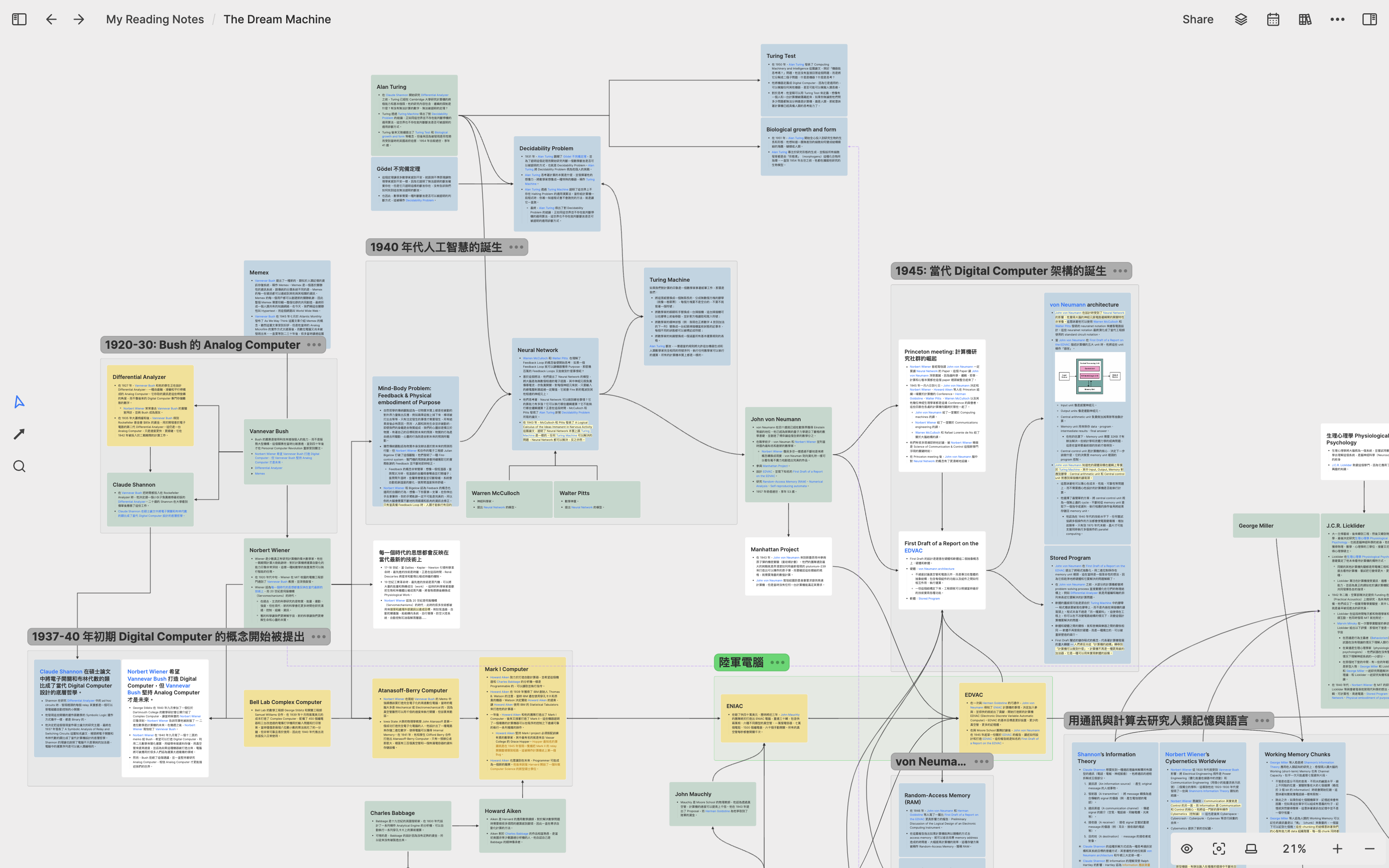
In the first half of 2023, as Heptabase gradually matures, I have once again shifted my focus back to product research and planned the next stage of product development. Unlike the previous year’s research, I spent more time rereading important literature on human-computer interaction, summarizing the many ideas proposed by computer pioneers over the past seventy years, and assessing their feasibility in modern times. The first piece of literature I reviewed was The Dream Machine written by Mitchell Waldrop, which I believe is the best-written book on computer history so far. I created a whiteboard for this book, with a timeline from left to right, blue cards representing human-computer interaction ideas, green cards representing computer pioneers, yellow cards representing projects and new technologies, and other cards representing companies and events.
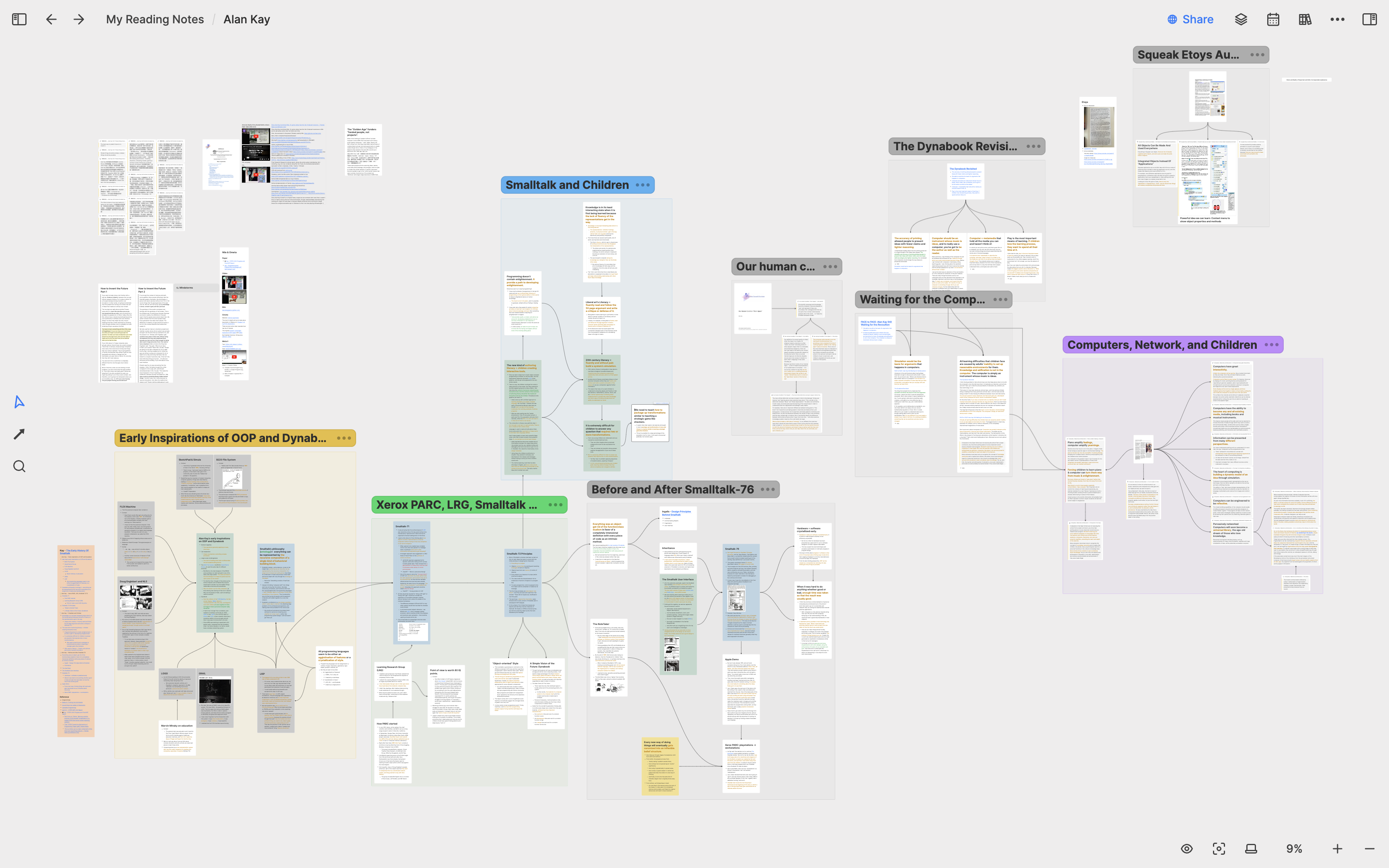
After sorting out the historical context, I began to delve into the ideas of several computer pioneers that I thought were more closely related to our company’s mission. For example, I created a whiteboard for Alan Kay to study his Smalltalk project initiated at Xerox PARC and the enlightenment ideas behind object-oriented programming.
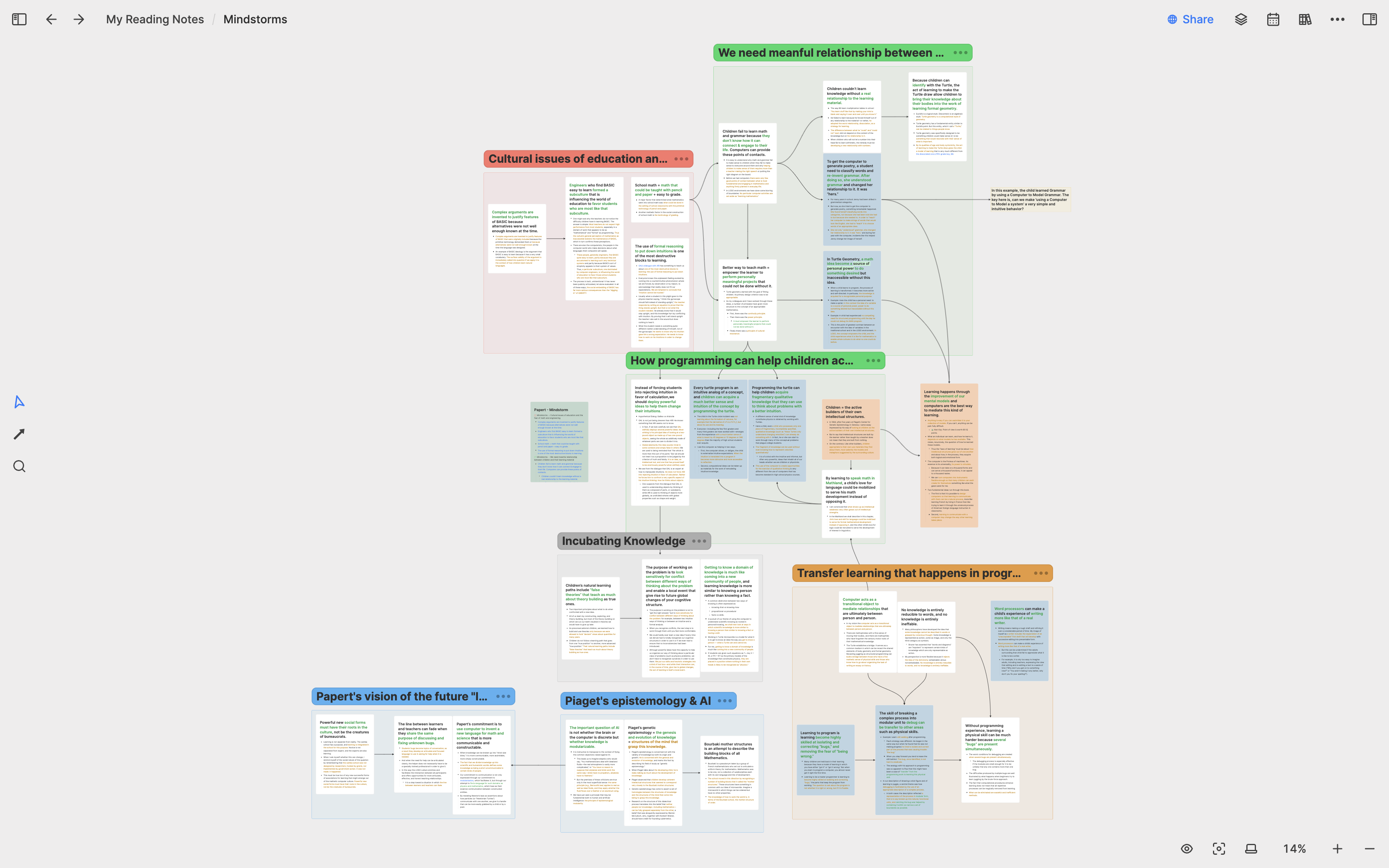
Another computer pioneer that has had a profound impact on me is Seymour Papert. I created a whiteboard for him called “Mindstorms,” which is his most classic work, discussing how he based his thinking on Jean Piaget’s theory of cognitive development to research how computers can impact children’s education.
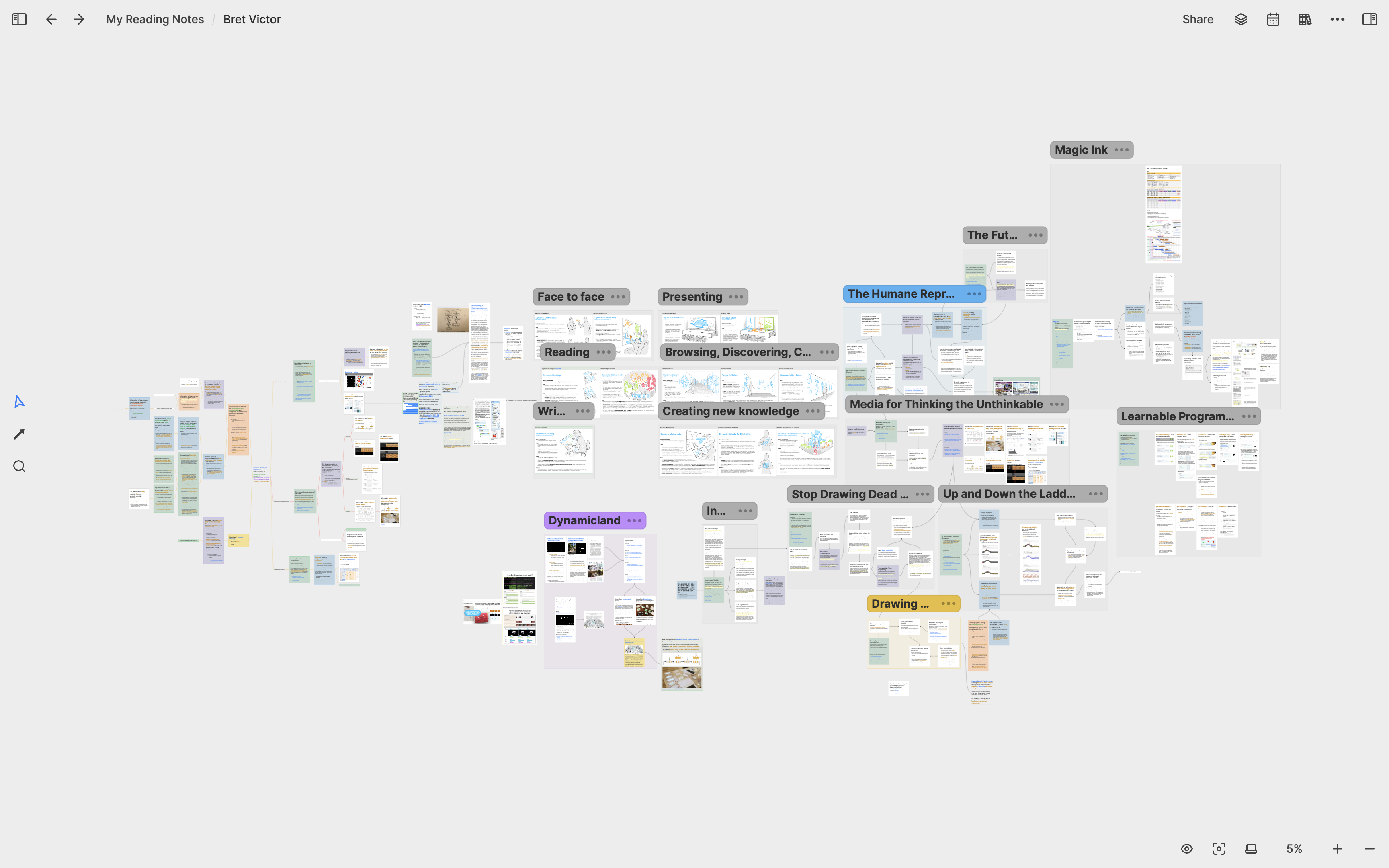
In addition to the computer pioneers of the 1970s, I also spent a lot of time studying modern human-computer interaction research. Among them, the one that inspired me the most was Bret Victor and his Dynamicland project. I created a whiteboard for Bret Victor, breaking down every speech he gave and every report he published into card notes, using sections and mindmaps to sort out the relationships between these cards on the whiteboard.
As my research notes accumulated, my goals for the next stage of Heptabase’s development became clearer. I created a new whiteboard, reusing and integrating all the research notes that I thought were crucial to the next phase of product design and development. My research notes not only helped me understand and review my research topics, but they also had a significant impact on the work I was doing!
Conclusion
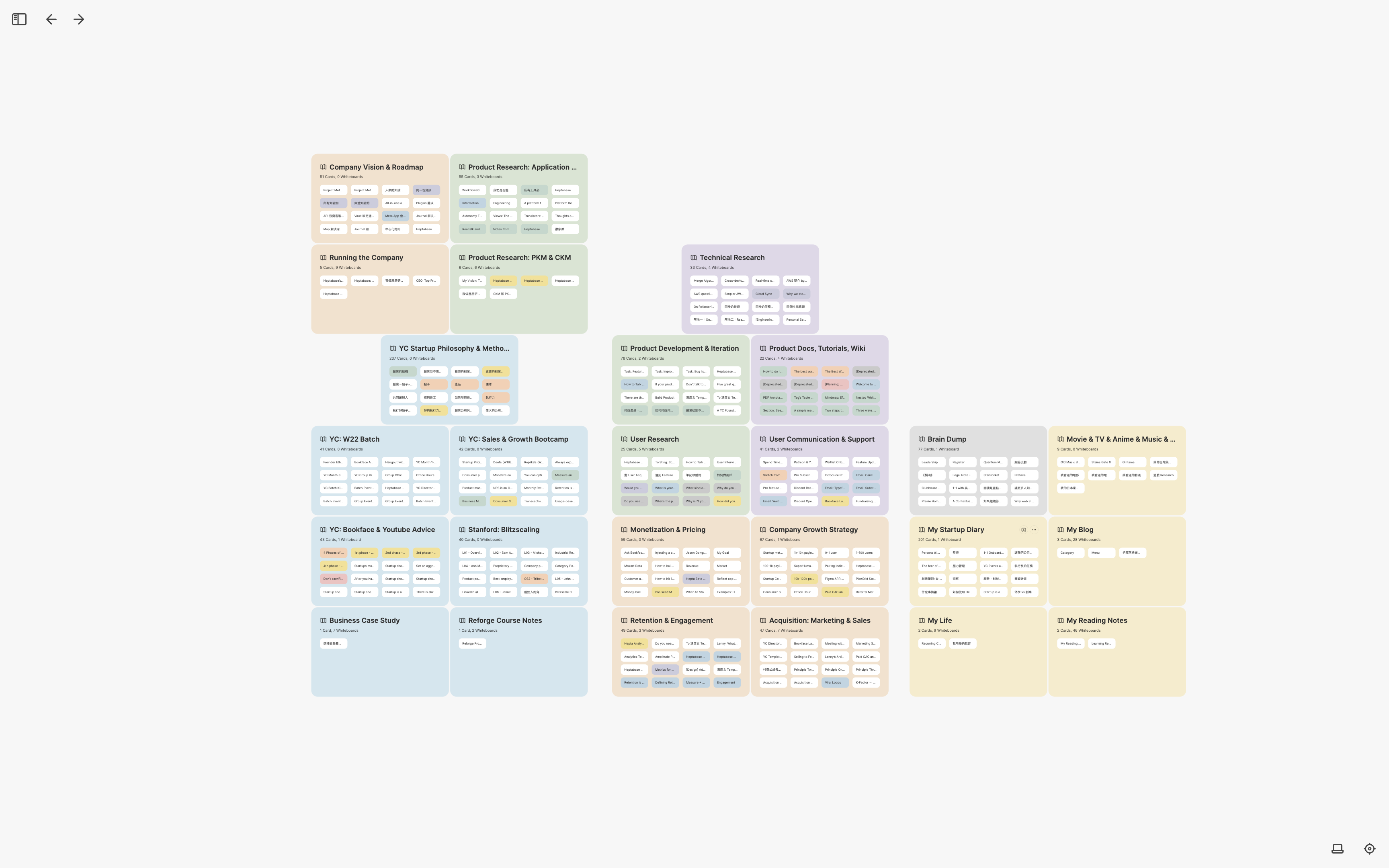
This article documents my experiences learning, researching, planning, and writing with Heptabase over the past two years. During this time, I created about 4,000 cards and 180 whiteboards. Despite this, I can always find my previous learning and research notes and easily recall my thinking process through the whiteboards in which they reside. Additionally, I can continue to expand my knowledge and research, plan new projects, and write new articles based on what I have learned and known in the past.
Throughout the past two years, I have never forced myself to use a particular methodology to write notes. Instead, I only focus on the current purpose every time I write notes and try to arrange them on the whiteboard into the most useful structure for achieving my goals. This way of taking notes works extremely well for me, and I have finally gained peace of mind. I am no longer worried that I will forget what I learned in the past over time because I know that all the knowledge I have acquired is preserved in Heptabase with the best structure, waiting for the next time I use it.
If you are a first-time Heptabase user, I encourage you not to spend too much time thinking about “what is the right way for me to take notes” because, as I said at the beginning, taking notes is just a process, not a goal. When you change the question to “what do I want to achieve with my notes,” you will be in a better position to achieve your goal with a clearer mind. Heptabase and its visualized cards and whiteboards will have the greatest effect when you ask the right question.
Further Reading
前言
Heptabase 的願景是打造一個任何人都可以有效地對任何事物建立深度理解的世界。我們的短期目標是打造全世界最好的思考工具,長期目標則是打造一個脈絡化的全球知識網路。
在當前,Heptabase 作為一個思考工具有四個主要用途:學習、研究、規劃和寫作。學習和研究的本質是對人類已知和未知的事物建立深度理解,規劃和寫作的本質則是將這些深度理解轉化成可以被執行和傳播的形式。
我是 Heptabase 的創辦人,也是全世界第一個 Heptabase 的用戶。從 2021 年五月至今,我已經使用 Heptabase 超過二年的時間,經歷了它超過 350 個版本的迭代。隨著 Heptabase 的功能和體驗日趨完善,我也確確實實地感受到這個工具是如何在每一天重塑我的思考方式。
在 Heptabase 的用戶社群中,我每天都會收到來自世界各地不同用戶的反饋。有些用戶會向我表達他們對 Heptabase 的愛、告訴我 Heptabase 如何徹底地改變他們學習和做研究的方式。也有少部分用戶會向我表達他們對 Heptabase 的掙扎,告訴我他們不確定視覺化的筆記方式是否真的適合他們。
每一個用戶對 Heptabase 的反饋我都銘記在心,這也是我寫這篇文章的原因。對於不知如何善用 Heptabase 的用戶,我很喜歡使用一個比喻:使用 Heptabase 就跟學習英文和數學是類似的。當你第一次接觸到英文字母和數學符號時,你可能會有一點無所適從。但是只要有好的老師協助你跨過這個坎、帶你掌握這些字母和符號,你就會發現這些字母和符號背後是一種全新的認識世界的方式。這就是我希望透過這篇文章做到的事情。
在這篇文章中,我將按照時間線搭配截圖,分享我在過去這二年來如何使用 Heptabase 來幫助我學習、研究、規劃和寫作,進而履行我作為一名創業者的諸多職責。由於文中許多的截圖涉及到公司營運相關的敏感資訊,我在做某些截圖時會特意把畫面縮小、讓內容模糊。我相信比起筆記的內容本身,我在文中所描述的經歷與思考具有更大的啟發價值。
我將這篇文章的內容做成了一支教學影片。如果你更喜歡看影片學習,歡迎參考:
對於那些自認不擅長做筆記的人來說,我也希望透過這篇文章來再次傳遞一個重要的精神:做筆記本身不是目的,而是達成真正目的的一個過程。要活用 Heptabase 的前提,就是先想清楚對你來說最重要的目的是什麼,並針對這個目的發展出適合你的使用方式。
打造最小可行性產品: 2021 Q3
產品開發規劃
在 2021 年的五月底,當我開始打造第一版的 Heptabase 時,我拿它做的第一件事是規劃產品開發和用戶研究的流程。原因很簡單:這是當時對我來說最重要的事情。
我清楚新創公司資源有限,要極力避免把精力浪費在不重要的事情上。為了搞清楚什麼是重要的事情,我決定到世界最知名的新創加速器 Y Combinator 的網路創業圖書館(Startup Library)中找跟這個主題有關的文章來讀,包含打造產品該有的心態、如何打造最小可行性產品、如何迭代產品等等。
在閱讀這些文章之前,我創建了一個名叫 Product Development & Iteration 的白板。每當我在閱讀時發現我認為重要的觀念或知識時,我就會將它們整理成一張張的卡片攤平在白板上,讓整個做產品的方法論瞬間變得一目瞭然。
在接下來的幾個月,每當我遇到產品相關的問題時,我總是會打開這個白板來確認我有沒有用正確的方式在做事。每當我在網路上看到我覺得很棒的產品開發相關的文章時,我也會將這些文章中的知識寫成卡片,放到這個白板中和我既有的知識整合在一起。
用戶訪談與研究
在推出了最小可行性產品之後,我開始對每一個想來試用產品的人做用戶訪談。為了把用戶研究做好,我創建了一個叫 User Research 的白板,並在這個白板裡頭存放跟做用戶訪談有關的知識,同時也將我們訪談時會問的問題以及每個問題的目的寫成卡片。當我在訪談用戶時,我會看著這個白板中的卡片,確認我沒有漏問重要的問題。
對於每一個被我訪談過的用戶,我都會特別建立一張新的卡片來紀錄訪談內容。久而久之,我累積了數百張用戶訪談卡片。為了在這些用戶訪談中找出重要的規律和線索,我在 User Research 白板底下創建了三個子白板,分別是 User Note、Feature Request 和 Jobs to be done。
在 User Note 白板中,我放了在一年半的時間中累積的快三百份用戶訪談筆記,並把這些訪談卡片全部攤開來比對。這些用戶在訪談過程中會提出許多功能請求,我會把每一個功能請求做成獨立卡片放在 Feature Request 的白板中。每一個 Feature Request 卡片都會透過雙向連結連到多個用戶訪談卡片,這使得我在看一個功能請求時可以快速調閱相關用戶的訪談內容。
除了 Feature Request 以外,用戶訪談最重要的事情是搞清楚用戶希望用 Heptabase 解決的問題(Jobs to be done)。在做過這些訪談後,我歸納出了 Heptabase 的十大用途和七大用戶畫像,並為每一個用途和用戶畫像創建一張卡片,並把所有卡片放在 Jobs to be done 白板。我將這十大用途透過 Section 分成學習、研究與規劃、創作與分享三區,並在每一個用途底下用雙向連結連到用戶畫像卡片以及所有相關的用戶訪談卡片。這使得對於任何一個用途,我都可以看到所有有關的訪談紀錄,讓我對用戶想用 Heptabase 解決的問題獲得更深的理解。
用戶溝通文稿
除了用戶研究以外,我也花非常多時間在寫給用戶看的文字,像是在社群中的重要公告(幾乎每週都會有)、官方教學文檔、Email 文案等等。寫這些文字困難的地方在於我有時會忘記之前寫過哪些東西。如果要保持重要資訊的ㄧ致性,就需要能一眼看到以前我在什麼時候講過哪些話。於是我創建了一個名為 User Communication & Support 的白板,專門整理我在不同階段在用戶社群中發過的重要公告。
在教學文檔方面,我面臨的挑戰是我需要在很短的時間內產出很多內容,有的內容可能才剛寫下架構,有的內容正在寫初稿,有的內容初稿已經寫好但還沒配圖跟檢查文法,有的內容已經完成但還沒發佈。對於這些文檔,我創建了一個叫 Product Docs, Tutorials, Wiki 的白板,將所有我需要寫的文章放在裡面,利用空間來區隔不同類型的文章、利用顏色來區分文章當下的撰寫狀態。
個人文章寫作
除了要寫給用戶看的文字以外,我自己也很喜歡記錄一些工作上的所學。舉例來說,我創建了一個叫 My Startup Diary 的白板,專門紀錄一些我在創業過程中覺得值得紀錄的想法或事件,並將它們按照年份從左到右排序。這裡面的很多卡片都只有二三句話,但是當我卡片累積愈來愈多時,我就會把多張卡片合併成一篇文章。為了讓這件事情變得更容易做,我還請工程師開發了右側欄的功能,讓我可以在寫一篇文章時將參考資料放在右邊。
由於 Heptabase 變成了我寫部落格文章的工具,我決定將我過去十年寫的所有部落格文章也備份到 Heptabase 裡頭。我創建了一個叫 My Blog 的白板,並在裡面為每個年份創建一個子白板,然後將部落格文章放進這些子白板裡頭。同時,我也為我部落格中的每個主題創建一個子白板,由於 Heptabase 中的卡片是可以重複在多個白板中使用的,我可以將一篇部落格文章同時放在它對應的年份子白板和主題子白板中,非常方便。
下面這張圖是我的跟「創業」這個主題有關的子白板,你可以看到所有文章一目暸然的被擺放在同一個空間中,看起來非常舒服。
成立公司: 2021 Q4
數據分析
在最小可行性產品迭代了快三個月以後,我們的用戶社群變得愈來愈大,用戶數也愈來愈多。我發覺光是用戶訪談是不夠的,我們必須導入用戶數據分析的工具,讓我們更加清楚用戶的留存率、活躍度、發現產品的途徑,以及他們最常使用的功能。
身為一個完全沒有數據分析經驗的人,我上網找了許多產品數據分析的文章惡補,其中我發現 Amplitude 的 Mastering Retention 和 Data Taxonomy Playbook 這二本電子書寫得很好。然而,書中的資訊非常多,我知道我不可能讀一次就融會貫通,未來一定會需要持續回頭複習才能想起細節。於是我為這二本電子書各自創建了一個白板,並將書中有關的重要觀念全部寫成卡片攤開到這二個白板上。
為這二本電子書製作卡片的過程不只加深了我對數據分析的理解與記憶,我在未來二年遇到數據相關的問題時,也時常會回到這二個白板複習。令我震驚的是,當筆記以視覺化的形式被保存在白板上時,我複習時可以用十倍以上的速度回憶起已經忘記的知識,這是我過去在學習時從未體驗過的感覺。大概是在這個時候,我確信視覺化筆記是最好的學習方式。如果我人生所學的一切都能被用視覺化的方式保存,我就能在任何時候輕易地找到並重新憶起我過去所學的一切。
創業筆記
在暸解到視覺化筆記的力量後,我決定把我以前記過的、跟創業有關的學習筆記也一併整理到 Heptabase 裡頭。在幾年前,我曾在 Youtube 上看過一門叫 How to Start a Startup 的課程,內容是 Y Combinator 在 Stanford 開的創業經驗分享,每一堂課主題都不一樣。我在當時有對每一堂課整理一份筆記,這些筆記都非常長。也因為這些筆記很長,我平常根本不會回去看。
我把這門課的所有筆記拆解成一個又一個的創業概念卡片,然後將這些概念卡片全部串連起來變成創業的知識地圖。在打造這個知識地圖的過程中,我不只更加理解了創業是怎麼一回事,還發現了很多我以前上課時沒注意到的概念連結,看到不同的講者是如何用不同的方式和案例去講述相同的創業概念。
成立公司
在最小可行性產品迭代了快四個月的時候,我們收到了天使投資人的投資意願,並決定接受這筆投資。為了接受投資,我必須花時間設立公司,這又是一個我完全沒經驗的事情。我一如既往地上網查了很多與成立公司有關的法律資訊,並創建了一個叫 Company Legal 的白板整理我學到的相關知識,包含股權的運作原理、83(b) Election、Vesting Schedule 等新創公司不得不知道的重要觀念。我很清楚這些觀念我一年後一定會忘記細節,所以相當認真地在這個白板中把每個概念的細節都寫清楚。
除了法律觀念以外,我還需要學會一些基本的會計知識,以便更好地和會計師溝通報稅相關的事務,並掌握公司每個時節點的財務狀況。為此,我創建了一個叫 Company Finance 的白板,整理我學到的會計知識與公司的財務狀況。
申請 Y Combinator 加速器
Y Combinator 是我心目中世界最好的創業加速器,我的很多創業觀念都是從 YC 公開的免費資源中學到的。也因此,在剛開始打造最小可行性產品時,我就已經打算要申請 YC 該年度的冬季梯次。申請 YC 需要做的事情包含書審和面試,這二個環節的共同點就是要回答許多對創業者來說至關重要的問題。
為了準備書審和面試,我創建了一個名叫 Pre-seed & YC Application 的白板,將所有 YC 列的重要問題按照類型分門別類,為每個問題創建一張卡片,並在裡頭寫下我的回答。我會用綠色標示我胸有成竹的問題卡片、用藍色標示我正在思考的問題卡片、用紅色標示我還沒什麼想法的問題卡片。同時,我也將一些其他 YC 創業者在網路上分享的經驗整理到這個白板裡頭,讓我可以一邊參考、一邊思考。
最終,我們很幸運的入選了 YC,而當時我在思考的這些問題,事後都被證明確實是創業過程中非常重要的問題。在一開始好好地將它們想過一遍確實幫助我少走了很多彎路。
加入 Y Combinator: 2022 Q1
銷售與成長訓練營
在 2022 年一月,我們正式進入 YC 的冬季梯次。YC 培訓的期間長達三個月,所有公司在這三個月只有一個目標:快速成長。為了幫公司快速成長,YC 提供了許多內部的學習資源讓我們可以根據自身需求去閱讀,另外也設了一個專門在銷售與成長的訓練營,請許多創業前輩分享經驗。為了將這些知識完整地吸收,我創建了一個叫 YC: Sales & Growth Bootcamp 的白板,整理我在 YC 學到的重要創業知識。
籌資
在公司快速成長了三個月後,我們很快地就迎來了 YC 的 Demo Day。在 YC,大部分的公司都有相同的目標,也就是在 Demo Day 前後二週向矽谷的投資人完成種子輪籌資。這也是為什麼快速成長如此重要:當你成長的愈快,你籌資時有的籌碼就愈多。
為了協助創業者籌資,YC 一樣提供了非常多相關的學習資源,像是如何建構好的 Pitch、如何展示公司的亮點、如何判斷好的跟壞的投資人、如何解讀不同的投資術語等等。我建立了一個名叫 Seed Fundraising 的白板,在裡面整理所有我學到的籌資知識,並一邊參考這些知識、一邊建立我的 Pitch Deck。
在準備我的 Pitch Deck 的時候,我發現這個 Seed Fundraising 的白板和我之前申請 YC 時建立的 Pre-seed & YC Application 的白板都跟籌資相關,所以我決定建立一個名叫 Fundraising 的白板,並將這二個子白板放到裡面去。
公司願景和路線圖
在 YC 期間,我關注的都是比較近的、未來三月要做的事情。在 YC 結束後,我決定花多一些時間去想比較長遠的、未來幾年要做的事情。於是我創建了一個叫 Company Vision & Roadmap 的白板,在裡面佈局 Heptabase 未來五到十年的計畫和願景。每當我對公司未來有新的想法時,我都會回到這個白板去新增和修改裡面的卡片內容和佈局。
產品研究: 2022 Q2-Q3
個人知識管理研究
在 YC 結束後,我花了非常多時間在研究知識管理工具的未來。我創建了一個名叫 Product Research: PKM & CKM 的白板,在裡面放了我所有的研究筆記。由於筆記實在太多了,我決定將它們按照主題分裝在不同的子白板裡頭。這裡面的有幾個子白板特別重要,舉例來說,Better Capturing 這個子白板專門研究用戶在將快速紀錄的筆記轉換成有用的思維架構時會遇到的問題;Better Exploring 這個子白板則負責研究用戶在將外部資訊轉換成筆記的過程會遇到的問題。
每當我針對某個問題有比較完整的理解後,我就會再創建一個子白板來將這些理解轉換成 Heptabase 的功能設計。舉例來說,在 Better Capturing 這個白板底下有一個子白板叫 Journal: Fundamental Research,這個子白板負責研究如何整合 Journal 和白板的功能,讓用戶可以將零散的日誌想法轉換成白板上有用的知識卡片。
在 Better Exploring 這個白板底下,有另一個子白板叫 Hepta as a Browser: Web Annotation & Read it later,這個子白板負責研究把 Heptabase 與瀏覽器功能整合的可能性,也就是讓用戶可以直接在 Heptabase 中瀏覽網頁,並將網頁中重要的資訊轉換成筆記。
群體知識管理研究
除了個人知識管理以外,另一個我在這段時間大量研究的主題是群體知識管理,特別是團隊和社群這二個場景。這個研究的目的是幫助我思考當未來有一群用戶把知識放在 Heptabase 時,我們應該設計什麼樣的機制來讓他們可以溝通和整合彼此的知識來完成重要的工作和研究。針對這個主題,我創建了一個叫 Better Sharing & Exploring 的子白板來研究相關的子主題,像是既有的發布工具、探索工具、討論工具所存在的問題和潛在的解決方案。
舉例來說,我有一個叫 Research on Team Use Case 的子白板專門在研究不同的團隊如何交流工作上的知識。為此我訪談了許多團隊,並在這個白板中拆解和分析這些訪談中共同出現的規律和線索。
當我找到了一些重要的規律和線索時,我就會以這些線索為原點去思考 Heptabase 未來可能可以嘗試的發展方向、設計基於 Heptabase 的卡片溝通協議。
不管是拿來研究個人還是群體知識管理,這些白板帶給我的最大好處是讓我可以連續幾個月去逐步發展針對某個主題的研究。每當我有新的訪談資料或產品想法時,我總是可以回到這些白板中去將它們整合到我既有的研究成果上,我認為這件事情至關重要。
很多人使用筆記軟體時會過度聚焦在把所有的筆記都整理進一個「完美的架構」裡頭,但我一直覺得這不僅很難做到、就算做到了意義也不大。每一個研究都有它獨一無二的架構,而白板的自由度讓我可以讓每一個研究都按照適合它的架構去成長、積累。做筆記從來都不是我的目的,而是幫助我把研究做好的一個過程。傳統的筆記軟體雖然也能累積很多筆記,但卻難以將這些筆記整合成重要的研究成果。
公司策略: 2022 Q4
產品成長理論
在 2022 年的最後一季,除了繼續進行我的產品研究以外,我也開始投入一些時間學習更多與產品成長有關的理論,讓我能更加清晰地制定公司未來二年的成長策略。一個產品的成長是由三件事情所驅動的:留存率、獲客能力、定價。我為這三件事情各自創建了一個白板做深入研究。
在 Retention & Engagement 這個白板中,我研究了測量留存率的方式,以及提升留存率的三種方法,並將這些知識與我以前寫的跟產品數據分析有關的筆記整合在一起。除此之外,過去投資人給我們的建議,我也會放到這個白板上和相關的筆記做比較。
在 Acquisition: Marketing & Sales 這個白板中,我研究了不同類型的獲客方式,像是病毒式行銷、內容行銷、付費行銷、業務銷售等等。我同時也創建了一些子白板,在這些子白板裡整理我們公司在面向客戶的渠道上使用的素材。
在 Monetization & Pricing 這個白板中,我將我所學到的定價知識都整理在一起,包含定價策略、測量定價成效、優化定價等等。我也把產品在 Closed Alpha 和 Open Beta 階段我對定價的思考全部整理到這個白板裡頭。每當公司邁向下一個階段時,我就可以根據這個白板中的知識去思考定價策略上該如何調整。
成長和競爭策略
在 Retention、Acquisition、Monetization 這三個白板的研究告一段落時,我創建了 Company Growth Strategy 和 Company Business Strategy 這二個白板,專門用來制定公司的成長和競爭策略。
在創建 Company Growth Strategy 這個白板後,我做的第一件事是把 YC 和投資人分享過的重要觀念以及我們過去一年半採用過的成長策略全部都整理進來。我將用戶成長劃分成不同階段:1–10 個付費用戶、10–100 個付費用戶、100–1000 個付費用戶、1000–10000 個付費用戶、10000–100000 個付費用戶、… 依此類推。我為每個階段都創建了一張卡片,在裡面寫下我在這個階段已經採用、或是未來打算採用的成長策略,以及在關鍵指標上要達成的目標。我同時也將我搜集到的幾個關鍵指標在市場上的 Benchmark,讓我可以將公司當前的表現與這些 Benchmark 比較、判斷我們的強項和弱項分別有哪些。
在 Company Business Stragtegy 這個白板中,我放了很多我以前紀錄的、跟戰略有關的讀書筆記。我有一個白板叫 My Reading Notes,裡面的每一個子白板都是我以前讀過的某一本書。舉例來說,Peter Thiel 的 Zero to One、Clayton Christensen 的 Innovator’s Dilemma、中國古代的孫子兵法都各自擁有一個白板。我會從這些白板裡頭選取所有與戰略有關的卡片,將這些卡片復用在 Company Business Strategy 的白板上,幫助我一眼看清楚許多偉大思想家的思想之間的共性和差異。每當我們公司進到一個新的階段或遇到新的競爭對手時,我都會回到這個白板上去思考我應該如何看待這些它們。
公司營運
除了產品研究、籌資、成長策略、競爭策略外,我在經營公司的過程中還需要做很多其他事情,像是招聘、建立公司文化、帶領團隊與任務分派等等。隨著與公司有關的白板愈建愈多,我決定創建一個叫 Running the Company 的白板,將大部分與公司營運和策略有關的白板放進來。
透過這個例子你會發現,在 Heptabase 寫筆記時,你不需要在一開始就把白板之間的階層架構關係想清楚。你只要按照你的學習和研究方式去發展你的白板,時候到了你自然會將相關性高的白板用最適合它們的方式整理在一起。在 Heptabase,梳理架構是一件自然、低阻力的過程,而不像在其他筆記軟體那般痛苦。
產品研究: 2023 Q1-Q2
人機互動研究
在 2023 年的上半年,隨著既有的產品逐漸成熟,我再次把重心轉移回產品研究上,規劃產品下一階段的發展。
與前一年的研究不同的是,我這次的研究花更多時間在重新研讀重要的人機互動文獻,彙整計算機先驅們在過去七十年提出的許多想法,以及這些想法在當代的可行性。我第一個回顧的文獻是 Mitchell Waldrop 寫的 The Dream Machine 這本書,這是我認為迄今在計算機歷史脈絡上寫得最好的一本書。我為這本書創建了一個白板,從左到右是時間軸,藍色的卡片代表人機互動想法、綠色的卡片代表計算機先驅、黃色卡片代表專案和新科技、其他卡片代表公司和事件。
在將歷史脈絡梳理清楚後,我開始深入研究幾個我認為思想跟我們公司目標較相近的計算機先驅的思想。舉例來說,我為 Alan Kay 創建了一個白板,在裡面研究他在 Xerox PARC 發起的 Smalltalk 專案,以及這個專案背後有關物件導向程式設計的啟蒙思想。
另一個影響我很深的計算機先驅是 Seymour Papert,我為他創建了一個白板叫 Mindstorms,這是他最經典的一本著作,內容在講他如何以 Jean Piaget 的認知發展理論為基礎思考計算機可以如何影響兒童教育。
除了 1970 年代的計算機先驅外,我也花了不少時間在研究當代的人機互動研究,其中對我啟發最大的無疑是 Bret Victor 和他的 Dynamicland 專案。我為 Bret Victor 創建了一個白板,將他給過的每一個演講以及發布過的每一份報告拆解成卡片筆記,利用 Section 和心智圖在這個白板上梳理這些卡片之間的關聯性。
隨著我的研究筆記累積的愈來愈多,我對於 Heptabase 下一個階段的發展目標也變得愈來愈清晰。為此,我創建了一個新的白板,將所有我認為對接下來產品設計和開發方向至關重要的研究筆記復用進來彙整。我的這些研究筆記不只能幫助我理解和複習我的研究主題,它們更是確確實實地對我正在做的工作產生巨大的影響力!
結語
這篇文章記錄了我在過去二年使用 Heptabase 學習、研究、規劃和寫作的重要經歷。這二年下來,我創建了約四千張卡片、一百八十個白板。即便如此,我總是能找到我以前寫的學習和研究筆記,並透過它們所處的白板輕易地回憶起當初的思考狀態。除此之外,我還可以以我過去的所學、所知為基礎,持續地拓展新的學習和研究、規劃新的專案、寫出新的文章。
在這二年來,我從來沒有強迫自己一定要很有紀律地使用某個特殊的方法論來寫筆記。相反地,我每次寫筆記時只會專注在當下的目的,然後試圖在白板上把筆記整理成最能幫助我達成目的的架構。這樣的方法令我百試不厭,我也總算獲得了安寧、不再擔心自己會隨時間忘掉我過去的所學,因為我知道我習得的一切知識通通都以最適合它們的結構保存在 Heptabase 裡頭,等待著下一次被我用上的時機。
如果你是第一次使用 Heptabase 的用戶,我鼓勵你不要花太多時間去想「什麼是適合我的筆記方式」,因為就像我在文章開頭所講的,記筆記只是一個過程,而非目的。當你把問題換成「我想透過我的筆記達成什麼樣的目的」時,你會更容易豁然開朗、進而達成你的目的。而 Heptabase 基於卡片和白板的視覺化筆記系統,正是在你問出這個問題時才會發揮它最大的功效。
延伸閱讀
イントロダクション
Heptabaseのビジョンは、誰もが何かを効果的に深く理解できる世界を創造することです。私たちの短期目標は、世界最高の思考ツールを作り出すことであり、長期目標はコンテキストに基づいた知識インターネットを構築することです。
現在、Heptabaseは学習、研究、計画、執筆という4つの主要な使用ケースを持っています。学習と研究の本質は、既知と未知の事柄についての深い理解を形成することであり、計画と執筆の本質は、これらの深い理解を実行可能で伝達可能な形に変換することです。
私はHeptabaseの創設者であり、最初のユーザーでもあります。2021年5月以来、私はHeptabaseを2年以上使用しており、350回以上のイテレーションを経験しました。Heptabaseの機能性とユーザーエクスペリエンスが改善されるにつれ、このツールが私の思考の形を日々変えていることを実感しています。
Heptabaseのユーザーコミュニティでは、毎日世界中のさまざまなユーザーからフィードバックを受け取っています。一部のユーザーはHeptabaseへの愛を表現し、それが彼らの学習と研究の方法を完全に変えたと話してくれます。しかし、中にはHeptabaseで苦労しているユーザーも少なくなく、視覚化されたノートテイキングの方法が本当に彼らに適しているのか分からないと話してくれます。
私はHeptabaseに対するすべてのユーザーのフィードバックを真剣に受け止めており、そのためにこの記事を書いています。Heptabaseの効果的な使用方法がわからないユーザーに対しては、私はしばしばメタファーを使用します。Heptabaseの使用は英語や数学の学習に似ていると言います。最初は英語の文字や数学の記号に直面すると、迷子になったような気分になるのは簡単です。しかし、良い指導者がこの障壁を乗り越える助けをしてくれると、これらの文字や記号をマスターし、これらの文字や記号を使って世界を理解する全く新しい方法を発見することができます。それがこの記事を通じて達成したいことです。
この記事では、過去2年間にわたって私がHeptabaseを使用して学習、研究、計画、執筆するのにどのように活用してきたかを共有します。また、ホワイトボードのスクリーンショットも掲載します。ただし、スクリーンショットの多くには企業の運営に関連する機密情報が含まれているため、意図的に拡大率を縮小し、コンテンツをぼやかしています。私が記事で記述する経験やアイデアが、ノートの内容そのものよりも大きなインスピレーションの価値を持つと信じています。
この記事の内容に基づいてチュートリアルビデオを作成しました。ビデオを通じて学ぶ方が好きな方は、ぜひチェックしてみてください:
ノートテイキングが苦手な人々に向けて、この記事を通じて重要なメッセージを伝えたいと思います。それは、ノートテイキング自体が目標ではなく、目標達成のためのプロセスであるということです。Heptabaseの力を活かすためには、自分の最も重要な目標について明確に考え、それを達成するための独自のHeptabaseの使い方を開発することが重要です。
最小限の実現可能な製品の開発:2021年第3四半期
製品開発計画
2021年5月末、Heptabaseの最初のバージョンの開発を開始した際、最初に行ったことは、製品開発およびユーザー調査プロセスを計画することでした。その理由はシンプルです:この時点で私にとって最も重要なことでした。
私はスタートアップの資源が制限されていることをよく知っており、無駄なことにエネルギーを使うことを避けるべきです。Y Combinatorは世界で最も有名なスタートアップアクセラレータであり、重要なことを見極めるために、そのスタートアップライブラリからこのトピックに関連する記事を読むことにしました。私が読んだ記事には、製品の構築の心構え、最小限の実現可能な製品の構築方法、製品のイテレーション方法などが含まれています。
これらの記事を読む前に、私は製品開発とイテレーションという名前のホワイトボードを作成しました。読んでいる間に重要だと思う概念や知識を見つけたら、それらをカードに整理し、ホワイトボードに並べて、全体の製品開発手法を一目で理解できるようにしました。
次の数か月間、製品に関連する問題に遭遇するたびに、私は常にこのホワイトボードを開いて、自分が正しく進めているかを確認しました。オンラインで製品開発に関連する素晴らしい記事に出会った場合も、これらの記事から得た知識をカードにまとめ、既存の知識と統合しました。
ユーザーインタビューと調査
最小限の実行可能な製品をリリースした後、製品を試したいと思う誰でもユーザーインタビューを行い始めました。ユーザー調査をうまく行うために、私はユーザー調査と呼ばれるホワイトボードを作成しました。このホワイトボードには、ユーザー調査に関連する知識を保管し、インタビューで行う質問や各質問の目的をカードに記載しました。ユーザーをインタビューする際には、このホワイトボードのカードを見ながら重要な質問を見落とさないようにしました。
私がインタビューした各ユーザーごとに、インタビュー内容を記録する別々のカードを作成しました。時間の経過とともに、私は数百のユーザーインタビューカードを蓄積しました。これらのユーザーインタビューから重要なパターンや手がかりを特定するために、私はUser Researchのホワイトボード下にUser Note、Feature Request、そしてJobs to be doneという3つのサブホワイトボードを作成しました。
User Note ホワイトボードでは、過去1年半で収集した約300件のユーザーインタビューノートをまとめました。これらのインタビューカードを広げて、比較しました。インタビュー中、ユーザーはしばしば機能のリクエストを行いました。私は各機能リクエストごとに個別のカードを作成し、それらをFeature Requestホワイトボードに配置しました。各機能リクエストカードは、複数のユーザーインタビューカードと双方向にリンクされており、機能リクエストを見直す際に関連するインタビュー内容を迅速に参照できました。
機能リクエストに加えて、ユーザーインタビューの最も重要な部分は、ユーザーがHeptabaseに解決してほしい問題、すなわち、ジョブズ・トゥ・ビー・ダン(JBTD)を理解することでした。これらのインタビューを行った後、私はHeptabaseのトップテンJBTDと7つのユーザーペルソナをまとめました。それぞれの使用例とユーザーペルソナごとにカードを作成し、すべてをJobs to be Done ホワイトボードに配置しました。私はこれらトップテンのJBTDを3つのセクションに分けました:学習、調査と計画、そして作成と共有。各JBTDの下に、ユーザーペルソナカードとすべての関連ユーザーインタビューカードへの双方向リンクを作成しました。これにより、任意のJBTDに関連するすべてのインタビューレコードを見ることができ、ユーザーがHeptabaseで解決したい問題について深い理解を得ることができました。
ユーザーへのコミュニケーション文書
ユーザーリサーチに加えて、私はユーザーが読むためのテキストの作成にも多くの時間を費やしています。例えば、コミュニティの重要なアナウンスメント(ほぼ毎週)、公式チュートリアルドキュメント、メールコピーなどです。これらのテキストを書く難しさは、時々以前に何を書いたのか忘れてしまうことです。重要な情報の一貫性を保つためには、一目で以前に何を言ったのかを確認できる必要があります。そこで、ユーザーコミュニティにおける各段階で行った重要なアナウンスメントを整理するために、ユーザーコミュニケーション & サポートというホワイトボードを作成しました。
チュートリアルドキュメントについては、非常に短い時間で多くのコンテンツを制作することが求められるという挑戦があります。輪郭が描かれたばかりのコンテンツもあれば、ドラフト中のものもあり、ドラフトは完成しているが図解や文法チェックがまだ行われていないものもあります。そして、完成はしたがまだ公開されていないコンテンツもあります。これらのドキュメントに対して、私が書く必要があるすべての記事を載せたProduct Docs, Tutorials, Wikiというホワイトボードを作成しました。私は空間的な関係性を使ってさまざまなタイプの記事を区別し、記事の執筆状況を示すために色を使用しています。
個人的な文章
ユーザー向けのテキストを作成するだけでなく、私は自分のアイデアを記録し、余暇にブログ記事を書くことも楽しんでいます。例えば、会社を構築する際に記録する価値があると思うアイデアやストーリーを記載するために、My Startup Diary という名前のホワイトボードを作成しました。ここにあるカードの多くは2、3文の短いものですが、カードを増やしていくにつれて、複数のカードをひとつの記事にまとめることがあります。このプロセスを容易にするために、エンジニアに サイドバータグ機能 の開発を依頼し、左側で記事を書く際に参照カードを右側に配置できるようにしました。
Heptabaseは私のブログ記事を書くためのツールとなっているため、過去10年間に書いたすべてのブログ記事をHeptabaseにバックアップすることにしました。それぞれの年ごとに “My Blog” という名前のホワイトボードとその下にサブホワイトボードを作成し、ブログ記事をそれらのサブホワイトボードに配置しました。同時に、ブログ内の各トピックに対応するサブホワイトボードも作成しました。Heptabaseのカードは複数のホワイトボードで再利用できるため、記事のカードを対応する年のサブホワイトボードだけでなく、トピックのサブホワイトボードにも配置することができ、とても便利です。
次の画像は、“スタートアップ”トピックに関連するサブホワイトボードです。すべての記事が一目で同じスペースに配置されており、私にとって非常に見やすいです。
会社設立:2021年第4四半期
データ分析
私たちの最小限の実用製品をほぼ3ヶ月間反復改善した結果、ユーザーコミュニティは大きく成長し、ユーザー数も大幅に増加しました。ユーザーインタビューを行うだけでは不十分だと感じ、ユーザーの維持率、エンゲージメントレベル、ユーザーが製品を発見する方法、および最も頻繁に使用される機能についてより明確な理解を得るために、データ分析ツールを導入する必要があると気づきました。
データ分析についての事前の経験がない私は、インターネットを検索し、製品データ分析に関する記事を広範に読みました。Amplitudeの「Mastering Retention」と「Data Taxonomy Playbook」が非常にわかりやすく書かれていることがわかりました。しかし、情報が多すぎて、一度読むだけでは完全に理解することができないことに気付きました。そのため、それぞれの書籍ごとにホワイトボードを作成し、重要な概念をカードとして書き留めました。
これらの2冊の書籍のカードを作成するプロセスは、データ分析の理解と記憶を深めるだけでなく、次の2年間にデータに関する問題に遭遇した際に頻繁に再訪することができました。私にとって驚くべきことは、ホワイトボードに視覚的な形でノートを保存すると、復習時の記憶喚起の速度が10倍以上向上することであり、これは私が過去の学習プロセスで経験したことのない感覚でした。おそらく、この時点で私は視覚的なノートテイキングが最良の学習方法であることに気付いたのでしょう。私が人生で学んだすべての知識が視覚化された形で保存されていれば、過去に学んだすべてをいつでも簡単に見つけ出して思い出すことができるでしょう。
スタートアップのメモ
視覚的なノートテイキングの力を実感した後、過去のスタートアップ学習のメモをすべてHeptabaseに移すことにしました。数年前、私はYouTubeの「How to Start a Startup」というコースを見ました。これはYコンビネーターがスタンフォードで共有したスタートアップに関連するトピックのシリーズでした。私はすべての講義にメモを取り、これらのメモはとても長くなりました。その長さゆえに、私は二度とそれらを復習することはありませんでした。
Heptabaseでは、これらのメモを個々の概念カードに分割し、つなげて知識マップを形成しました。このマップを作成することで、スタートアップについての理解を深めるだけでなく、以前は気付かなかった多くの概念のつながりが明らかになりました。異なる話者が同じスタートアップの概念を説明するために異なる方法や例を使っていることがわかりました。
会社の設立
私たちはほぼ4ヶ月間、最小限の製品を繰り返し改良した後、いくつかのエンジェル投資家から投資のオファーを受け、それを受け入れることにしました。投資を受け入れるために、私は会社を設立するための時間を費やさなければなりませんでしたが、これは私にとって完全に新しい経験でした。いつも通り、適切な法律情報をインターネットで検索し、株式原則、83(b)選択、ベスティングスケジュールなど、すべてのスタートアップが知っておくべき法的な知識と概念を整理するために、白板を作成しました。私は各概念の詳細をすべて書き留めました。なぜなら、1年後にはそれらを忘れてしまうと思ったからです。
また、法務の概念に加えて、税金に関連する問題について会計士とより良くコミュニケーションをとり、会社の財務状況を各段階で理解するために、基本的な会計知識も学ぶ必要がありました。そのため、私は白板を作成し、「会社のファイナンス」と名付けました。これによって、私の会計知識と会社の財務状況を整理することができました。
Y Combinatorへの応募
私にとってY Combinatorは最高のスタートアップアクセラレーターであり、YCの無料の公開リソースから多くのスタートアップのマインドセットを学びました。そのため、私が最小限の実証済み製品の構築を始めた時、その年のYCの冬のバッチに応募する予定でした。YCへの応募には、申請段階とインタビュー段階の両方で創業者にとって多くの重要な質問に回答する必要があります。
応募書類と面接に備えて、私は「Pre-seed & YC Application」という名前のホワイトボードを作成し、YCがリストアップしたすべての重要な質問をカテゴリー分けしました。各質問についてカードを作成し、自分の回答を書き留めました。私は自信のある質問には緑、まだ考え中の質問には青、全く分からない質問には赤を使いました。さらに、インターネット上で他のYCの創業者が共有した経験も、このホワイトボードに参考のために整理しました。
結果的に、私たちは幸運なことにYCに採用されました。その当時考えていた質問がスタートアッププロセスで重要であることが証明されました。最初にそれらについて十分に考えることで、多くの遠回りを避けることができました。
Y Combinatorへの参加:2022年第1四半期
営業と成長のブートキャンプ
2022年1月、私たちは正式にYCの冬のバッチに参加しました。YCのトレーニング期間は3ヶ月間続き、すべての企業には1つの目標があります:迅速な成長です。この目標を達成するために、YCは私たちのニーズに合わせて多くの内部の学習リソースを提供しています。また、YCは経験豊かな創業者が経験を共有する営業と成長のブートキャンプも開催しました。この知識を十分に吸収するために、私はYC:営業と成長のブートキャンプという名前のホワイトボードを作成し、YCで学んだ重要なスタートアップの知識を整理しました。
資金調達
成長の急速な3ヶ月後、私たちは迅速にYCのデモデイにアプローチしました。YCでは、ほとんどの企業が同じ目標を持っており、それはデモデイの前後にシリコンバレーの投資家とシードの資金調達を完了することです。成長が速ければ速いほど、資金調達の際により多くの優位性を持つことができるため、これがなぜ急速な成長が重要なのかという理由です。
創業者が資金調達を支援するために、YCは多くの関連する学習資料を提供しています。例えば、良いピッチの組み立て方、会社のハイライトの紹介方法、優れた投資家と悪い投資家の区別方法、異なる投資条件の解釈方法などです。私は シード資金調達 という名前のホワイトボードを作成し、学んだ資金調達の知識を整理し、ピッチデッキを作成しました。
ピッチデッキの準備をする際、YCに申し込む際に作成した Pre-seed & YC Application というホワイトボードと、シード資金調達 というホワイトボードがどちらも資金調達に関連していることに気付きました。そのため、私は 資金調達 という名前のホワイトボードを作成し、これらの2つのサブホワイトボードを内部にまとめることにしました。
会社のビジョン&ロードマップ
YCの期間中は、次の3ヶ月に行うべきことに集中しました。YCが終了した後、次の数年など、長期的に行うべきことについて考える時間をもっと取ることにしました。そのため、 会社の長期的な考え方 というホワイトボードを作成しました。 Heptabase の将来の5〜10年の計画とビジョンをレイアウトするためです。会社の将来について新しいアイデアが浮かんだ場合、このホワイトボードに戻り、カードの内容やレイアウトを追加または変更しています。
!
製品の調査:2022年第2四半期から第3四半期
パーソナルナレッジマネジメントの調査
YCの後、私は知識管理ツールの未来についてたくさんの調査を行いました。その全ての調査ノートをまとめたホワイトボード、Product Research: PKM & CKMを作りました。ノートがあまりにも多かったため、それらをトピックごとに異なるサブホワイトボードに整理することにしました。重要なサブホワイトボードの一部には、使い手が移ろいにしやすいノートを有用な思考構造に変えるときに直面する問題にフォーカスしたBetter Capturingや、使い手が外部情報を移ろいにしやすいノートに変える際に面する問題を研究したBetter Exploringなどが含まれています。
特定の問題についてより深く理解するたびに、私は新たなサブホワイトボードを作成し、これらの理解をHeptabaseの機能デザインに変換しました。たとえば、Better Capturingのホワイトボードの下には、Journal: Fundamental Researchというサブホワイトボードがあります。これは、ジャーナルとホワイトボードの機能をどのように統合するかについて扱い、ユーザーが散在するジャーナルのアイデアをホワイトボード上の有用な知識カードに変換することを可能にします。
Better Exploring ホワイトボードの下には、Hepta as a Browser: Web Annotation & Read it later という別のサブホワイトボードがあり、Heptabaseをブラウザ機能と統合する可能性に焦点を当てています。これにより、ユーザーはHeptabase内で直接ウェブページを閲覧し、ウェブ上の重要な情報をノートに変換することが可能になります。
集合知管理の研究
個人の知識管理に加えて、この期間中に詳しく調査したものもう一つが、特にチームやコミュニティ環境における共同知識管理です。この研究の目的は、グループのユーザーが彼らの知識をHeptabaseに投入したとき、重要な作業や研究を達成するためにユーザーが互いの知識をコミュニケートし、統合するためのメカニズムをどのように設計すべきかについて私が考える助けとするためでした。このトピックについては、既存の出版ツール、探索ツール、議論ツール、それらが提示する問題、および潜在的な解決策など、関連するサブトピックを調査するために、Better Sharing & Exploringというサブホワイトボードを作成しました。
たとえば、Research on Team Use Caseというサブホワイトボードを持っており、これは、さまざまなチームが彼らの仕事の知識をどのように伝えているかを研究するために専用化されています。このため、私は多くのチームにインタビューを行い、これらのインタビューから浮かび上がってきた共通のパターンと手がかりをこのホワイトボード上で分析し、分解しました。
重要なパターンや手がかりを見つけたとき、私はヘプタベースの未来の開発の可能な方向を考え、これらの手がかりを始点としてヘプタベースを使用したカードコミュニケーションプロトコルを設計します。
私が個人的な知識管理、または集団的知識管理の調査をしているとき、これらのホワイトボードがもたらしてくれる最大の利点は、特定のトピックについて数ヶ月にわたって連続して調査を展開できることです。新しいインタビューデータや商品のアイデアがあるたびに、私は常にこれらのホワイトボードに戻って、それらを既存の調査結果に統合することができます。これは極めて重要だと私は考えています。
多くの人々は、ノートを取るアプリを使用するときに、すべてのノートを“完璧な構造”に整理しようとすることに集中しすぎる傾向がありますが、私はこれが達成するのが困難であるだけでなく、そう意味深なことでもないと常に感じていました。各研究は独自の構造を持っており、ホワイトボードの自由さは、私にそれに適した構造に従って各研究を成長させ、蓄積させることを可能にします。ノートを取ることが私の目指す目標ではなく、むしろ研究をうまく進めるためのプロセスなのです。伝統的なノートを取るアプリも多くのノートを蓄積することができますが、これらのノートを重要な研究作品に変換するのは難しいです。
会社の戦略:2022年第4四半期
製品成長理論
2022年第4四半期において、私は製品の研究を継続するだけでなく、製品の成長戦略を次の2年間にわたってより明確に策定するために、製品成長理論についても学ぶための時間を割き始めました。製品の成長は、リテンション、お客様の獲得、収益化という3つの要素によって推進されます。私はこれらの3つの要素についてそれぞれのホワイトボードを作り、詳細な研究を行いました。
「Retention & Engagement」のホワイトボードでは、リテンション率を測定する方法、リテンション率を改善するための3つの手法、そしてこの知識を製品データ分析に関連するメモと統合しました。さらに、このホワイトボードには投資家からのアドバイスも含め、これらの知識と比較するために取り入れました。
Acquisition: Marketing & Sales のホワイトボードでは、バイラルループ、コンテンツマーケティング、有料獲得、セールスなど、さまざまな顧客獲得手法について学びました。また、顧客に対して使用するマテリアルを整理するために、いくつかのサブホワイトボードも作成しました。
Monetization & Pricing のホワイトボードでは、価格戦略、価格効果の測定、価格最適化など、学んだ価格に関する知識をまとめました。また、製品のクローズドアルファとオープンベータ段階での価格に関する思考をこのホワイトボードにまとめました。会社が次のステージに入るたびに、このホワイトボードの知識を基に価格戦略の調整を考えることができます。
成長とビジネス戦略
Retention、Acquisition、およびMonetizationのホワイトボードに関する研究が終了したとき、企業成長戦略と企業ビジネス戦略という二つのホワイトボードを作成しました。
企業成長戦略ホワイトボードを作成した後、私が最初に行ったことは、YCや投資家から共有されたすべての重要な概念、および過去1年半で使用したすべての成長戦略をこのホワイトボードに加えることでした。ユーザー成長を異なるステージに分けました:1~10人の有料ユーザー、10~100人の有料ユーザー、100~1000人の有料ユーザー、1000~10000人の有料ユーザー、10000~100000人の有料ユーザー、それ以上のユーザーというように。それぞれのステージに対してカードを作成し、そのステージで採用した、または採用する予定の成長戦略と、重要な指標で達成する必要がある目標を記入しました。また、市場でこれらの指標に対するいくつかのベンチマークをまとめ、現在のパフォーマンスとこれらのベンチマークを比較して、強みと弱みを特定することができるようにしました。
企業ビジネス戦略のホワイトボードには、以前に書いた「戦略」に関連する多くのノートを追加しました。また、読書ノートというホワイトボードも持っており、その各サブホワイトボードは私が以前に読んだ本を表しています。例えば、ピーター・ティールのZero to One、クレイトン・クリステンセンのInnovator’s Dilemma、孫子のThe Art of Warはそれぞれ独自のホワイトボードを持っています。これらのホワイトボードから戦略に関連するすべてのカードを選択し、それらを企業ビジネス戦略ホワイトボードに再利用して、偉大な思想家たちの哲学の共通点と違いをはっきりと見るために使用しています。新しい段階に入るたびや新たな競争に遭遇するたびに、このホワイトボードを参照してそれらにどのように対応すべきかを考えます。
会社の運営
製品研究、資金調達、成長戦略、ビジネス戦略に加えて、採用、企業文化の構築、チームのリーダーシップ、タスクの割り当てなど、会社を運営するためには多くの他のタスクを行う必要があります。会社に関連するホワイトボードの数が増えるにつれて、会社の運営と戦略に関連するほとんどのホワイトボードを含む会社の運営というホワイトボードを作ることにしました。
この例から、Heptabaseでノートを書く際に最初にホワイトボード間の階層関係を考える必要はないことがわかります。学習や研究方法に応じてホワイトボードを展開し、関連するホワイトボードをより良い構造に自然に整理することができます。 Heptabaseでは、ホワイトボードの構造を整理することは継続的なプロセスであり、最初から完璧な構造を持つ必要はありません。
製品研究:2023年第1四半期〜第2四半期
ヒューマンコンピュータインタラクションの研究
2023年の前半、Heptabaseが徐々に成熟していくにつれ、私は再び製品研究に焦点を戻し、製品開発の次の段階を計画しました。前年の研究とは異なり、私はヒューマンコンピュータインタラクションに関する重要な文献を再読し、過去70年間にわたるコンピュータの先駆者たちが提案した多くのアイデアを要約し、それらが現代で実現可能かどうかを評価するためにより多くの時間を費やしました。最初に私が取り組んだ文献は、Mitchell Waldropによって書かれた The Dream Machine であり、私にとってはこれまでに書かれたコンピュータ史に関する一番素晴らしく書かれた本であると考えています。この本に対して、私はホワイトボードを作成しました。ホワイトボードには、左から右に向かうタイムラインがあり、青いカードはヒューマンコンピュータインタラクションのアイデアを表し、緑のカードはコンピュータの先駆者を表し、黄色のカードはプロジェクトと新技術を表し、その他のカードは企業やイベントを表しています。
歴史的な文脈を整理した後、私は会社のミッションにより関連性のあるいくつかのコンピュータの先駆者のアイデアを探求しました。例えば、私はアラン・ケイのスモールトークプロジェクトとオブジェクト指向プログラミングの背後にある啓蒙思想を研究するために、ホワイトボードを作成しました。
私にとって深い影響を与えたもう一人のコンピュータの先駆者はセイモア・パパートです。彼の最も古典的な著作である「マインドストーム」に基づいて、彼がジャン・ピアジェの認知発達理論に着想を得て、コンピュータが子供の教育にどのような影響を与えるかを研究しました。このために、彼のために「マインドストーム」という名前のホワイトボードを作成しました。
1970年代のコンピュータの先駆者に加えて、私は近代の人間とコンピュータの相互作用の研究に多くの時間を費やしました。その中でも、私に最も影響を与えたのはブレット・ビクターと彼のDynamiclandプロジェクトでした。私は彼のためにホワイトボードを作成しました。ホワイトボードには、彼が行ったすべてのスピーチや公開したレポートをカードノートに分解し、これらのカードの関係をセクションやマインドマップを使って整理しました。
私の研究ノートが積み重なるにつれて、Heptabaseの次の段階の開発のための目標がより明確になりました。私は新しいホワイトボードを作成し、次のプロダクトのデザインと開発のために重要だと考える研究ノートを再利用して統合しました。私の研究ノートは、研究トピックを理解し再確認するだけでなく、私の取り組んでいる仕事にも重大な影響を与えました!
結論
この記事では、過去2年間にわたるHeptabaseを使った学習、研究、計画、執筆の経験を文書化しています。この期間に私は約4,000枚のカードと180のホワイトボードを作成しました。それにもかかわらず、私は常に以前の学習や研究のメモを見つけることができ、それらが存在するホワイトボードを通じて自分の思考プロセスを簡単に思い出すことができます。さらに、過去に学んだことや知っていることに基づいて、知識と研究を拡大し、新しいプロジェクトを計画し、新しい記事を執筆することができます。
過去2年間、私は自分自身に特定の方法論を強制することはありませんでした。代わりに、メモを書くたびに常に現在の目的に集中し、目標達成に最も役立つ構造にホワイトボード上でそれらを配置しようとしました。このメモの取り方は私にとって非常にうまく機能しており、ついに心の平穏を取り戻しました。過去の学んだことを時間とともに忘れてしまう心配はもうありません。なぜなら、私が獲得したすべての知識は最良の構造でHeptabaseに保持されており、次回使用するために待っているからです。
初めてHeptabaseを使う方には、「メモの取り方には何が正しいのか」ということにあまり時間を費やさないようお勧めします。なぜなら、メモを取ることはゴールではなくプロセスであると私は最初に述べたからです。質問を「メモで何を達成したいのか」という形に変えると、より明確な心で目標を達成することができるようになります。 Heptabaseとその視覚化されたカードとホワイトボードは、正しい質問をするときに最大の効果を発揮します。
追加の読み物
- Learn & research a topic.
- Capture ideas & knowledge.
- Organize knowledge & projects.
- Write essays & papers.
このセクションの翻訳は ChatGPT によって生成されました。もし、より正確または繊細な翻訳が可能だとお考えの場合、pj@heptabase.com までお気軽にご連絡ください。皆様のフィードバックを大変感謝しております!