Version Changelog - 2025
v1.82.4
December 30, 2025
- Improve onboarding experiences.
- Fix an issue where Gemini models might not search web content when the Space option is enabled in a chat.
v1.82.3
December 29, 2025
- Support auto-suggested questions when importing content using the "Research a topic" button. (You can enable this feature in Settings > AI features > AI suggested questions.)
- Support customizing your preferred AI output languages in the AI chat.
- Add more output languages in the default AI actions.
- Improve the behavior when pressing backspace after a quote block
- Fix an issue where some public shared whiteboards are incorrectly accessed by collaborators.
v1.82.2
December 27, 2025
- Fix an issue where the connect button at the top right of a card might not work.
v1.82.1
December 26, 2025
- Move the address bar from the top left sidebar to the top of the web tabs.
Mobile app v1.32.4.1
- You can now pinch or double-tap to zoom in on a PDF card.
v1.82.0
December 26, 2025
- Whiteboard: AI action for cards

- Remove the GPT-4.1 model.
- Refine the Tag app's design.
v1.81.5
December 22, 2025
- Improve onboarding experience.
Mobile app v1.32.3
December 19, 2025
- Fix an issue where the + button in the bottom right corner fails to upload files.
- Fix an issue where users can't share PDF or video files to Heptabase using the share sheet.
v1.81.4
December 18, 2025
- Add the Gemini 3 Flash and GPT-5.2 models, and remove the Gemini 2.5 Flash and GPT-5.1 models.
- You can now add a YouTube playlist in the "Research a new topic" window and import all the videos at once.
v1.81.3
December 16, 2025
- Able to drag a .txt, .md, or .docx file into the Card Library or Whiteboard to add it as a card.
- Able to undo the "Delete card" action on a whiteboard without seeing an empty placeholder.
- When dragging multiple items into a section, the section will now automatically expand to include all the selected items.
- Add a new "Close window" shortcut (Cmd/Ctrl + Shift + W) to differentiate it from the "Close tab" action.
- Change the "Card info" button to "New chat/Add to chat" in the Card instance's top-right toolbar.
- Fix an issue where the Kanban view doesn't update when adding a new "select" option.
- Fix an issue where the spell check menu could be blocked by the inline editor toolbar.
- Fix an issue where you had to press the delete key twice to completely remove a double quote mark.
- Fix an issue where some published whiteboards can't be accessed.
v1.81.2
December 10, 2025
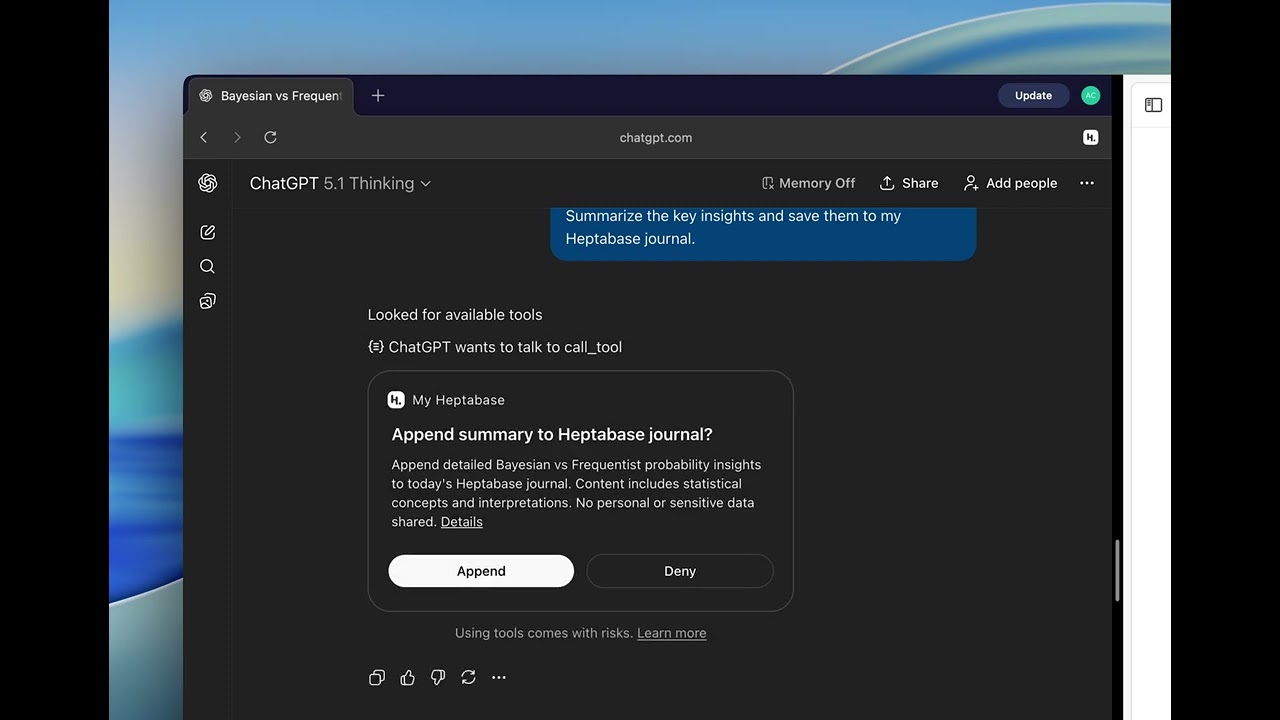
- Support uploading .docx files in the "Research a topic" window and the import menu.
- Add "tidy up" and "add to chat" options in the toolbar when you select multiple objects on a whiteboard.
- Improve overall onboarding experiences.
- You can now upgrade to the Premium plan directly in the app without needing to access the Stripe page.
- Keep a version history when editing a card which has no version history.
v1.81.1
December 6, 2025
- Able to start a new chat to ask AI questions from the top-right toolbar of a video card.
- Fix an issue where opening a to-do item's location from the Inbox could cause an error.
- Fix an issue where pasting long content into the "New research" panel would break the layout.
v1.81.0
December 5, 2025
- App: Free AI usage for all users
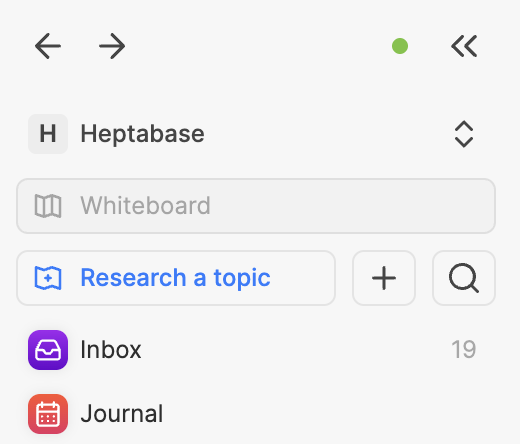
- App: Create new research topic
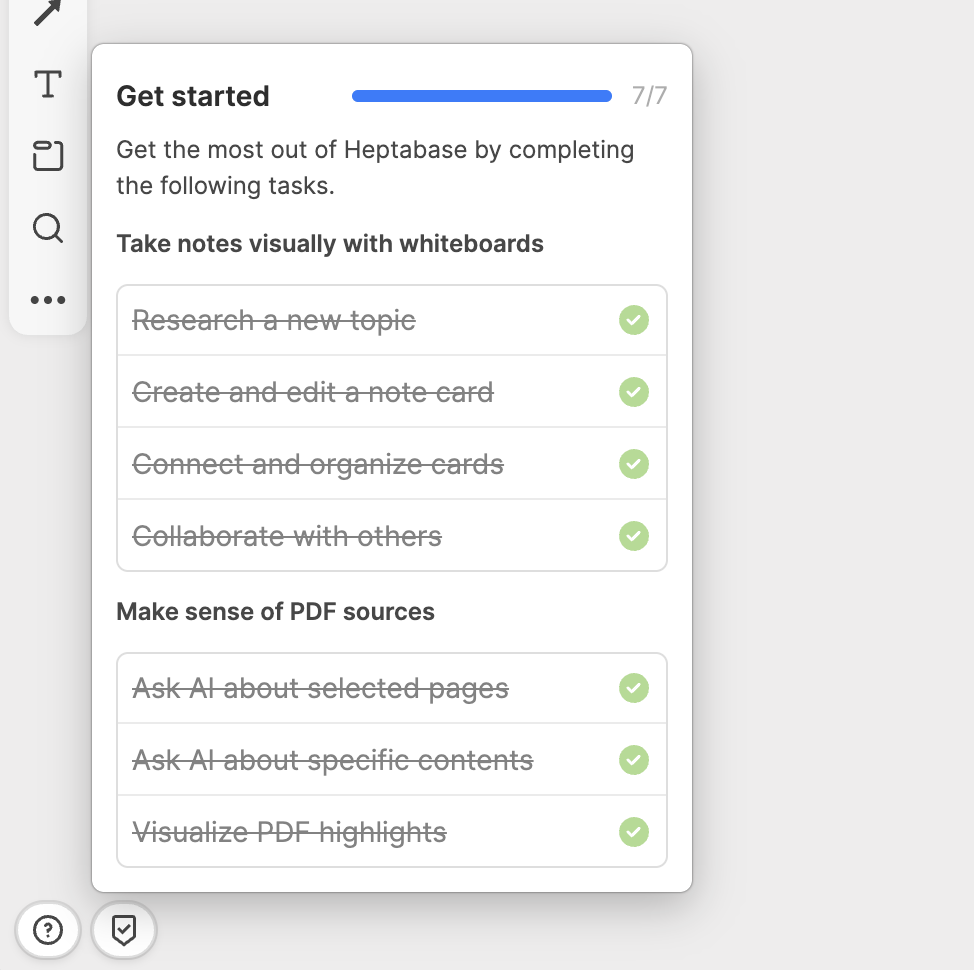
- App: New onboarding tutorial
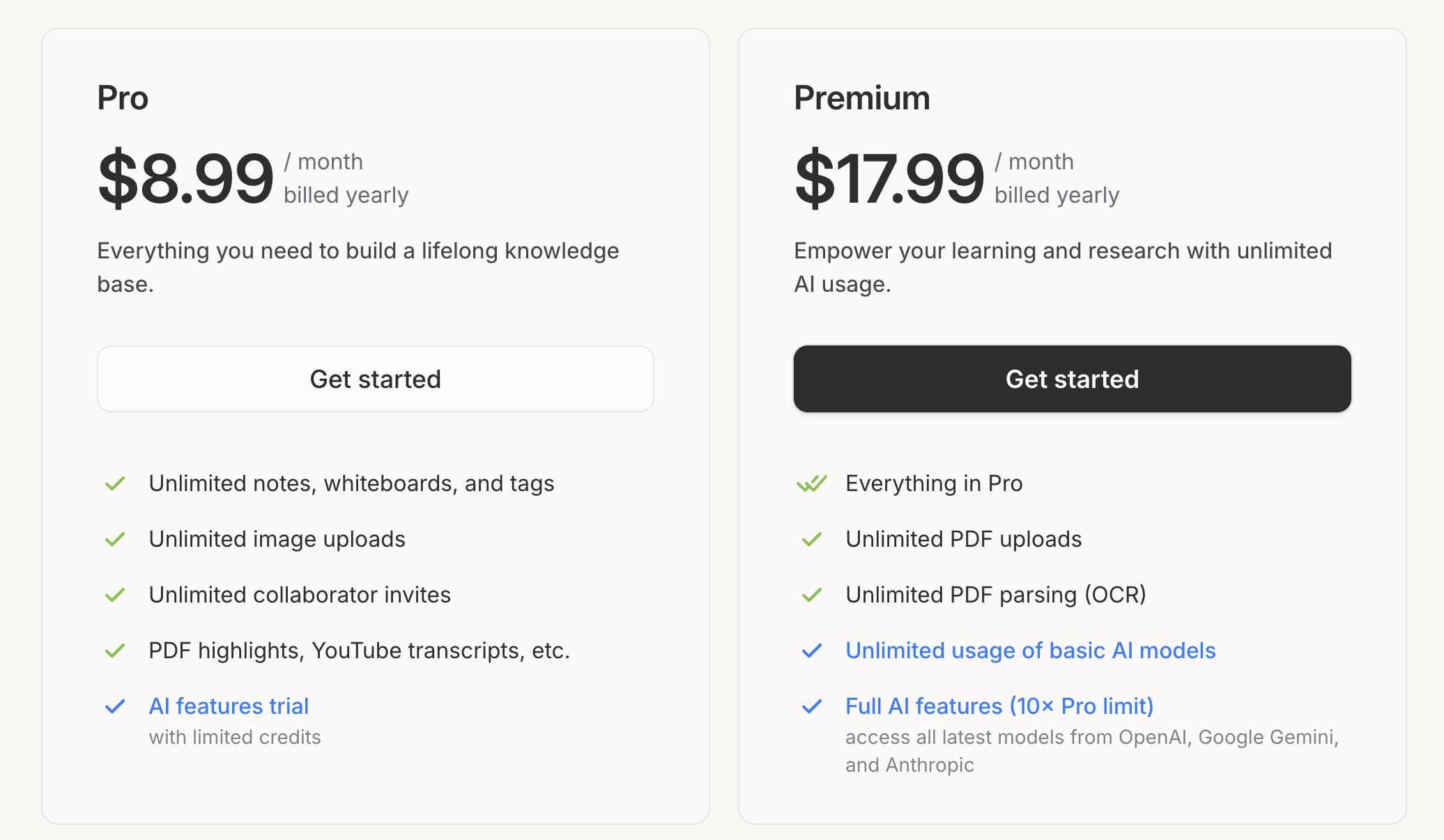
- App: Introduce the Premium plan (Please check 👉 Pro and Premium Plans: Pricing & FAQ)
- Able to hover over a PDF card on the whiteboard to start a chat from it.
- Fixed an issue where the navigation links in the table of contents didn’t work in the Journal app.
v1.80.2
December 1, 2025
- Able to create a new card from a message
- Improve the experience of clicking block links — the card will now open in the side panel.
- Improve the experience of automatically adding context in the AI chat.
- Improve AI error messages and make them clearer.
- Preserve the context preference options (Space and Internet) in the chat.
- Move the "In whiteboard search" button to the whiteboard toolbar.
- Fix an issue where opening or chatting with certain PDF cards could cause the app to crash or lag.
v1.80.1
November 26, 2025
- Add Claude Opus 4.5 to the AI model list.
- Fix Chat App message input style.
v1.80.0
November 25, 2025
- Improve the experience of clicking the "New tab" button in the left sidebar.
v1.79.1
November 24, 2025
- Chat: Ask AI questions using the entire knowledge base as context

- Fix an issue where text can't be selected or highlighted on certain PDF cards.
v1.78.12
November 21, 2025
- Automatically fetch and import transcript when importing a YouTube video as a video card in the desktop app.
- Add the GPT-5 model back, and remove the GPT-5 Nano and Gemini 2.5 Flash Lite models.
- Fix an issue where Google and YouTube searches aren't available in the global search panel.
- Fix an issue where the Cmd/Ctrl + U shortcut for underlining text on a card conflicts with the upload file shortcut on the whiteboard.
v1.78.11
November 20, 2025
- Fix an issue where video cards can't use YouTube titles when pasting a YouTube video link into the whiteboard.
v1.78.10
November 20, 2025
- Add the Gemini 3 Pro and GPT-5.1 models, and remove the GPT-5 model.
- Add "Upload files" to the whiteboard toolbar and the contextual (right-click) menu.
- Rearrange the tools in the whiteboard toolbar and move the "in-whiteboard search" button to the top bar.
- Automatically add a video/audio card to the Card Library when a video/audio file is imported to the whiteboard.
- Automatically fill in the title when turning a YouTube video element into a card in the desktop app.
- Automatically add the current whiteboard tab as context when opening the chat right sidebar in the tab.
- Update style of the chat input panel.
- Improve overall sync stability.
- Fix an issue where files under a to-do block could be lost when reassigning it to another date in the Journal.
- Fix an issue where sometimes users are unable to change the page range of a PDF card in a chat.
v1.78.9
November 17, 2025
- Improve the loading speed when starting a free trial.
- Improve the loading speed during onboarding.
- Fix an issue where cutting and pasting an image could cause errors.
- Fix an issue where some scanned PDFs couldn't be displayed.
v1.78.8
November 14, 2025
- Fix an issue where PDF files can’t be parsed in the web app.
v1.78.7
November 14, 2025
- Fix an issue where some users are unable to sign in with Google.
v1.78.6
November 13, 2025
- Fix an issue where the text color on the sign-in page is incorrect when the user is using dark mode.
- Fix an issue where uploading corrupted files could cause sync problems.
- Fix an issue where users can upload non-video links in the video uploader.
- Fix an issue where the PDF can’t display certain languages.
v1.78.5
November 12, 2025
- Improve the overall PDF card resolution and performance.
- Fix an issue where sometimes text on a PDF can’t be selected properly in the Windows desktop app.
- Fix an issue where sometimes PDF highlights can’t be displayed properly in the Windows desktop app.
- Fix an issue where sometimes text on the PDF card can't be highlighted correctly when opening it in a popup window.
- Fix an issue where PDF highlights made in other products may not display correctly in Heptabase.
- Fix an issue where content containing a code block could not be pasted into a card.
- Fix an issue where content in a code block sometimes can't be selected or copied properly.
v1.78.4
November 10, 2025
- Right Sidebar: Display all to-dos of the current whiteboard and card

- Make the model selector in the Chat app easier to use.
- Fix the whiteboard breadcrumb style when the app window is resized to a smaller size.
- Fix the floating menu position issue in the inbox and to-do apps when the sidebar is closed.
- Fix an issue where, in the Highlight app, trying to select highlight content incorrectly draws a selection box.
- Fix an issue where the card's table of contents doesn't update when switching cards.
- Fix an issue where the Notion importer might not work in some situations.
- Fix an issue where the search filter preference was not being saved correctly when the app was closed.
- Improve the experience of automatically generating chat titles with AI.
- Improve the error message when "too many unsynced changes" occur on the desktop version for a better user experience.
- Improve the experience of removing empty cards from the whiteboard.
v1.78.3
November 6, 2025
- You can now sign in to our desktop and web apps using a verification code.
- Redesign our Mac desktop app installer.
- Able to right-click on a hyperlink to open the webpage in a new tab, in the side panel, or in your default browser.
- Able to
Option/Alt+Clickon a hyperlink to open the web page in the side panel.
v1.78.2
November 3, 2025
- Fix an issue where certain filter conditions in the custom filter of the card library were not working properly.
- Fix an issue where editing a message in Chat and scrolling away from the editing window would incorrectly exit edit mode.
- Fix an issue where dragging blocks while editing a template can mistakenly create cards on the background whiteboard.
- Fix an issue where, after a user names a chat, it still gets overwritten by the AI-generated name.
- Fix an issue where users can't navigate to a mention link when opening a popup window in a full card tab.
- Fix an issue where, under certain conditions, the tabs in the Tag table may collapse, making it impossible to see the full names.
v1.78.1
October 31, 2025
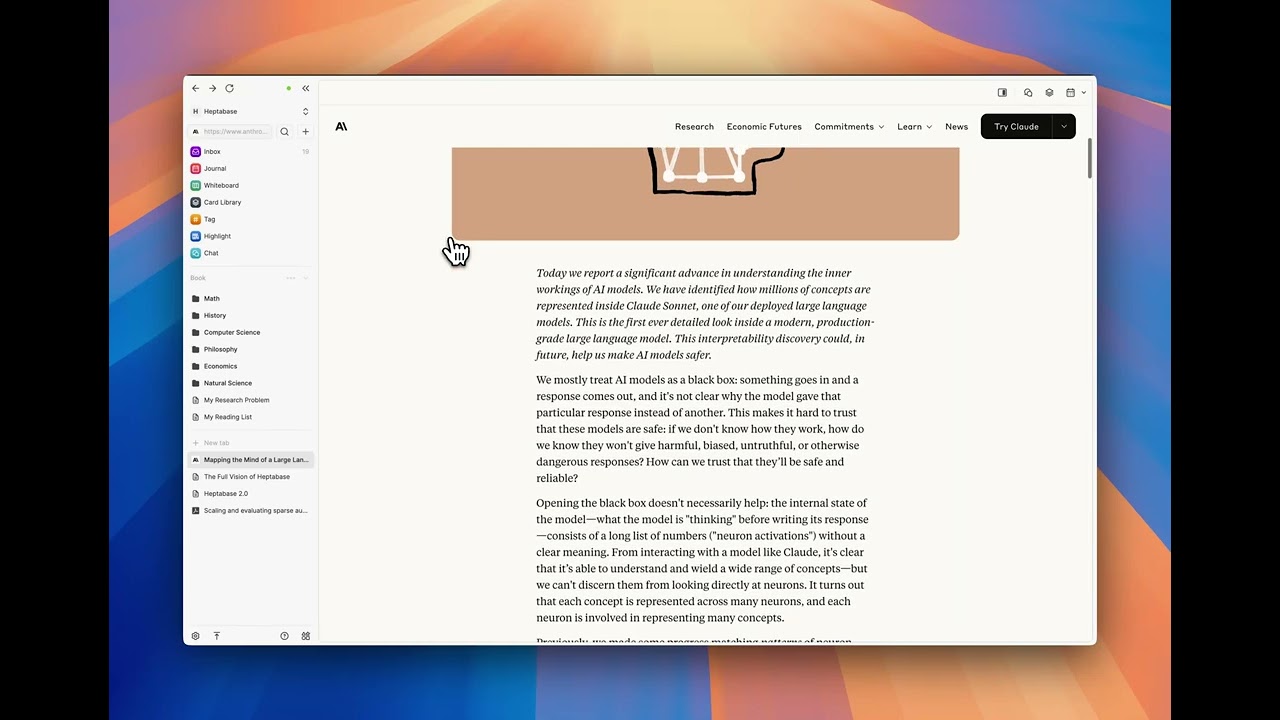
- App: Web tab
- Improve the zooming experience for finding objects on whiteboards.
- Fix the "video player configuring error" when embedding YouTube videos.
v1.77.0
October 29, 2025
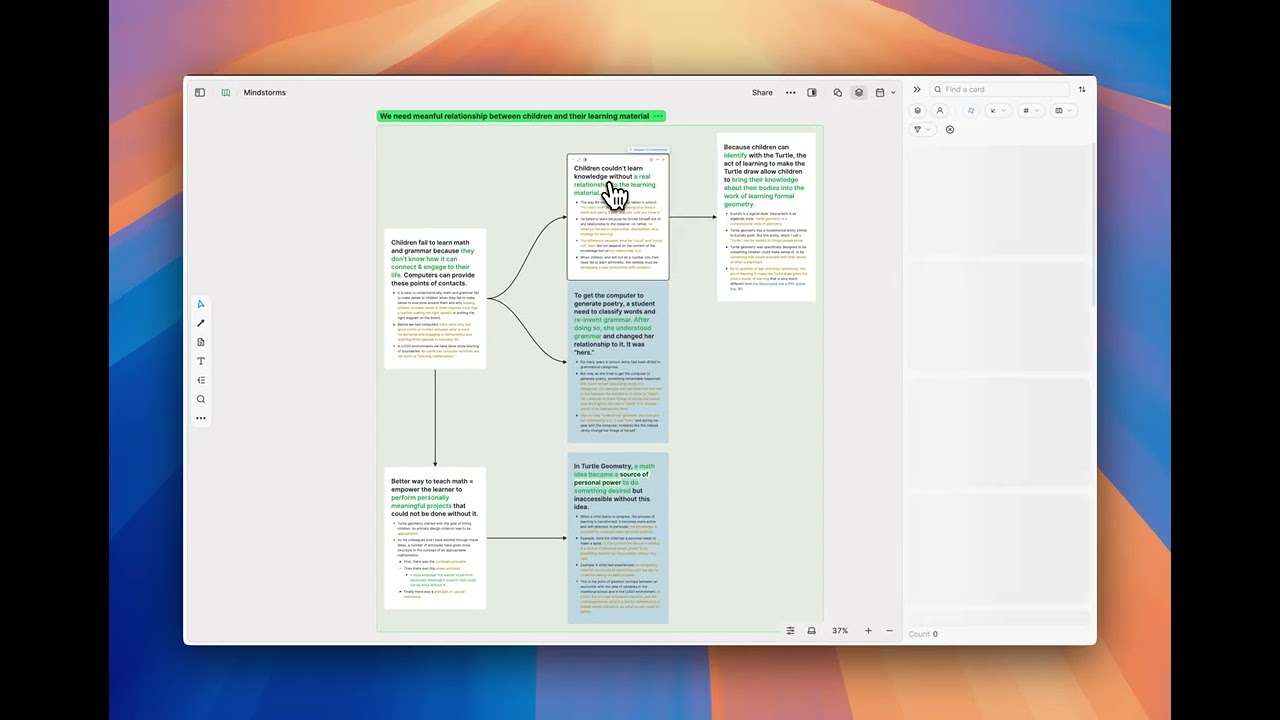
- Right Sidebar: AI suggestions for related cards
- Fix an issue where users might not be able to select any AI models in a chat.
v1.76.3
October 27, 2025
- Fix an issue where deleting a file block doesn't successfully cancel the upload progress.
- Fix an issue where duplicate uploads can occur in certain situations.
- Fix an issue where clicking on an empty area of a section on the whiteboard doesn't correctly cancel the connect tool and return to the select tool.
- Fix an issue where the context menu wouldn’t open when right-clicking on a card on the whiteboard under certain conditions.
v1.76.2
October 25, 2025
- Fix an issue where clicking a mention link caused incorrect whiteboard navigation.
v1.76.1
October 25, 2025
- PDF: Click the outline button to copy or add a chapter as context
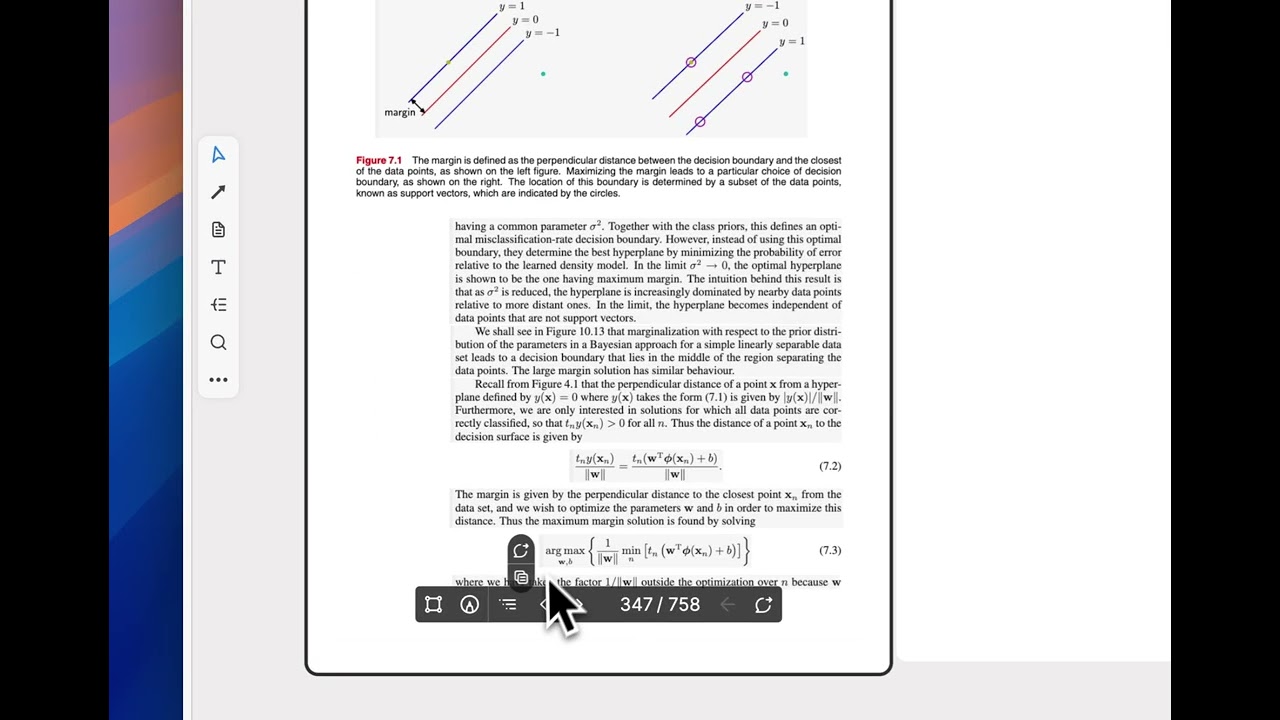
- Show a "Parse" button on the PDF card on the whiteboard.
- Able to locate highlights on its source PDF card on public whiteboards.
- Able to use
Cmd/Ctrl+Option/Shift+=to open an empty side panel and search for content to add directly. - Add a side panel button back to the top bar.
- Fix an issue where, when a matching option was found during a search, it didn't appear as the default option under the cursor.
- Able to add area highlights as chat context.
v1.75.9
October 22, 2025
- Fix an issue where missing images couldn't be restored.
- Fix an issue where some cards show a "The content is corrupted" error.
- Fix an issue where clicking a public whiteboard link within the app didn’t open in a browser correctly.
- Revamp the sign-in dialog in public whiteboards.
v1.75.8
October 21, 2025
- Able to use
Cmd/Ctrl+Option/Shift+\to toggle the last used right sidebar. - Improve the focus mode experience when editing cards.
- Change the name of the "All" filter in the To-do tab to "Today," and add a new "Not Done" filter view.
- Fix an issue where users couldn't enter correct tabs after switching to another tab group.
- Fix an issue where the card editor flickers when drawing a selection box.
- We no longer support deactivating cloud sync. If you’ve already turned off sync and want to reactivate it, please contact support.
v1.75.7
October 16, 2025
- Fix an issue where adding a video, audio, or image element from a card to the Card Library could cause it to fail to load.
- Fix an issue where the table of contents sidebar fails to load when opening a PDF card in a full tab.
v1.75.6
October 15, 2025
- Add a focus mode for editing cards on whiteboards.
- Add animations for side pane operations.
- Automatically close left and right sidebars on smaller screens.
- Fix an issue where pasting a card as sync could cause images or other attachments on the card to fail to load.
Mobile app v1.31.1
October 15, 2025
- Fix an issue where the editor toolbar is hidden behind the keyboard on Android devices.
- Improve the mobile tutorial experience to make it smoother.
v1.75.5
October 15, 2025
- Change the shortcut to open the side panel from
Cmd/Ctrl+Option/Shift+\toCmd/Ctrl+Option/Shift+=. - Improve the file deletion logic to prevent redundant files caused by upload failures.
- Fix a bug introduced in v1.75.4 that caused performance issues on Windows devices under certain conditions.
- Fix an issue where PDF highlighting didn't work on Windows and web app.
- Fix an issue where the shortcut to open the side panel will falsely enlarge screen on Windows devices.
v1.75.4
October 13, 2025
- Add a focus mode for editing journals and cards in the full tab:
- When any sidebar is open, the top bar will be hidden.
- When no sidebar is open, both the top bar and card borders will be hidden.
- Add a drag indicator when opening the card library right sidebar in a whiteboard tab.
- Fix an issue where exporting all data failed to work.
v1.75.3
October 9, 2025
- Users can now delete a chat if there are no messages from other people in the chat.
v1.75.2
October 9, 2025
- Fix an issue where uploading large files could cause a blank screen in the desktop app.
v1.75.1
October 8, 2025
- Improve the layout for small screens.
v1.75.0
October 8, 2025
- App: Support can chat permission for public link.
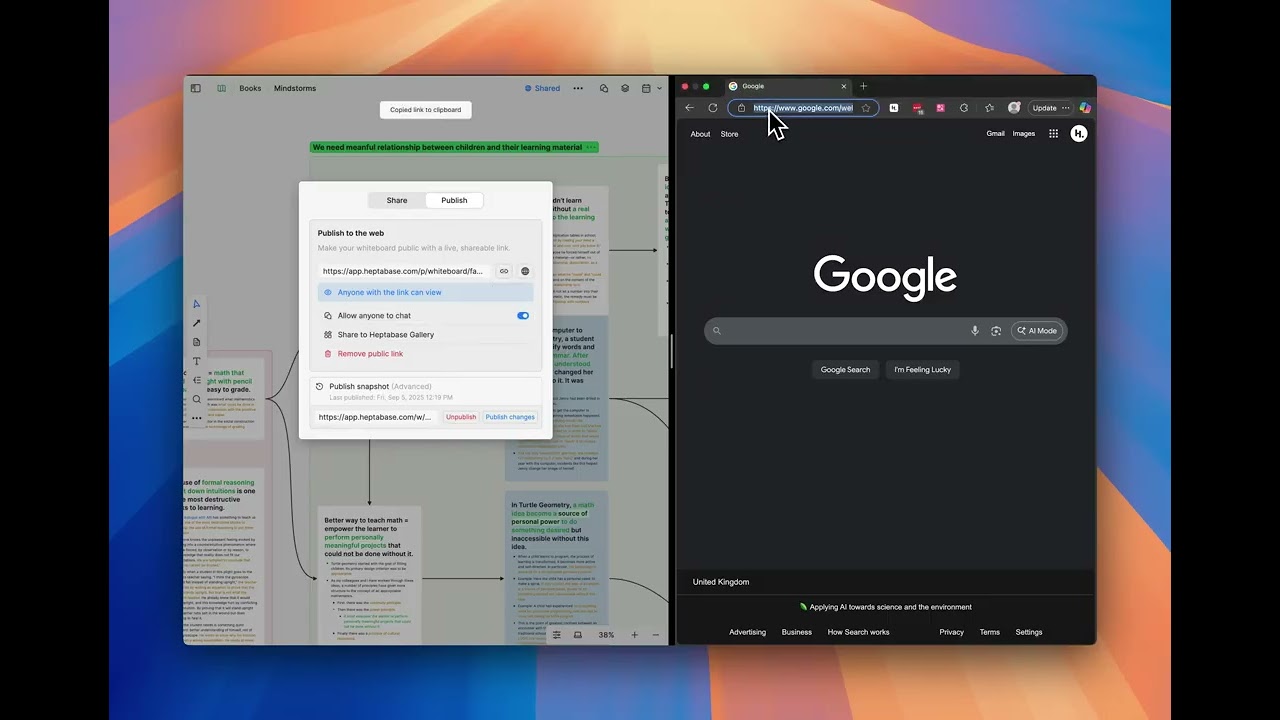
- Able to submit a public whiteboard to the Heptabase Gallery from the publish panel.
- Improve onboarding process.
- Improve server stability to reduce issues that prevent users from syncing.
- Fix an issue where the preview of a block is broken in the search results.
- Fix an issue where dragging a mindmap node might accidentally trigger text selection.
- Fix an issue where some users can't access the web app on HarmonyOS devices.
- Fix an issue where users couldn't open web pages in the side panel of the Journal.
v1.74.4
October 5, 2025
- Fix the issue that prevents the whiteboard location panel from opening on a card tab.
v1.74.3
October 4, 2025
- PDF: Use "Shift + Click" or drag a box to select multiple parsed blocks.

- Able to change the color of chat and message instances on a whiteboard.
- Add a button in the bottom of the left sidebar that lets you access the Heptabase gallery.
- Move the "Earn rewards" button to the "Help & documentation" menu.
- Onboarding: New default data
Mobile app v1.31.0
October 4, 2025
- You can now register for a Heptabase account on the web app using a mobile device.
- Redesign a new mobile onboarding process.
- Add new onboarding tutorials for Whiteboard and Task.
v1.74.2
October 2, 2025
- Add the Claude 4.5 Sonnet model.
- Able to open a web page in the side panel.
- Improve AI error messages and make them clearer.
- Improve the performance of whiteboards with lots of math blocks.
- Fix issues that occur when a PDF card has pages of different sizes.
- Be able to use Cmd/Ctrl + F to search content in the side panel.
v1.74.1
September 27, 2025
- Fix the issue where the Gemini API key couldn't be validated.
- Add the ability to copy a single parsed PDF block.
v1.74.0
September 25, 2025
- PDF: Parsing content, images, equations, and tables with OCR.
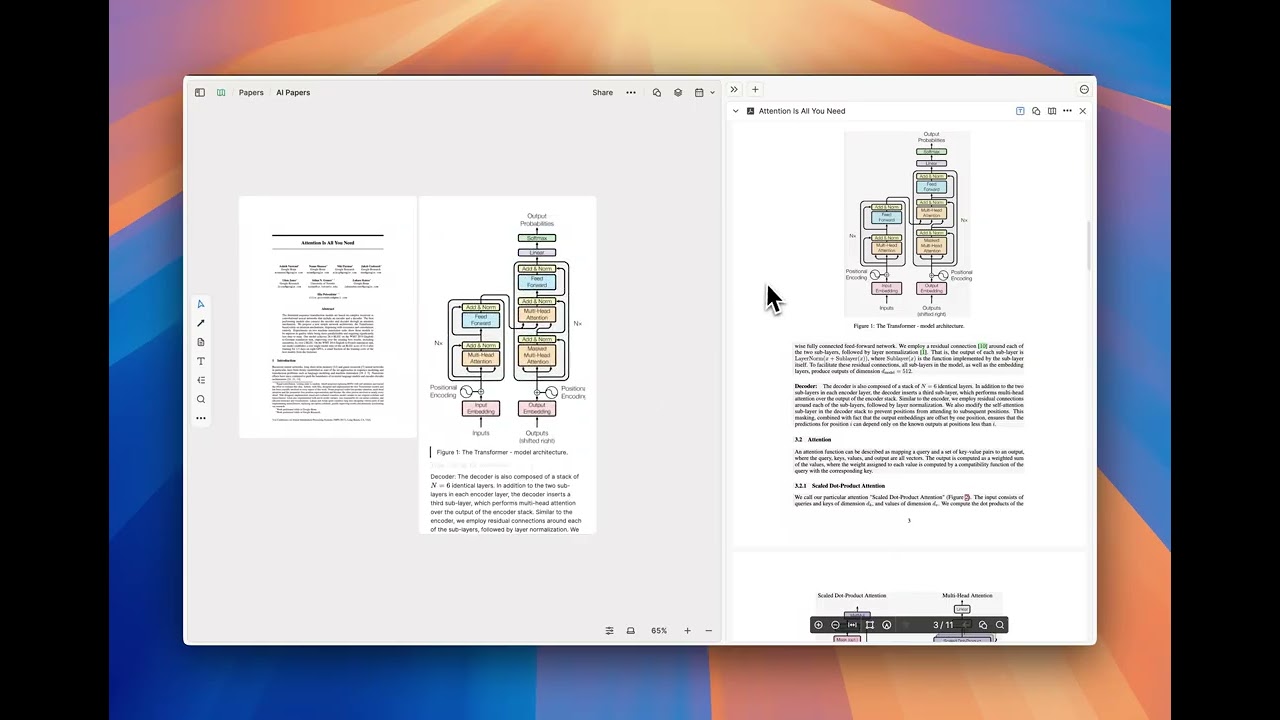
- You can now add cards from the side panel to the chat right sidebar as context.
- Improve overall search performance for whiteboards.
v1.73.8
September 25, 2025
- Fix an issue where locally uploaded videos and audios don’t play correctly.
v1.73.7
September 23, 2025
- Improve overall stability.
v1.73.6
September 22, 2025
- Fix layout issues with the public whiteboard on mobile web.
- Fix an issue where some tooltips aren't visible on certain screen sizes.
- Fix an issue where incorrect data was imported as the card title when importing PDF files.
- Fix an issue where the sorting rule for the quick access menu on the Whiteboard did not sort items by title.
- Fix an issue where the options at the bottom of the menu aren't visible when creating a tag in card info.
v1.73.5
September 20, 2025
- Fix the issue where the public whiteboard UI disappeared when opening a card on mobile.
- Fix the issue where the pinch gesture on the mobile whiteboard unexpectedly triggered browser zoom.
v1.73.4
September 19, 2025
- Improve performance for users with numerous chats.
- Fix the "Error 153" issue that prevented users from watching YouTube videos.
- Fix an issue where data sometimes failed to sync when users collaborated in another's space.
- Add ability to chat directly with the YouTube video element on the whiteboard in the desktop app without adding it as a video card.
Mobile app v1.30.1.1
September 16, 2025
- Fix an issue where PDF cards couldn't load correctly.
- Improve the loading experience when the network is unstable.
v1.73.3
September 15, 2025
- Fix an issue where public whiteboards couldn’t be moved on the mobile browsers.
- Fix an issue where links in chats and messages were not clickable on public whiteboards.
- Fix an issue where sync may not work when users migrate the app data using the Mac’s built-in migration tool.
v1.73.2
September 12, 2025
- Adjust the direction and position of the "Close side panel" icon.
- Improve public whiteboard loading performance.
- Fix an issue where double-clicking a card in a public whiteboard doesn't open the right panel.
Mobile app v1.30.1
September 12, 2025
- Fix an issue where some Android devices are unable to log in.
- Improve stability and performance when the network is unstable.
v1.73.1
September 10, 2025
- Fix an issue where ‘Full title for folded cards’ didn't work on public whiteboards.
- Fix an issue where the right sidebar shortcuts didn’t work on card tabs.
v1.73.0
September 8, 2025
- App: Live public link (Tutorial 👉 How do I publish whiteboards with a public link?)

v1.72.0
September 5, 2025
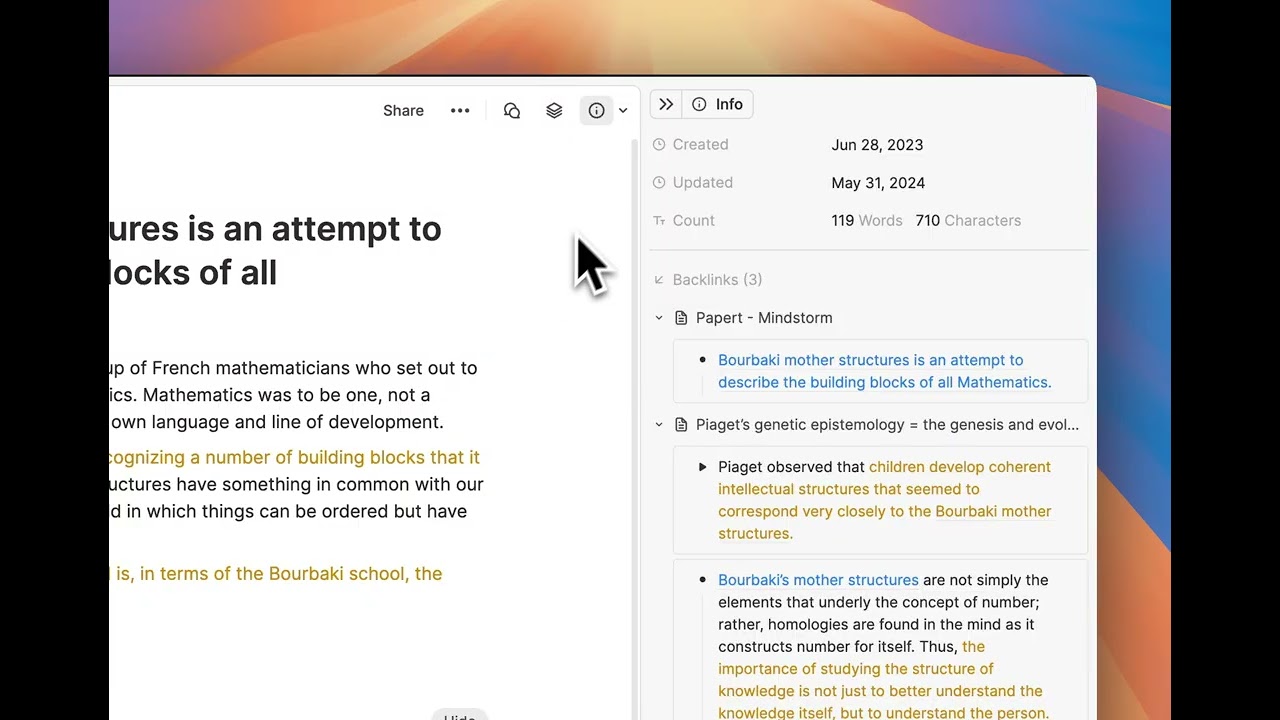
- Right Sidebar: New design
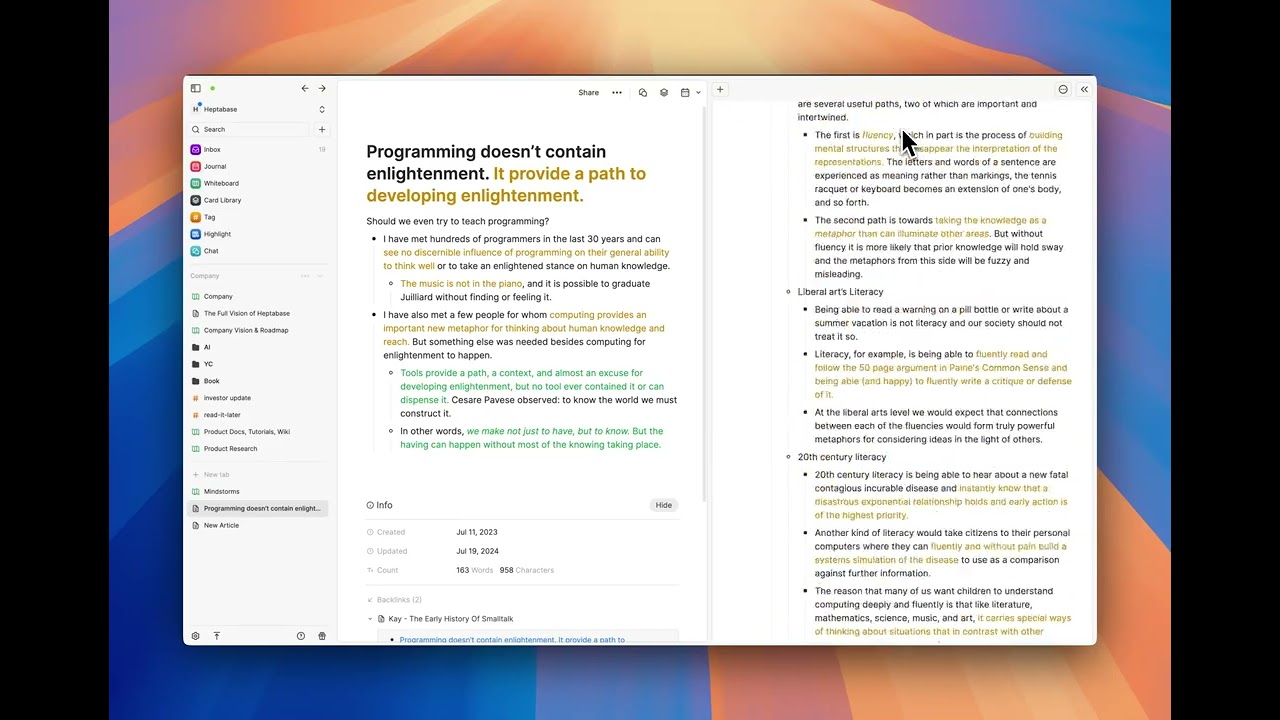
- Side Panel: New design
- App: Design system upgrade
- Refine the copy link button design in the whiteboard and card sharing panels.
- Fix an issue where the "Failed to fetch" error appears when restarting the Heptabase app after the device wakes from sleep.
- Fix an issue where the whiteboard context menu conflicts with the tab settings menu.
- Fix a jittering issue when entering the whiteboard.
Mobile app v1.30.0
September 1, 2025
- New sign-in UI.
v1.71.2
August 25, 2025
- Fix an issue where importing audio, video, and image cards to a whiteboard could cause an error.
- Fix an issue where published whiteboard links couldn't open correctly on macOS.
v1.71.1
August 25, 2025
- Fix an issue where opening the right sidebar would cause an error that made the app freeze and become unusable.
v1.71.0
August 25, 2025
- Chat: Ask AI questions using selected sections as context.

- Reduce minimum section width and height.
- Improve AI error messages and make them clearer.
Mobile app v1.29.2
August 25, 2025
- Fix an issue where users couldn't open the card library or a card in the right sidebar on the tablet app.
v1.70.1
August 20, 2025
- Fix an issue where users couldn't zoom the whiteboard using the mouse wheel in the Windows app.
- Fix an issue where the connection button on the card didn't work.
v1.70.0
August 19, 2025
- Whiteboard: Toolbar

- Onboarding: Complete guiding tour
- Rename “Link to whiteboard” to “Whiteboard shortcut”.
- Add GPT-4.1 model back.
- Fix an issue where using a web app in the browser triggers the previous or next page when using the trackpad.
v1.69.1
August 14, 2025
- Fix the incorrect background color on the card tab.
- Fix the layout issue with the card library filter.
v1.69.0
August 12, 2025
- Chat: Ask AI questions using selected PDF cards as context
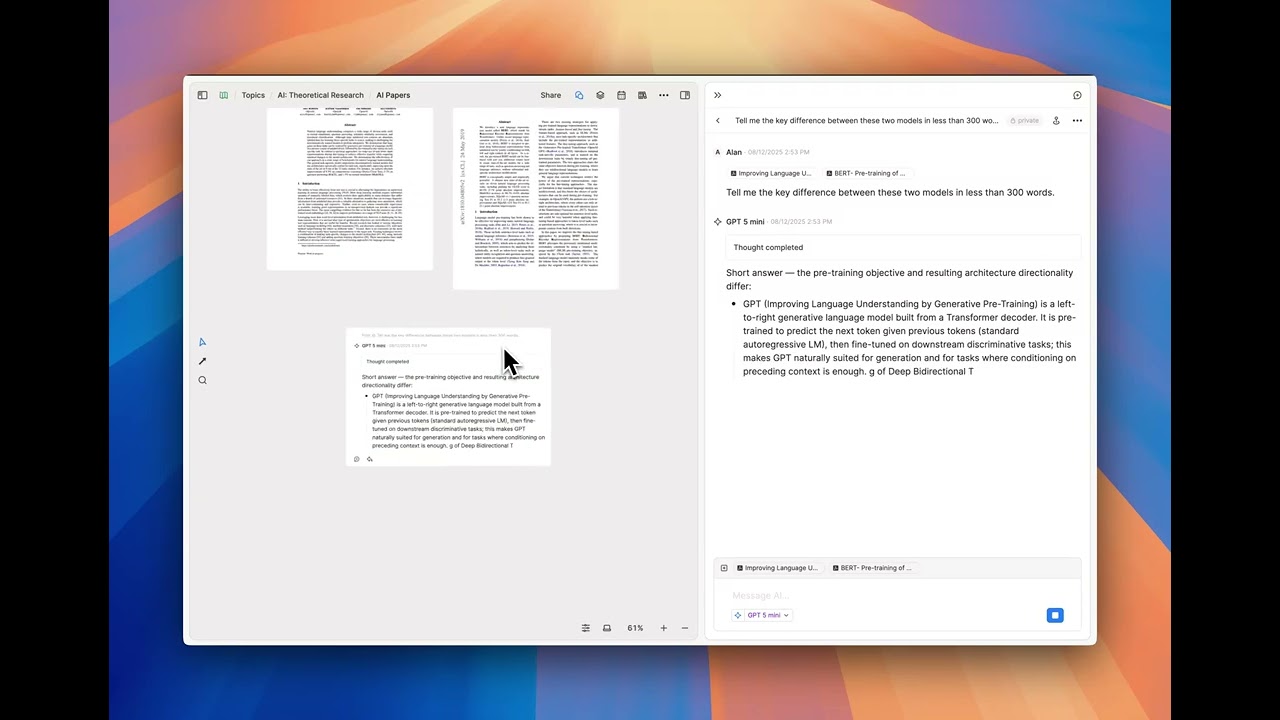
- Introduce MAX mode for handling longer context.
- Enable giving thumbs up or down to help the Heptabase team improve AI features.
- Enable regenerating AI responses.
- Add GPT-5, GPT-5 Nano, GPT-5 Mini, Gemini 2.5 Flash Lite, and Claude 4.1 Opus models.
- Remove Claude 4 Opus, GPT-4o Mini, GPT-4.1, o4 Mini, and o3 models.
- Focus on results instead of the "create card" action in the global search panel.
- Allow deleting an empty mindmap node using the backspace key.
- Enable mentioning all collaborators at once.
- Fix an issue where importing a YouTube channel link would cause the app to get stuck in a loop.
v1.68.0
August 4, 2025
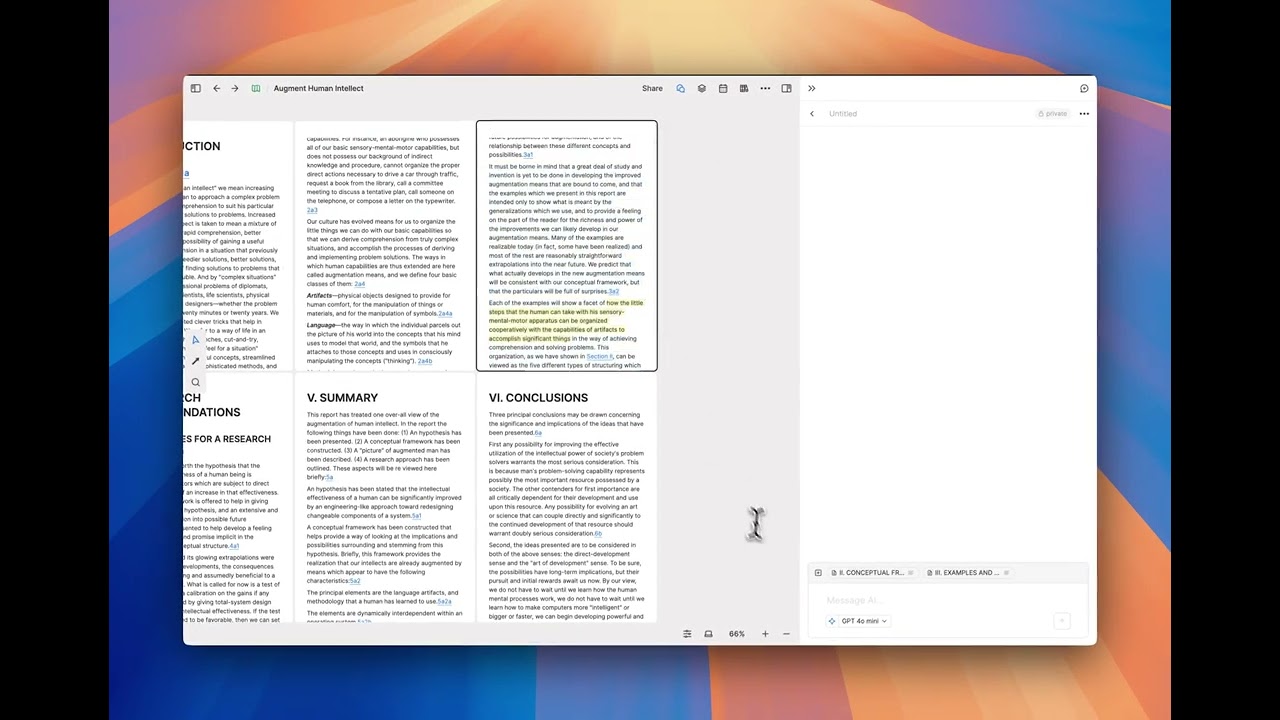
- Chat: Ask AI questions using selected texts as context
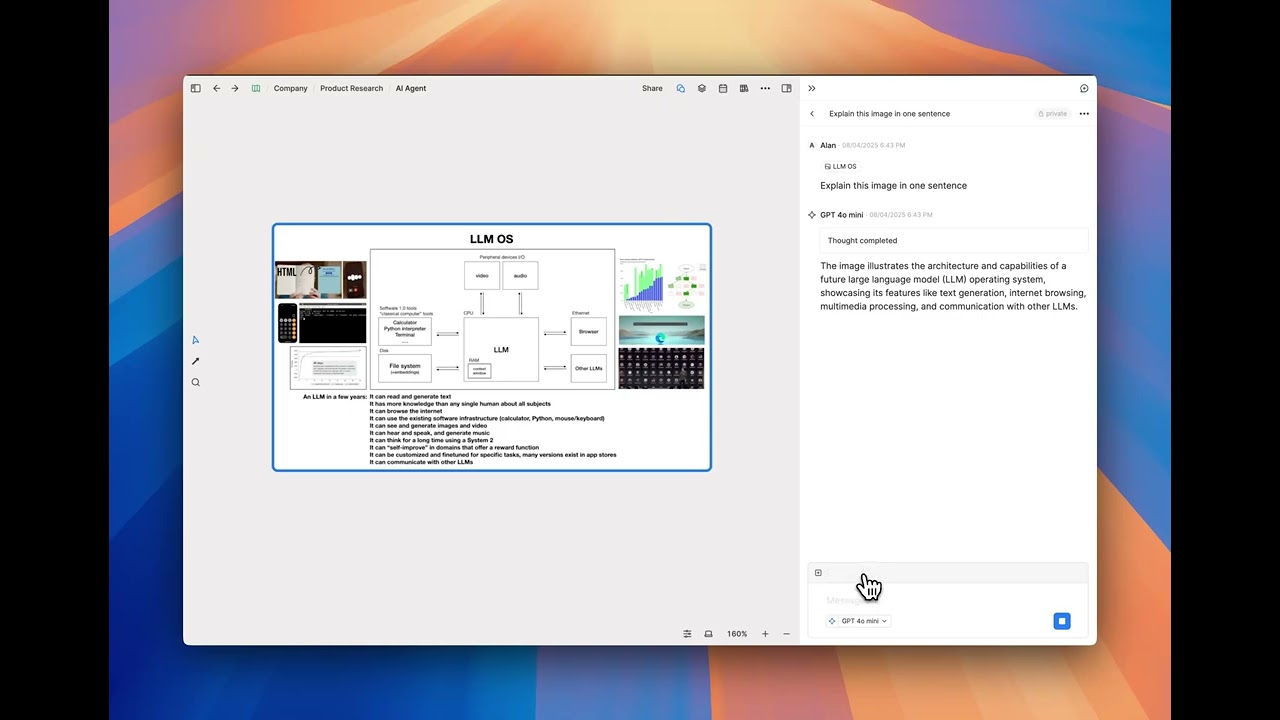
- Chat: Ask AI questions using selected images as context
- Fixed that the invitee didn’t receive invite notification in Inbox when someone shares a card.
- Fixed keyboard shortcut conflict on Mac between command+option+[ or ] and command + [ or ].
v1.67.1
July 30, 2025
- Onboarding: New guiding tour
v1.67.0
July 29, 2025
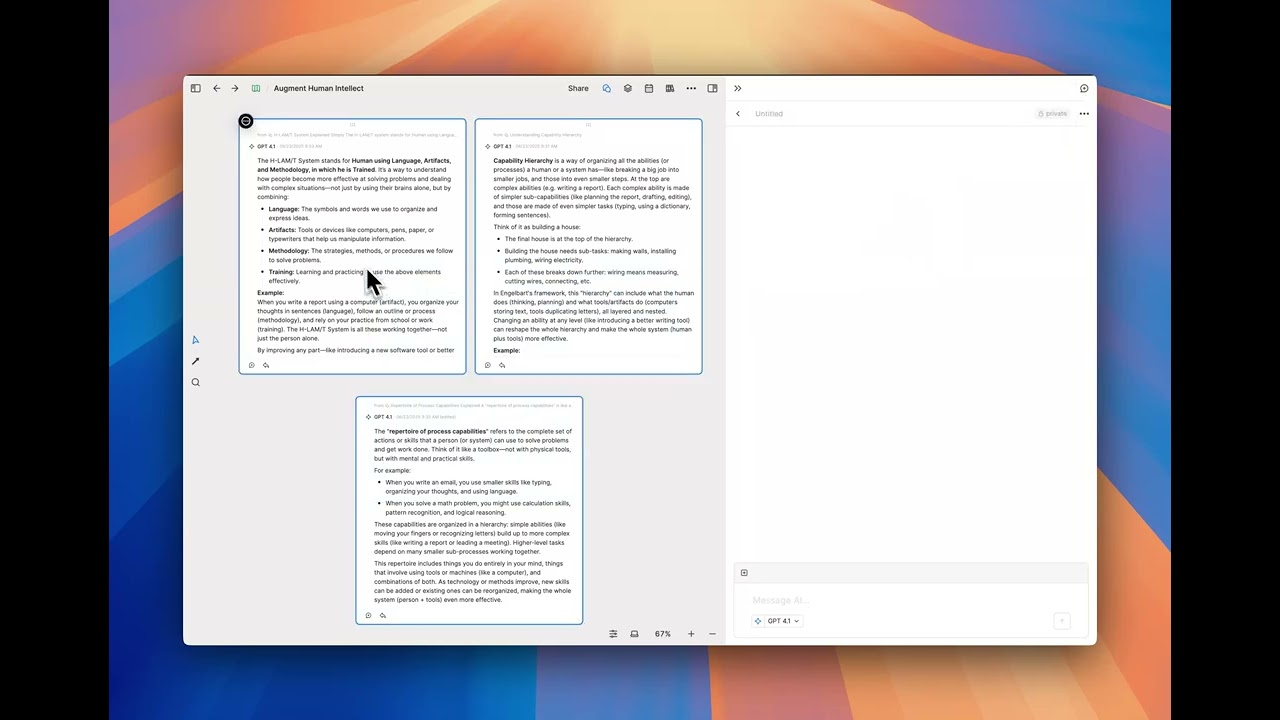
- Chat: Ask AI questions using selected chats and messages as context
- Add in-whiteboard search support for chats and messages
- Preserve global search filter settings
v1.66.0
July 22, 2025
- Search: Advanced filter for global search

v1.65.0
July 21, 2025
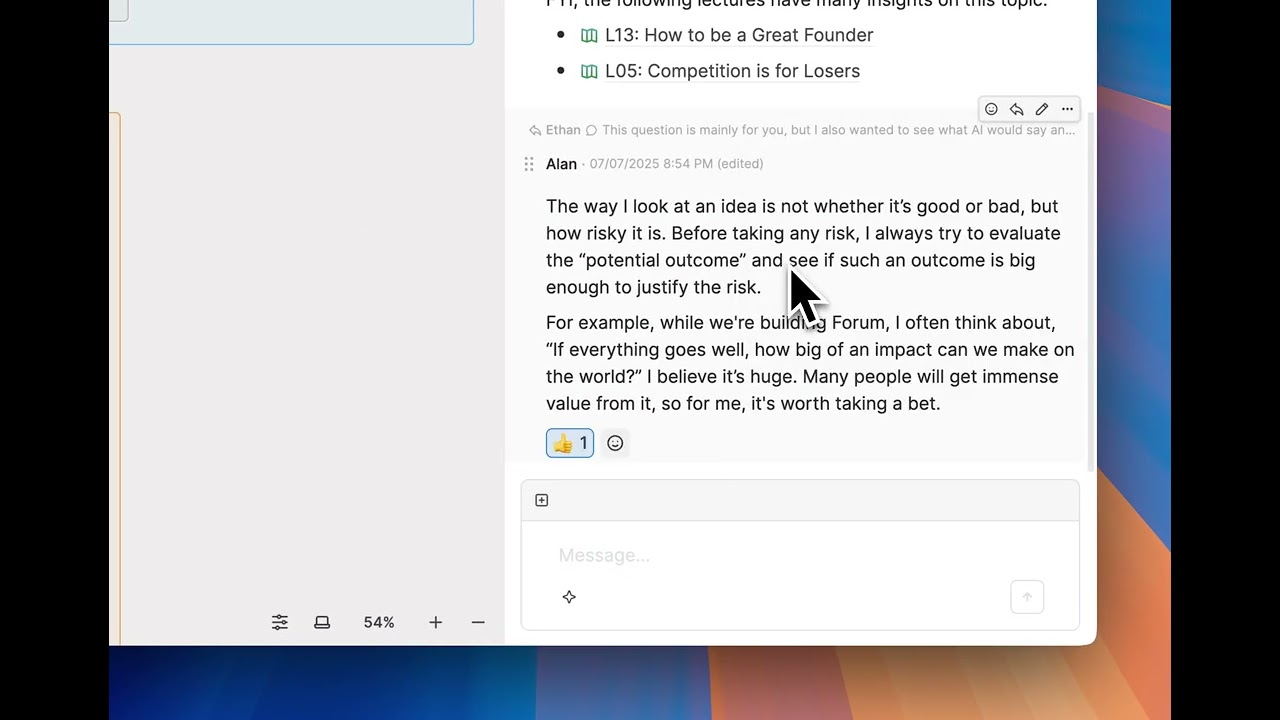
- Chat: Add emoji reactions to messages
- Support filtering by card type in the global search.
- Support removing items from the Inbox.
- Support context menu in the Whiteboard list view in collaborative spaces.
- Improved UI/UX for the sign-in flow on desktop.
- Simplified the Inbox UI for cards.
- Simplified the UI for the AI model selector.
- Removed the "Insight" button in the card tab.
- Fixed an issue where searching for messages would sometimes show duplicate results.
- Fixed an issue where using Alt + Click on a tab in the left sidebar would incorrectly trigger the "Save as HTML" menu.
Mobile app v1.29.0
July 21, 2025
- Improved the sync stability
v1.64.0
July 15, 2025
- Chat: You can now select multiple whiteboard objects to add them as chat context or start a new chat with them.
- Support the ‘created by’ filter in the global search.
- Improved loading time when entering someone else’s space.
- Enlarged the layout of the global search palette.
- Rearranged the order of items in the whiteboard context menu (right-click menu).
v1.63.0
July 11, 2025
- Chat: Ask AI questions using selected whiteboards as context

- Chat - Get reference links from the AI response
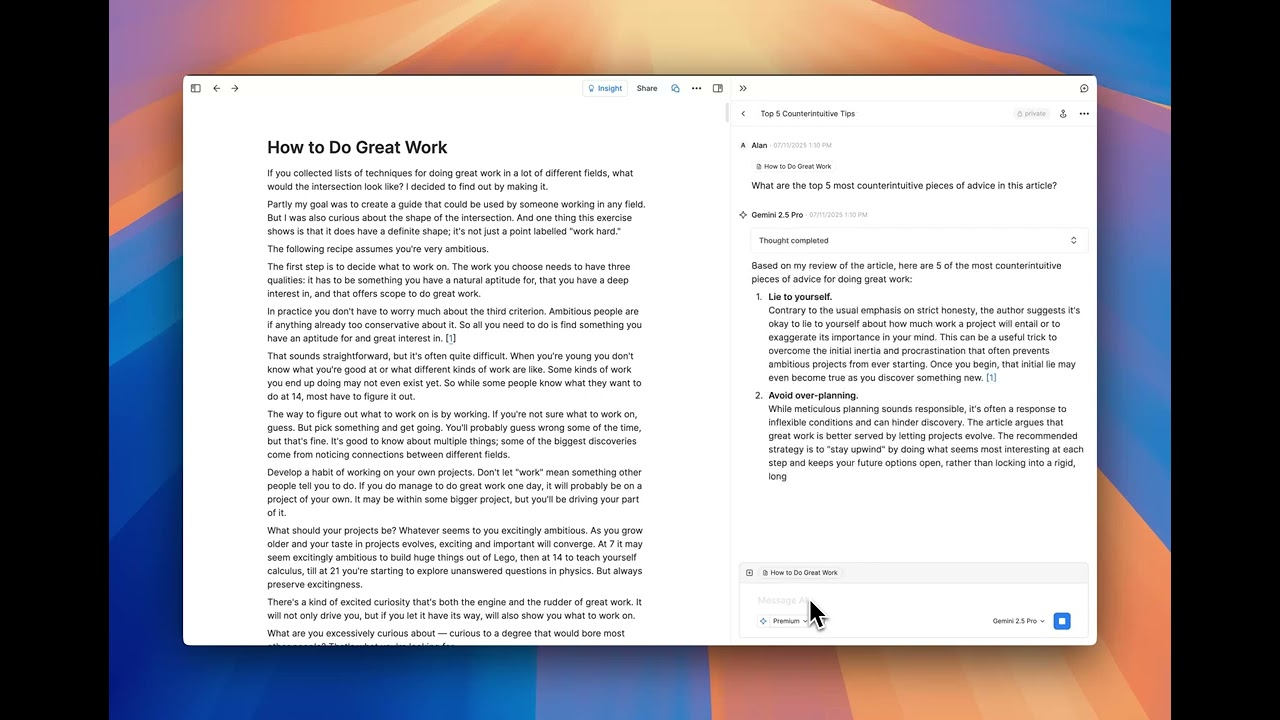
- Double-click a chat preview to open the tab and chat sidebar.
- You can now resize columns in the Chat app.
- You can now sort results by relevance or time in the search results window.
- Sort cards in the Chat app by the latest message time.
- Remember the collapsed state of the whiteboard list in the Chat app.
v1.62.0
July 9, 2025
v1.62.0
- Show the chain of thought for reasoning models in AI chat.
- Able to add a sub-whiteboard in the whiteboard list view
- Able to rename a whiteboard in the whiteboard list view
- Able to rename a sub whiteboard in the whiteboard tab.
Mobile App v1.28.1
July 9, 2025
- Improved the sync stability
v1.61.0
July 7, 2025
- Support searching for chats and chat messages in the global search.
v1.60.2
July 5, 2025
- Fixed global search functionality issue.
v1.60.1
July 5, 2025
- Improve overall performance.
- Add the 'Copy link' section to share panels.
- 'Find a chat…' now only searches chat titles, no longer includes chat messages.
- Fixed inbox item count to match actual items when in someone else's space.
- Add "Mark as unread" feature.
- Action items marked as done will now return to the "Now" group when added again.
- Fixed logic for the unread message divider.
v1.60.0
July 1, 2025
- Support global search in collaborative spaces.
- Add error messages for situations where OpenAI models are sometimes unable to function.
- Fixed an issue where Gemini Pro 2.5 was sometimes unusable.
- Fixed an issue where opening a deep link to a chat or message might not work.
v1.59.0
June 25, 2025
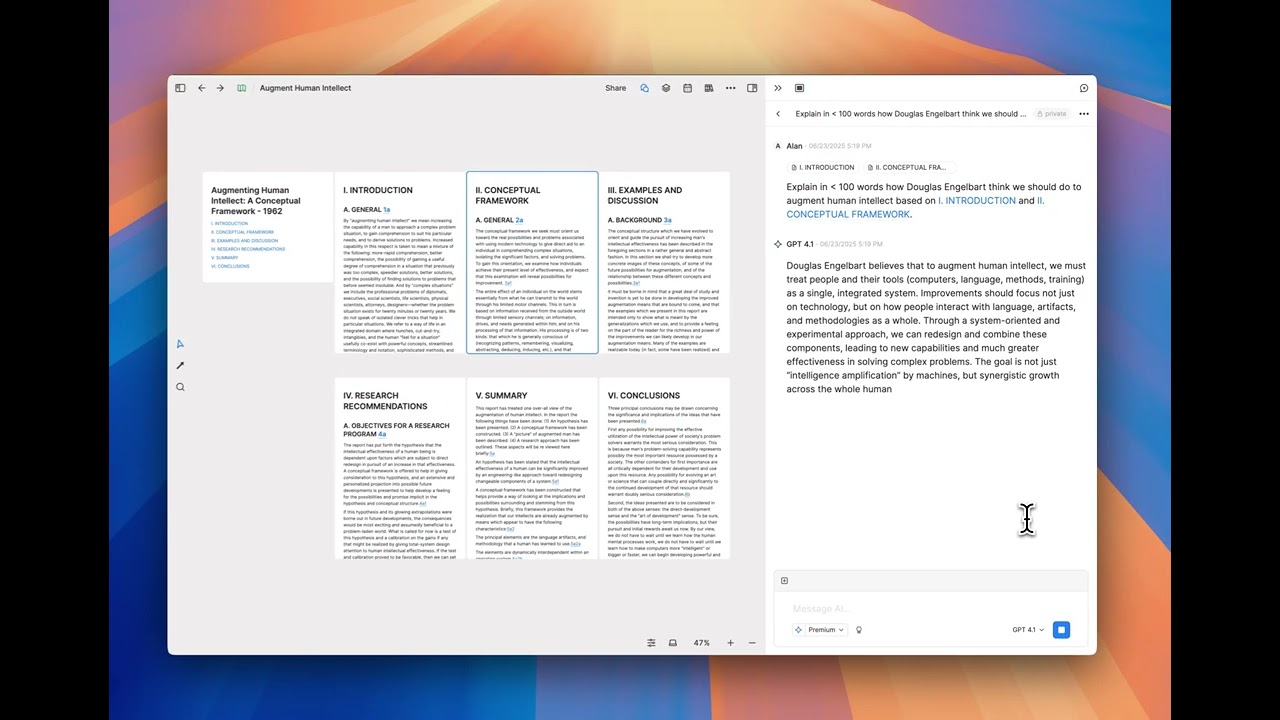
- Chat: Ask AI questions using selected non-PDF cards as context
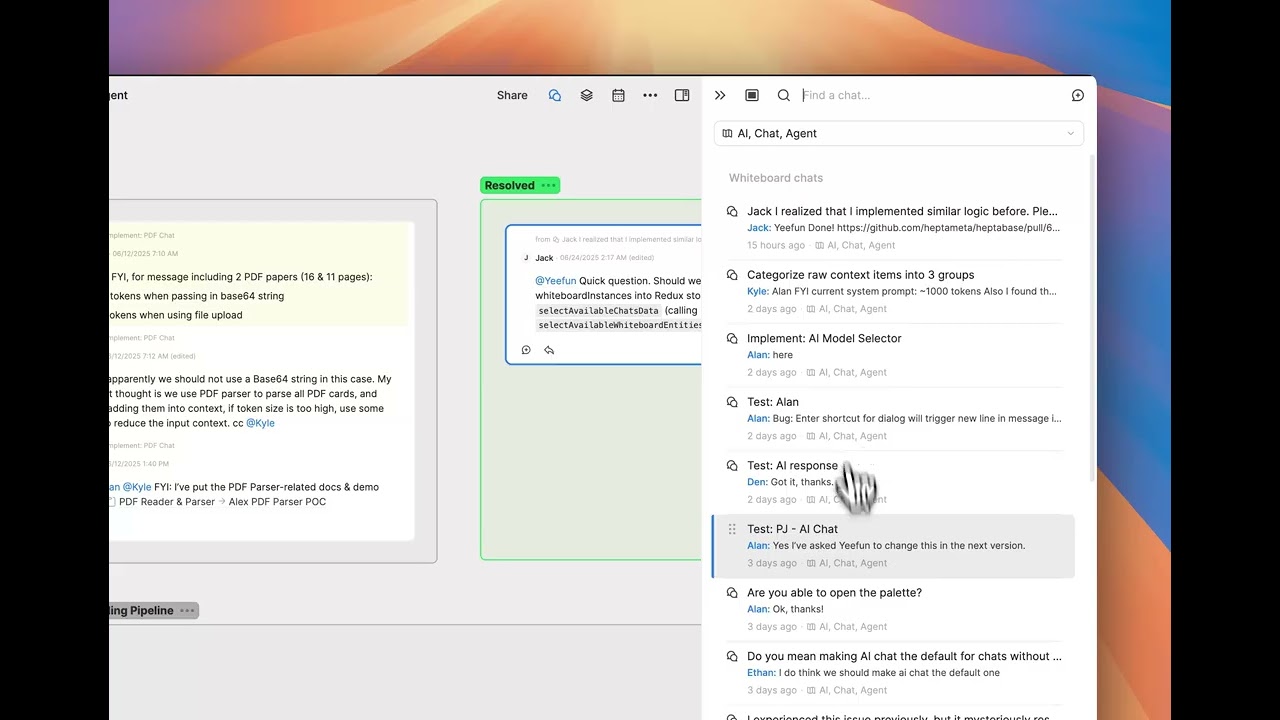
- Chat: Chat with collaborators and extract messages on a whiteboard
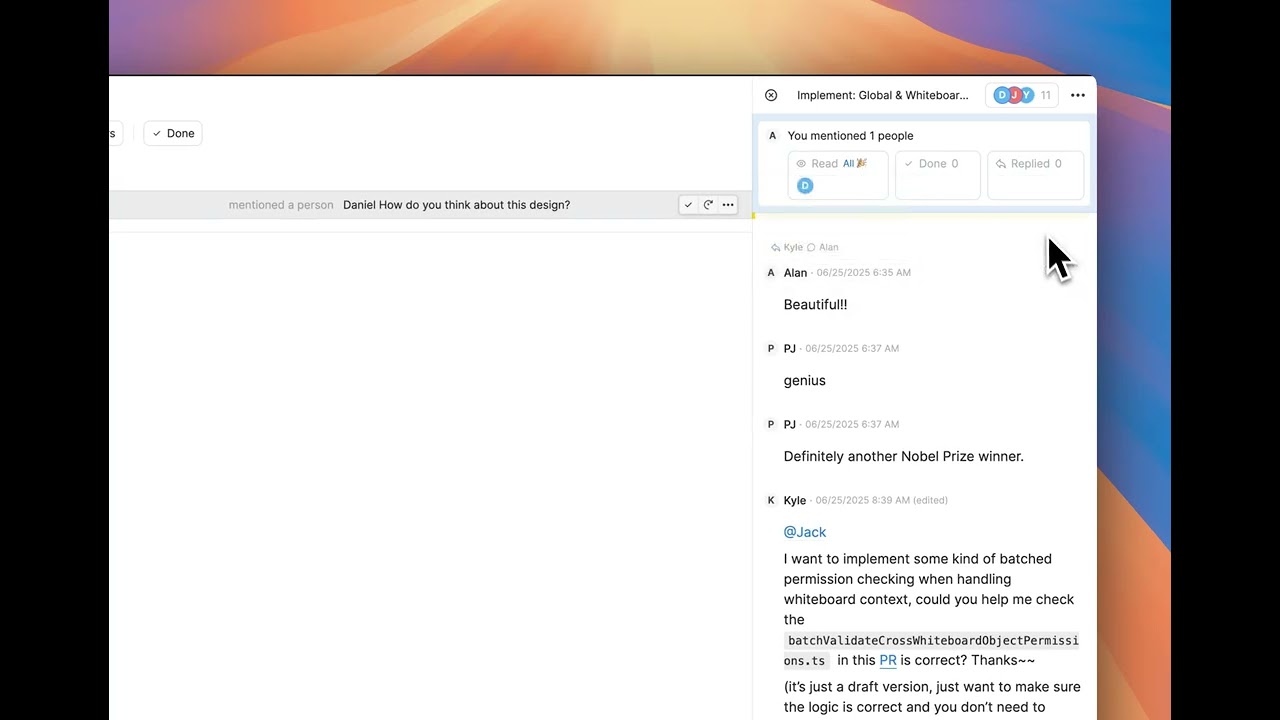
- Inbox: Receive notifications from messages that mention or reply to you
- Improve the sync and reconnection experience when collaborating in someone else’s space.
- Display the notification badge in browser tabs upon any unread Inbox items.
- Support renaming function in whiteboard app list view.
- Support integration with Hookmark.
- Fixed that 'Create by' filter is not working with journals in Card Library on the web app.
- Fixed an issue that data failed to load from a local backup when cloud sync was deactivated.
Mobile App v1.28.0
June 25, 2025
- Support showing chats and messages on a whiteboard.
v1.58.3
June 17, 2025
- Show the tab title in both the browser and desktop app.
- Fixed an issue where YouTube captions couldn't be downloaded or imported.
- Fixed an issue where emoji can’t be rendered properly in space and account profile avatars.
- Fixed an issue where the mouse cursor would change to the scroll wheel arrow on Windows devices.
v1.58.2
June 10, 2025
- Display the tab name on browser tabs.
- Fixed styling issues in Inbox.
v1.58.1
June 10, 2025
- Improved a performance issue that occurs when users have a lot of tags.
- Display the view-only indicator for view-only cards and whiteboard.
- Add a share button into the whiteboard menu.
- Fixed an issue where some users couldn’t use the single card sharing feature.
- Fixed an issue where the ‘createdBy’ filter is not working properly with custom filters.
v1.58.0
June 6, 2025
- Inbox: Unify quick capture, reminders, and to-dos. (The original Task app is now part of the new Inbox app)

- Collaboration: Support sharing a single card with all types of permissions.

- Allow collaborators to assign todo date on a card.
- Allow collaborators to see the sharing panel even if they only have Can View permission.
v1.57.2
June 4, 2025
- Fixed an issue where the task app tutorial was missing.
v1.57.1
June 4, 2025
- Rename Map to Whiteboard
- Show ‘Open in the desktop app?’ conditionally. Now when users open https://app.heptabase.com, ‘Open in the desktop app?’ won’t show up
- Fixed an issue where free users couldn't directly access whiteboards when clicking invitation links
- Fixed the issue that opening a published whiteboard link in the browser redirects to the desktop app
Mobile App v1.27.3
June 4, 2025
- Improve file uploading stability.
v1.57.0
May 16, 2025
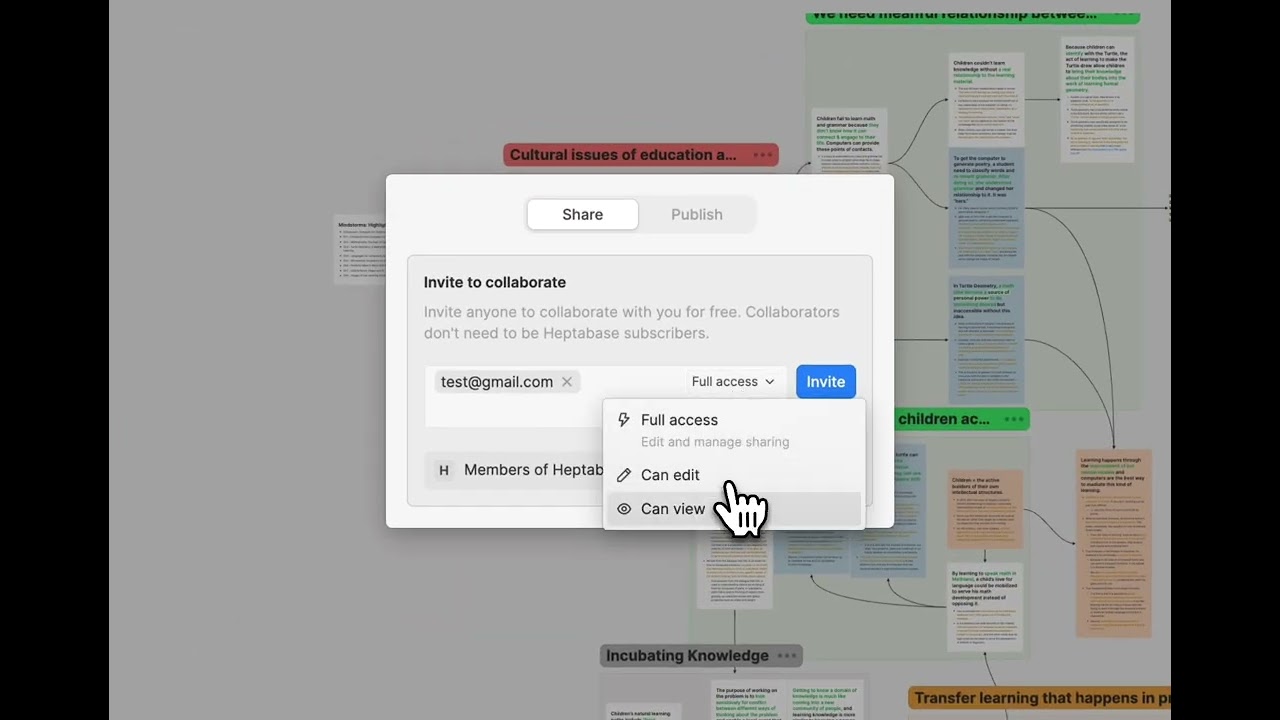
- Collaboration: Support Can View and Can Edit permissions for whiteboards. (Tutorial 👉 Collaboration Q&A)
v1.56.2
May 13, 2025
- Improve file upload performance.
- Fixed a sync failure issue with area highlight images.
v1.56.1
May 9, 2025
- Fixed an issue where Readwise wasn't syncing on the web app.
- Fixed an issue where clicking on section links caused strange navigation animations.
v1.56.0
May 5, 2025
- App: Deeplink (Please check 👉 How to use Deeplink in Heptabase?)

- Deep Link: Support Windows devices now.
- Deep Link: Whiteboard links, section links, and block links can be opened in the Heptabase app from other apps.
- Deep Link: Users can choose how Heptabase links open (in-app or in a browser) in the web app settings.
- Editor: Support pasting a whiteboard link into a card as a mention link.
v1.55.9
May 1, 2025
- Fixed the issue that users can't sign in via email authentication in the desktop app.
v1.55.8
May 1, 2025
- Deep Link: Card links can be opened in the Heptabase app from other apps (macOS only)
Mobile App v1.27.2
May 1, 2025
- Fixed some backend issues and improved overall stability.
Mobile App v1.27.1
April 22, 2025
- Fixed the issue where the system theme was not working.
- Fixed the issue where users couldn't rotate the app on Android.
- Fixed the issue where the share sheet wasn’t appearing on Android.
v1.55.7
April 22, 2025
- Resolved a performance issue that started in version 1.55.0 when editing cards.
- Fixed the issue that a card disappears after the collaborator moves it to another whiteboard.
- Collaborators are no longer permitted to view or restore version history of cards.
- Collaborators can no longer open a mention link to a whiteboard from another space.
- Fixed the issue that sometimes new tab groups are created in others' spaces.
v1.55.6
April 18, 2025
- Fixed an issue that prevented users from opening the right sidebar in card tabs.
- Fixed visual styling problems in the calendar dialog.
v1.55.5
April 16, 2025
- Fixed the issue of infinite data loading on the web app.
- Fixed an unresolved performance issue that began in version 1.55.0 when editing cards.
v1.55.4
April 14, 2025
- Resolved a performance issue that started in version 1.55.0 when editing cards.
v1.55.3
April 13, 2025
- Fixed the issue that prevents selecting a custom range in the whiteboard calendar.
Mobile App v1.27.0.4
April 10, 2025
- Fixed the issue where deleting a whiteboard instance on the whiteboard will cause an error
- Fixed the issue where the link is not working in the mind map text node
- Support inline style editing on mind map text node
v1.55.2
April 10, 2025
- Improved meta app loading time on the web app.
- Fixed the loading style of objects on a whiteboard.
- Adjusted the separator UI in Card Info.
v1.55.1
April 9, 2025
- Fixed an issue where, in certain situations, the Journal's layout would break, causing the screen to continuously shift to the right.
v1.55.0
April 8, 2025
- Web app: On-demand load to improve performance
- Optimized the web app initialization time.
- Load tabs and whiteboards on-demand on the web app.
- Resolved performance issues when switching spaces.
- Changed prev/next journal navigation keyboard shortcut to
Cmd+Option+[and](Mac) orCtrl+Shift+[and](Windows/Linux). - Fixed the issue that sometimes fitting to zoom didn't work when entering a whiteboard.
- Fixed the issue that collaborators fail to go to the whiteboard immediately which is just created.
- Fixed the issue that cards from other spaces can be seen in the References panel.
- Fixed the issue that opening cards in Trash does not work.
- Fixed the issue that prev/next journal navigation keyboard shortcut didn't work when the editor is not focused.
- Improved UI of the Backup page in Settings.
Mobile App v1.27.0.3
April 4, 2025
- Increase the voice note limit to 5 minutes.
- Fixed a text scaling issue in the voice note bottom sheet.
- Fixed the issue that prevents users from starting a recording when using the voice note feature for the first time after installing the app.
- Fixed the issue where haptic feedback doesn't trigger the first time you use the voice note feature after installing the app.
v1.54.1
April 3, 2025
- Now you can use
Cmd+Option+Left/Right(Mac) orCtrl+Shift+Left/Right(Windows/Linux) to navigate to the previous or next date in the Journal. - Improved card tab loading experience when switching to other users' spaces.
- Fixed a sync issue that caused data inconsistency across devices.
- Fixed an issue where users couldn't return to their own spaces from others' spaces due to internet connectivity problems.
- Fixed an issue preventing users from opening tag tab URLs on the web.
- Removed the Sync section from the settings menu and moved the "Deactivate Cloud Sync" button to the Advanced section to prevent misuse.
Mobile App v1.27.0.2
April 2, 2025
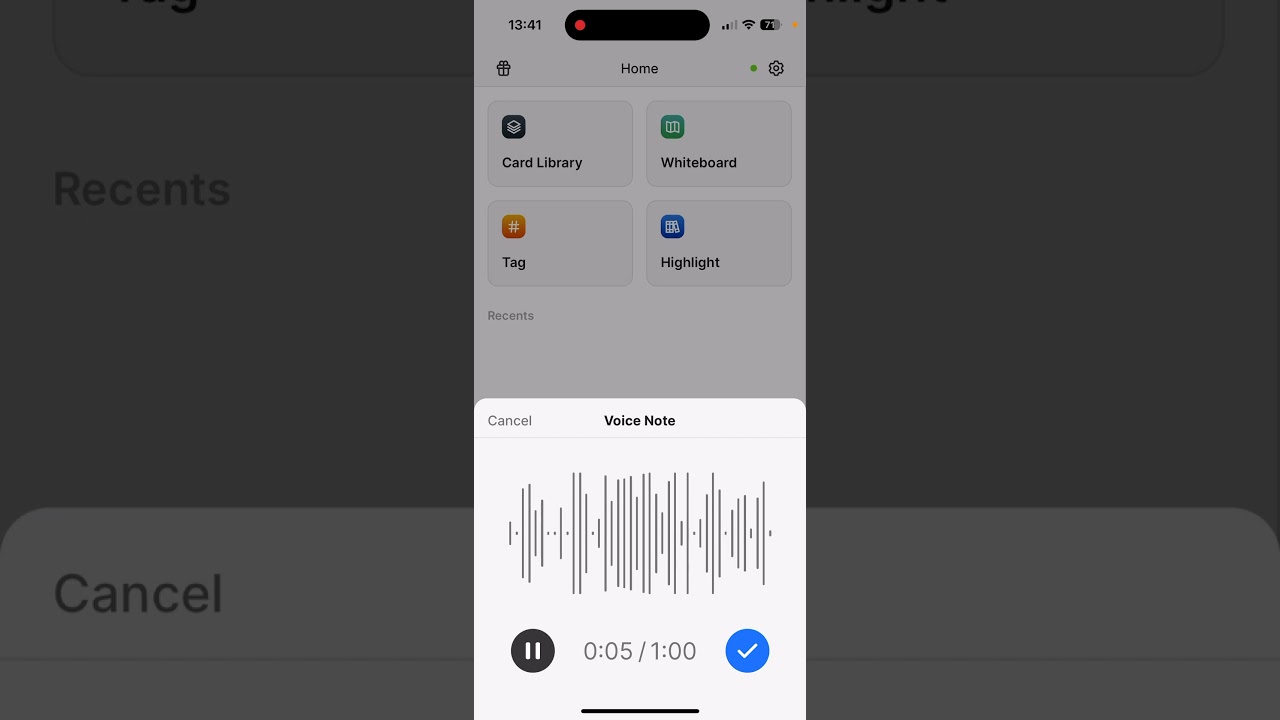
- Mobile App: Voice Note Quick Capture
- Fixed an issue where the block menu would fail to work in certain situations.
v1.54.0
March 28, 2025
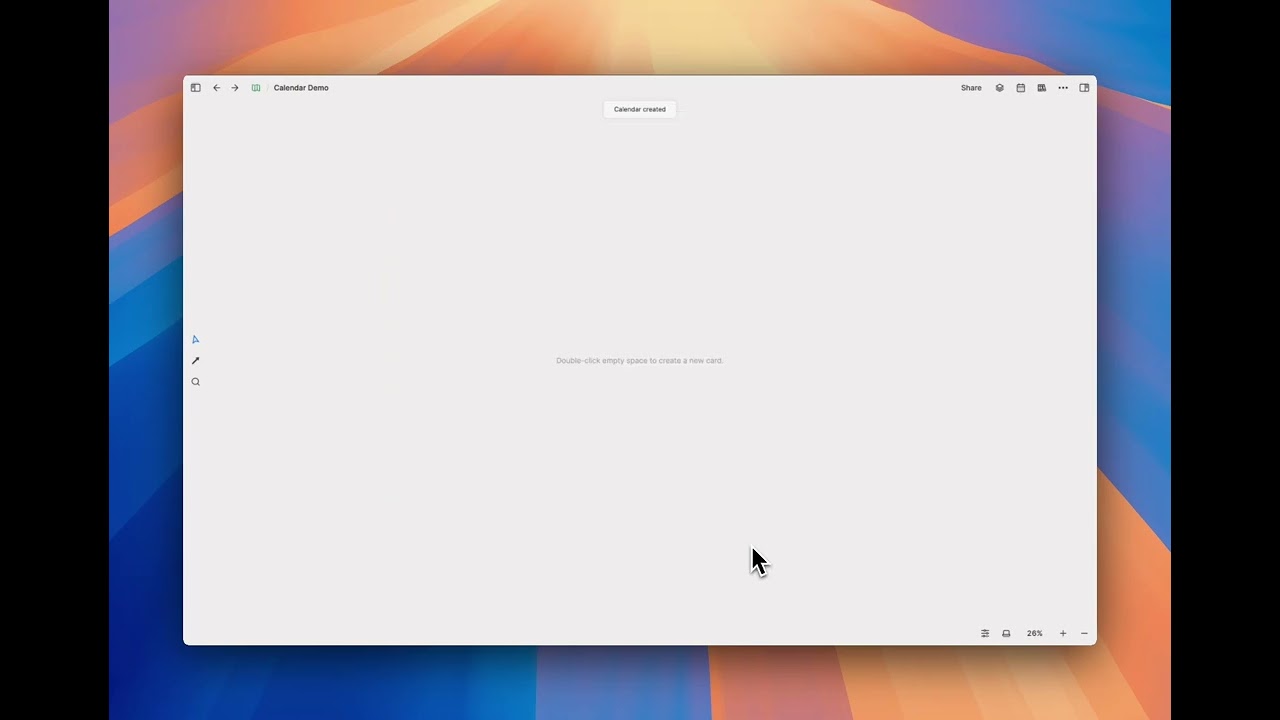
- Whiteboard: Create a calendar for journal reviews
v1.53.9
March 24, 2025
- Fixed an issue where some user can't login to Heptabase in v1.53.8
You can download the latest version here.
v1.53.8
March 24, 2025
- Prevent Ctrl/Cmd + W from closing a pinned tab.
- Fixed the data inconsistency issue that occurred when multiple windows were open.
- Fixed the flickering issue with the mindmap when users collaborate on the whiteboard.
- Fixed the issue where pasting media into the editor would result in a redundant image placeholder.
- Fixed the issue in Safari where typing in Chinese would cause the style or bullet points to disappear.
- Improved performance when switching to a collaborator's workspace.
Mobile App v1.26.5.2
- Fixed some style and color issues.
- Fixed the issue where Android users couldn't see bold text in Chinese.
v1.53.7
March 13, 2025
- Fixed the issue where the custom tag filter was not functioning.
- Improved the performance of edit locks in collaborative card.
v1.53.6
March 11, 2025
- Fixed an issue where users couldn't scroll through the highlights in the right sidebar of the Highlight app.
v1.53.5
March 11, 2025
- Reduced wait time when switching to another collaborator's workspace.
- Enhanced data consistency by resolving cross-device issues.
- Fixed some backend issues and improved overall stability.
Mobile App v1.26.5
March 11, 2025
- Fixed some backend issues and improved overall stability.
Mobile App v1.26.4.1
March 7, 2025
- Improve overall loading experience
- Fixed the issue where there would sometimes be two loading screens when entering the whiteboard.
- Fixed the styling issue on the import panel.
- Fixed the icon color issue in the editor.
- Fixed the jittering issue when typing.
- Fixed the issue where users could create tags using uppercase letters.
- Fixed the bottom sheet issue that occurred when reduced motion was enabled on Android devices.
Web Clipper v1.4.0
March 4, 2025
- Web Clipper: Better image capture, capture youtube videos

v1.53.4
March 1, 2025
- Fixed an issue that prevented images from loading under certain situations.
- Fixed an issue where clicking on the "Appears in X whiteboards" info didn’t work when full-title folded cards were focused.
- Fixed an issue where some users mistakenly saw an unreleased "bring your own key" option.
Mobile App v1.26.3.1
February 27, 2025
- Able to add cards to a whiteboard from the card’s context menu.
- Able to create tags in the manage tags menu.
- Able to add cards to a whiteboard and tag them in the card info section.
- Improve bottom sheet experience.
- Fixed an issue where the to-do count included tasks from trashed cards.
- Fixed an issue where the selected text highlight wasn’t showing up when typing in Chinese with an external keyboard.
- Fixed an issue that prevented Chinese characters from being entered in some bottom sheet input fields.
v1.53.3
February 26, 2025
- Fixed an issue where the action bar remained open after deleting selected cards in the card library.
v1.53.2
February 26, 2025
- When searching for cards using the Highlight right sidebar, clicking the back button retains the previous search string.
- Able to user Ctrl/Cmd + Enter to enter a sub-whiteboard
- Fixed an issue where under certain conditions the top-level map icon would disappear from the whiteboard's breadcrumb.
- Fixed an issue where using the "paste without format" option failed to remove hyperlinks from pasted text.
- Fixed an issue where deleted media cards continued to appear in mobile search results.
- Fixed an issue where users weren't able to convert a block into text using the block menu when the block was near the top border.
Mobile App v1.26.2.5
February 19, 2025
- Fixed an issue that caused stale to-do items to appear in the task app.
v1.53.1
February 19, 2025
- Fixed issues that prevented users from retrying failed transcriptions.
- Fixed an issue where users weren't notified when they exceeded their transcription quota.
- Fixed an issue where permission info was sometimes displayed incorrectly on unshared whiteboards.
- Fixed an issue where the lock icon appears on the journal even when the whiteboard isn't shared with any other users.
v1.53.0
February 14, 2025
- Journal: Display due tasks

Mobile App v1.26.2.4
February 14, 2025
- Fixed an issue that Android devices cannot create a new card.
- Fixed the wrong bottom sheet title color in dark mode.
- Fixed the wrong gradient editor toolbar color in dark mode.
Mobile App v1.26.2.2
February 13, 2025
- Be able to create a whiteboard in the whiteboard list on mobile.
- Be able to rename a whiteboard on mobile.
- Be able to use the card menu when creating a new card.
- Fixed an issue where typing Chinese in the editor table creates a new column.
- Fixed an issue where creating new card in the Journal or search tab won't have card menu.
- Fixed an issue where the menu does not close when deleting the new card.
- Added gradient style to editor toolbar on mobile.
v1.52.3
February 13, 2025
- Fixed an issue where opening the References panel would unexpectedly trigger edit locks.
- Fixed an issue where editing a card wouldn’t trigger the card library to re-render.
- Fixed an issue that was causing the app to crash when using the PDF table of contents.
- Fixed an issue where PDF search terms weren't cleared after closing the dialog.
- Added support for returning to the previous page after clicking the PDF table of contents.
v1.52.2
February 10, 2025
- Fixed an issue where users couldn’t collaborate in others’ workspaces without a subscription.
v1.52.1
February 9, 2025
- Fixed incorrect backlinks to journal in a shared space.
- Fixed an issue where cards became inaccessible when dragged into mind map nodes.
- Fixed a layout issue in the reference panel.
- Fixed a layout issue in the Journal of the web app.
- Fixed the line height issue in the math block to prevent two lines from overlapping.
v1.52.0
February 7, 2025
- Collaboration: Invite free users to edit a whiteboard (Tutorial 👉 Collaboration Q&A)

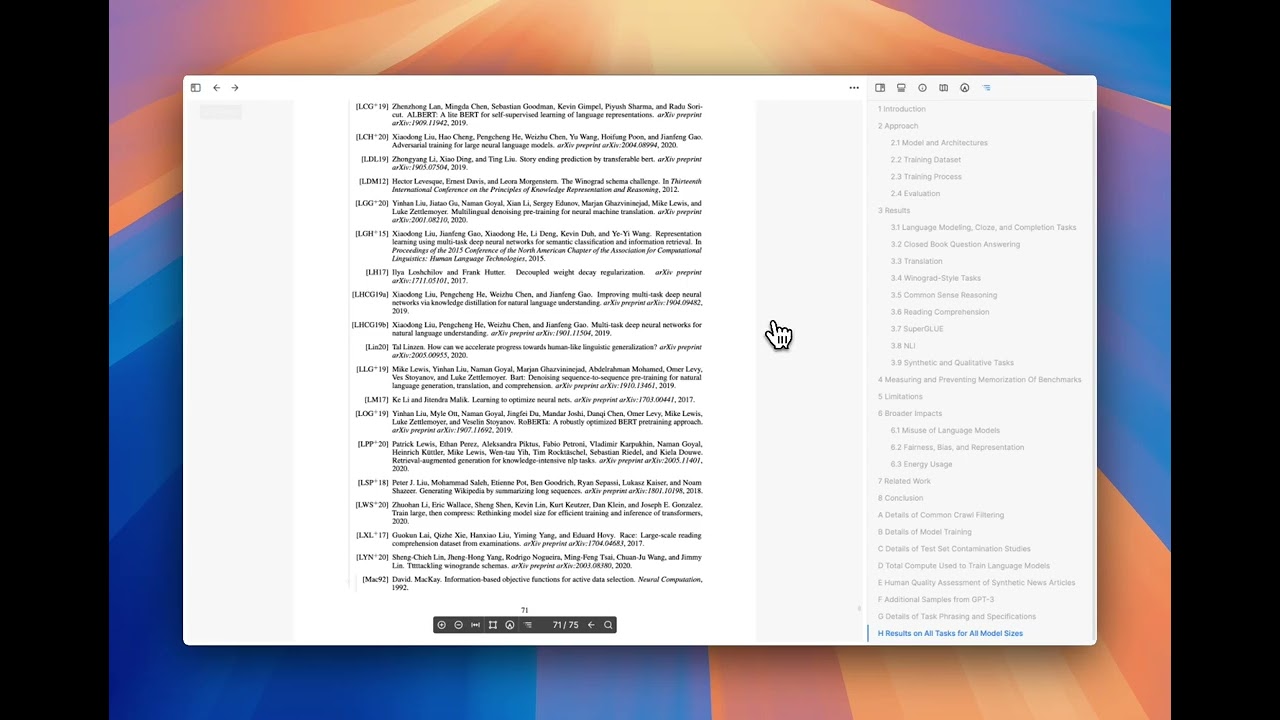
- PDF - Support Google Scholar Preview on citations
- Support using ArrowLeft/Right to navigate the previous/next pdf page.
- Support table of contents on the right sidebar for pdf card tabs.
- Support shift+enter to go previous item in pdf search dialog.
- Memorize the zoom value in pdf card tabs and improve the zooming experience of trackpad.
- Support automatically parsing academic paper (with arXiv or DOI number) titles when uploading pdf files.
- Fixed the incorrect last read position of pdf on large pdf files.
- Fixed the back button behavior on large pdf files.
- Fixed an issue where applying custom filters may cause serious performance and sync issues.
Mobile App v1.26.2
February 7, 2025
- Fixed the issue where the task app has stale to-do items.
- Ensure compatibility with the collaboration update.
v1.51.4
February 3, 2025
- Fixed an issue that users cannot open a single PDF card in the right sidebar.
v1.51.3
February 3, 2025
- Fixed an issue that cloud sync can't be activated after deactivating.
Mobile App v1.26.1
February 3, 2025
- Improved the import panel stability.
v1.51.2
January 29, 2025
- Fixed an issue where in-whiteboard search and global search do not work after re-activate sync on the web app.
- Fixed an issue where pasting a paragraph containing a hyperlink would incorrectly set the entire paragraph as a hyperlink.
- Typing
>=and<=in the editor automatically transforms into ≥ and ≤.
Mobile App v1.26.0.1
January 29, 2025
- Auto focus the editor when creating a new card.
- Improved the todo checkbox trigger area in the editor.
- Fixed an issue where using the Task app might cause data not to display correctly.
- Fixed an issue where the editor toolbar continued to exist when changing the date in the journal.
- Fixed some todo item style issue.
- Fixed an issue where clicking on a bullet list node would incorrectly scroll the screen to the top.
- Fixed an issue that prevented users from creating a new card the first time they entered the app.
- Fixed an issue that prevented users from searching for tags when managing tags of a card (Please sign out and then sign back in to rebuild the index.)
- Fixed an issue where pasting a YouTube link wouldn't trigger the embed menu.
- Fixed an issue where pasting a card link wouldn't trigger the mention menu.
- Fixed an issue where the position was incorrect when adding cards to the whiteboard using the import panel on mobile.
- Fixed an issue where pasting a paragraph containing a hyperlink would incorrectly set the entire paragraph as a hyperlink.
v1.51.1
January 24, 2025
- Fixed an issue where users cannot see the whiteboard on the right sidebar.
Mobile App v1.26.0
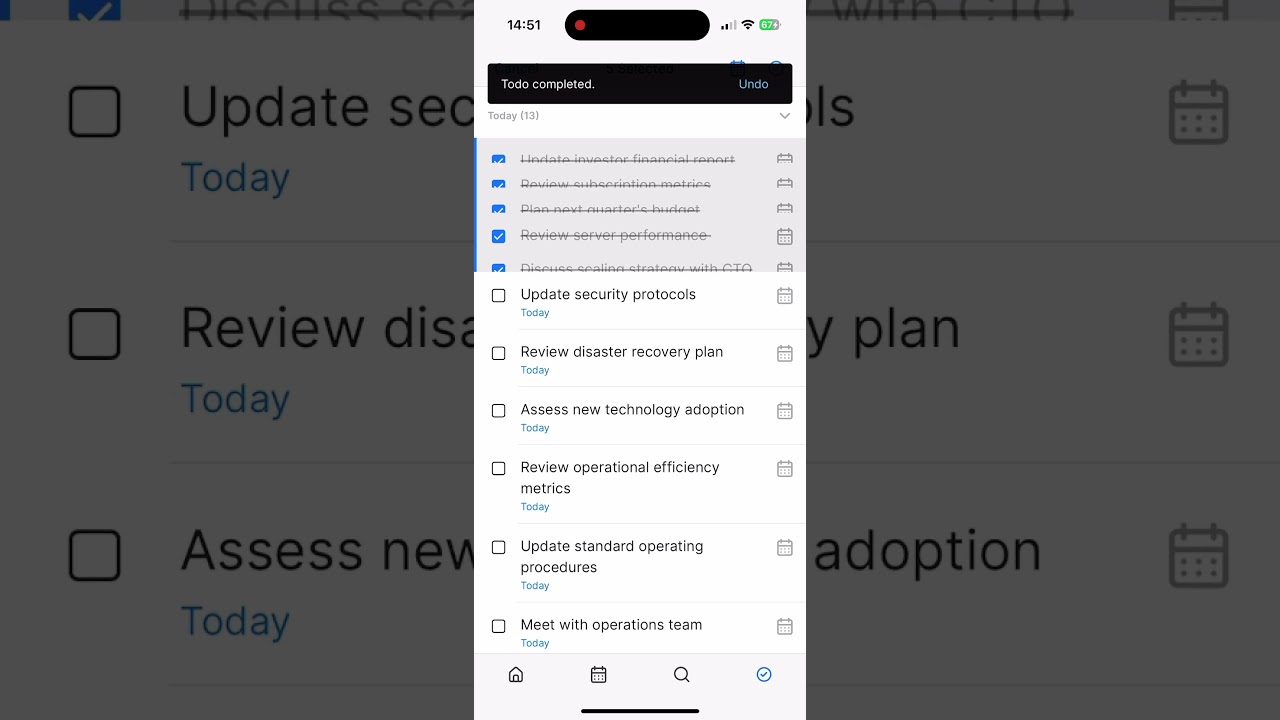
January 23, 2025
- Task app
v1.51.0
January 23, 2025
- Fixed an issue where users were unable to export backups from the web app.
- Fixed an issue where, in some rare cases, the settings menu couldn't be opened in the web app.
- Fixed an issue where the "No results" dialog wouldn't disappear when there was no match after typing a slash.
v1.50.2
January 15, 2025
- Improved the sync stability
v1.50.1
January 6, 2025
- Fixed an issue that journals on a published whiteboard are inaccessible.