Heptabase Updates - AI Agent Mode, Heptabase CLI, and more!
Dear Heptabase User,
Over the past couple of weeks, most of our work has gone into advancing Heptabase's agentic capabilities. The new Agent Mode and our ongoing improvements to the AI Tutor all point toward one goal: a Heptabase agent that understands what you're learning, what you might want to learn next, and where you're getting stuck, so it can offer a learning and research experience that's tailored to you. The updates below are early steps in that direction, along with a few long-awaited improvements to the core Heptabase experience.
AI: Agent Mode
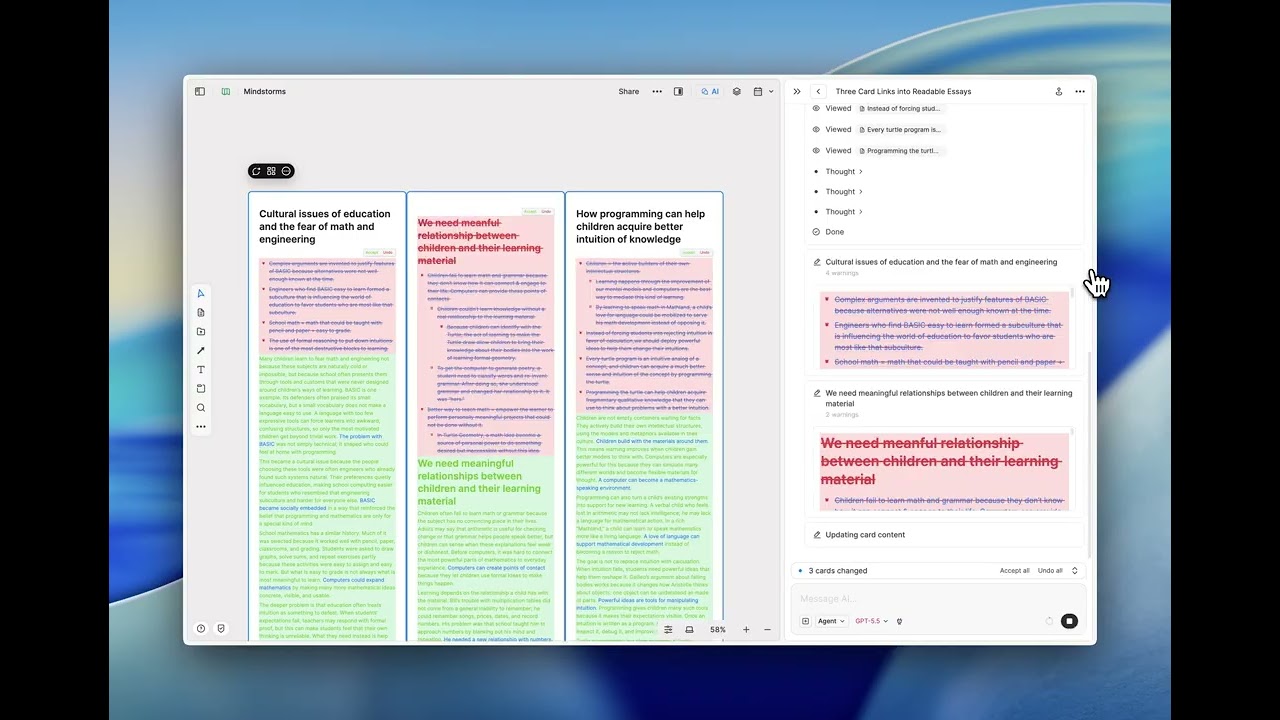
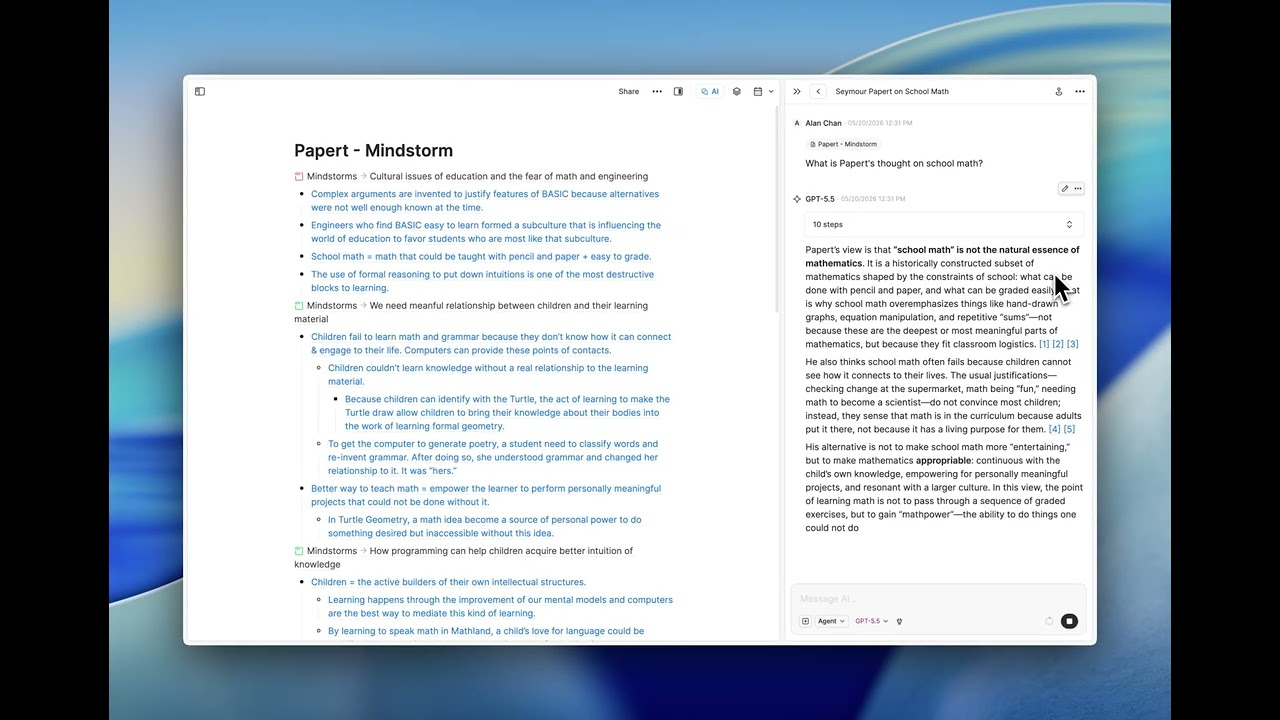
We've upgraded Heptabase AI with Agent Mode. With it enabled, Heptabase AI becomes far more capable and can do things it couldn't before. It can edit existing cards, create new cards, read the images and mention links inside your cards, and read the sub-whiteboards under a parent whiteboard to explore your knowledge base in greater depth.
In the coming weeks, we'll add even more capabilities to Agent Mode, such as editing whiteboard layouts, drawing connections and sections, adding tags, and managing properties. Give it a try and let us know what you think!
Heptabase CLI
Agent Mode brings AI into Heptabase. The Heptabase CLI works in the other direction: it lets the AI agents you already use, like Claude Code, Codex, and Cursor, read and edit your knowledge base directly from the command line. Since its launch last month, the CLI has grown quickly, and it can now work with your whiteboards, read and edit tag and card properties, and read the parsed content of your PDFs, images, and audio and video transcripts.
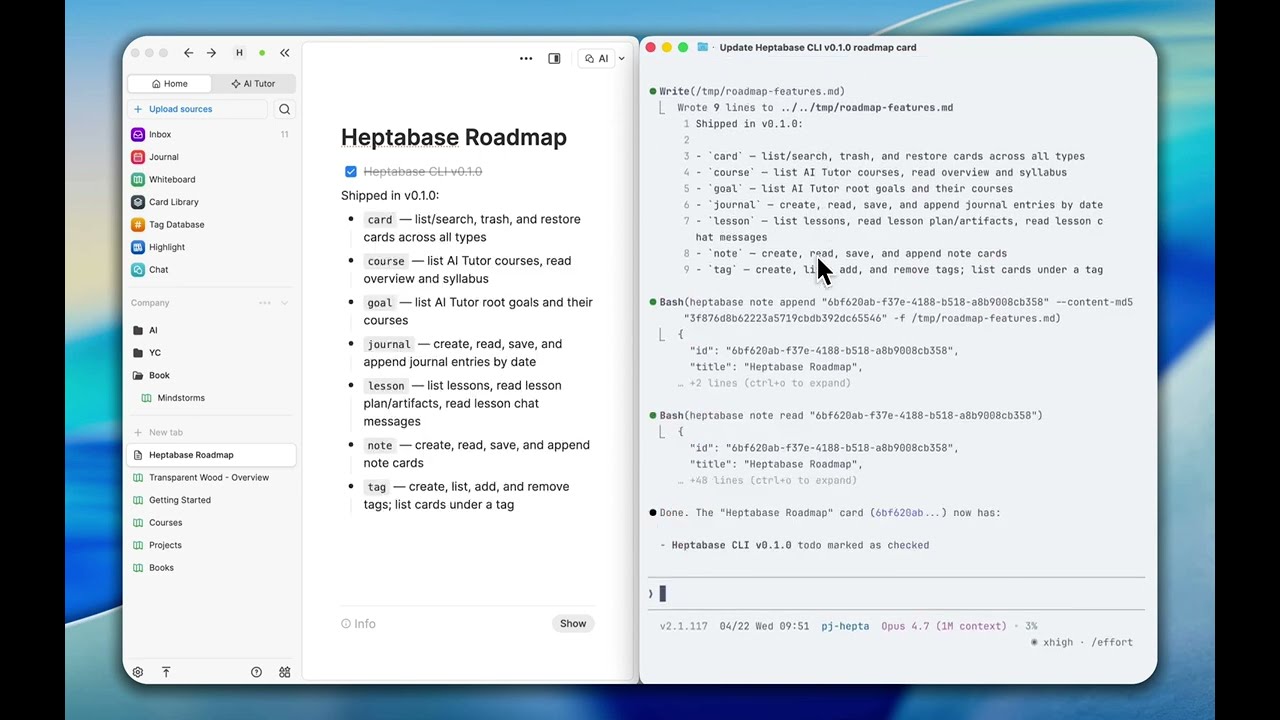
To help agents use these commands well, we've also released the official Heptabase CLI Skills. With the skills installed, agents can run the right commands and avoid common hallucinations and mistakes. You can find the setup instructions and skills on GitHub, and learn the basics in How to use Heptabase CLI. We'll keep updating the skills as the CLI's capabilities expand. If you find something useful or have feedback, we'd love to hear it.
App: Live Public Link for Cards
You can now publish an individual card and share it with one click. Previously, you could only share an entire whiteboard publicly; now you can do the same with a single card. Share any of your notes and files, or the lesson materials created by the AI Tutor, straight to social media or anywhere else.

Mobile App: PDF Highlight and Annotation
If you read PDFs on your phone or tablet, you can now highlight and annotate them right inside the mobile app, and it's available on both iOS and Android. Mark up your sources wherever you are, and your highlights stay in sync with the rest of your knowledge base.

We hope that these updates will improve your experience on Heptabase and make your learning easier and more enjoyable.
If you have any feedback or suggestions, or you want to share your use cases or contents related to Heptabase, please don't hesitate to chat with us through our in app support.
Stay tuned for future updates, and we hope you have a great day!
Best regards,
Heptabase Team